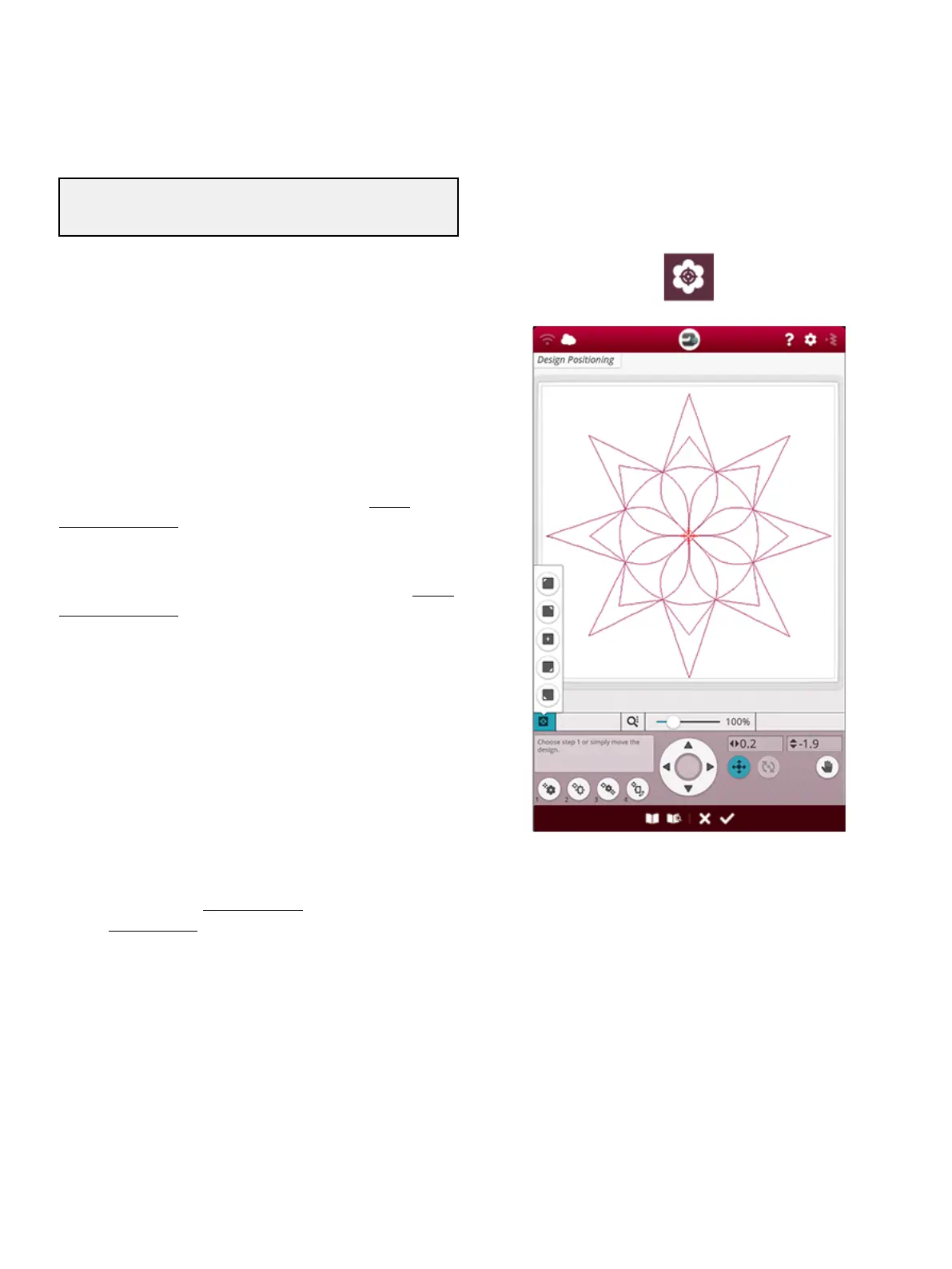
Design Positioning
Use the design positioning feature to place a design on an
exact location on your fabric without re-hooping. It can also
be useful when you want to embroider a design to exactly
match a specific spot on your project or next to a previously
embroidered design.
Tip: Use your JoyOS ADVISOR™ feature to locate instructions
for design positioning on how to use the design positioning feature.
Touch the design positioning button to open the design
positioning window.
To move your design in the hoop without selecting a specific
locking point, touch and move your design until you are
satisfied with the placement. You can also open set cursor
point options and touch the set cursor point center button to
quickly find the center of your design and move the design to
the center of your hoop if needed.
To position the design with a locking point on your design
that matches a specific position on the fabric or previously
stitched design, go through steps 1 and 2 in the design
positioning wizard.
To position and rotate the design with a locking point and
matching point to match a specific position on the fabric or
previously stitched design, go through steps 1-4 in the design
positioning wizard.
Touch OK when satisfied with your design placement or
touch cancel to close the design positioning feature without
saving any changes.
Tip: If you just want to move your embroidery in the hoop, open design
positioning and move your design with your finger on the screen or use
the control wheel.
Zoom the embroidery area to be sure that you are placing the
design exactly where you want it by touching the zoom
options and using the zoom to cursor button. You can also
use the pinch/stretch function or use the zoom slider to
zoom in and out. You will see how much you have zoomed
to the right of the slider.
9 Embroidery Stitch Out 135




 To Next Page