mySewnet™ Cloud
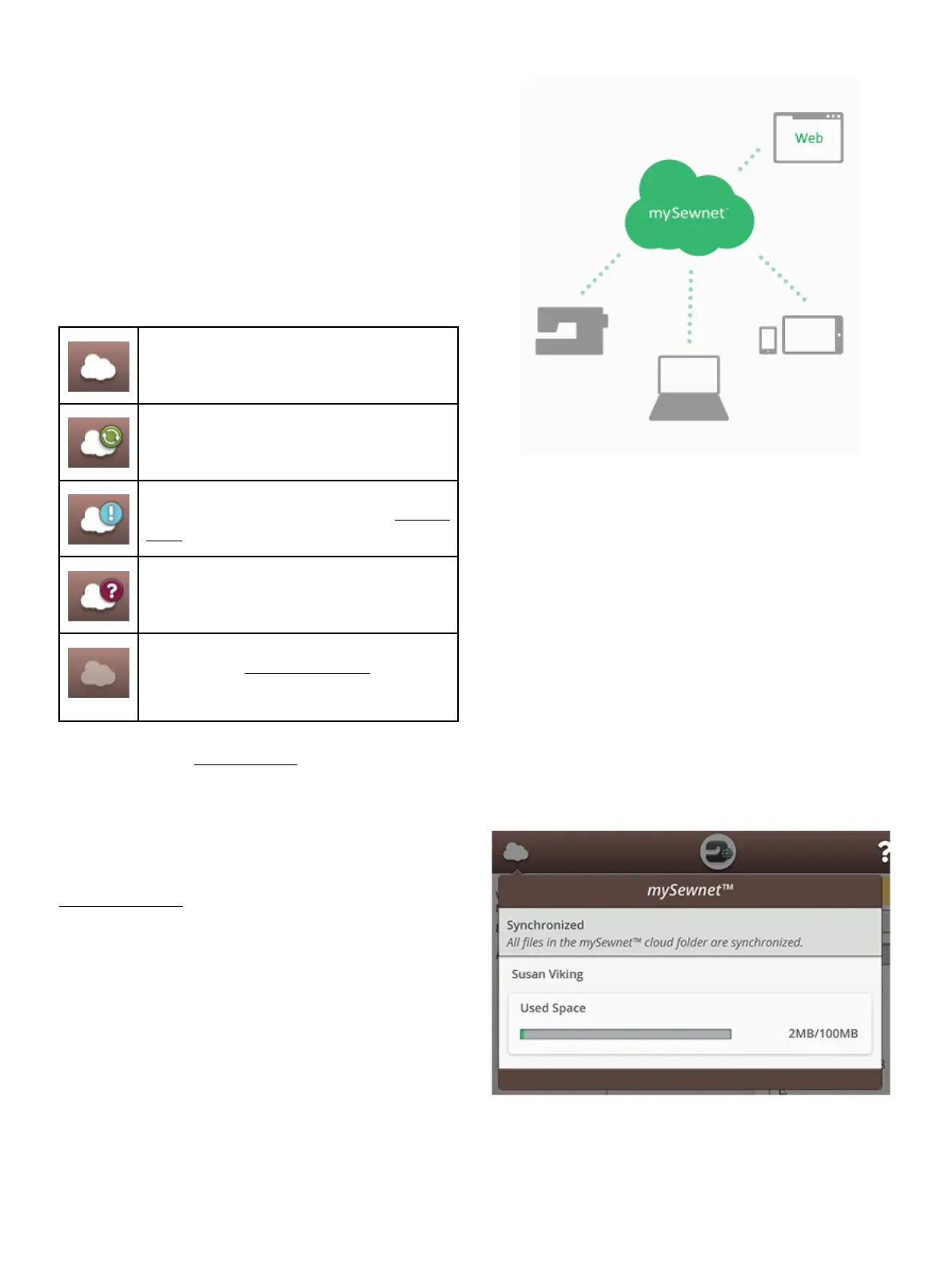
mySewnet™ cloud is a service where you save and access your
personal files, projects, stitches and designs, over the Internet
instead of on your computer’s hard drive. It is available to all
owners and users of a mySewnet™ cloud enabled machine.
The mySewnet™ cloud offers a simple way to manage and
access personal files from different devices:
• mySewnet™ enabled machine.
• PC or MAC
• Smartphone or tablet.
The synchronization status in your machine will be shown on
the mySewnet™ button in the topbar:
All files in the machine and mySewnet™ cloud
are synchronized.
The machine is currently synchronizing files
with the mySewnet™ cloud.
The mySewnet™ cloud cannot synchronize
with your machine. Check if you have available
space on the mySewnet™ cloud.
Signed in to your mySewnet™ account but
there is no connection to the mySewnet™
server.
Not signed in to your mySewnet™ account. Log
in or register a mySewnet™ account to be able
to synchronize files from the machine to the
mySewnet™ cloud.
If your machine cannot connect to mySewnet™ cloud or does
not synchronize, see troubleshooting.
Used Space in mySewnet™ Cloud
The mySewnet™ cloud will store designs, fonts, stitches and
other files from your machine.
Touch the mySewnet™ button on the topbar or go to
mySewnet™ settings. When only a small amount of space is
left, your machine will alert you once. If you continue to fill
the space, it will not remind you again, until the space is
completely full. Delete or move files to a USB device to free
space.
Note: The mySewnet™ cloud space gets activated the first time you sign
in on your mySewnet™ account from the machine.
66 5 WiFi &
mySewnet
™ Services













 To Next Page