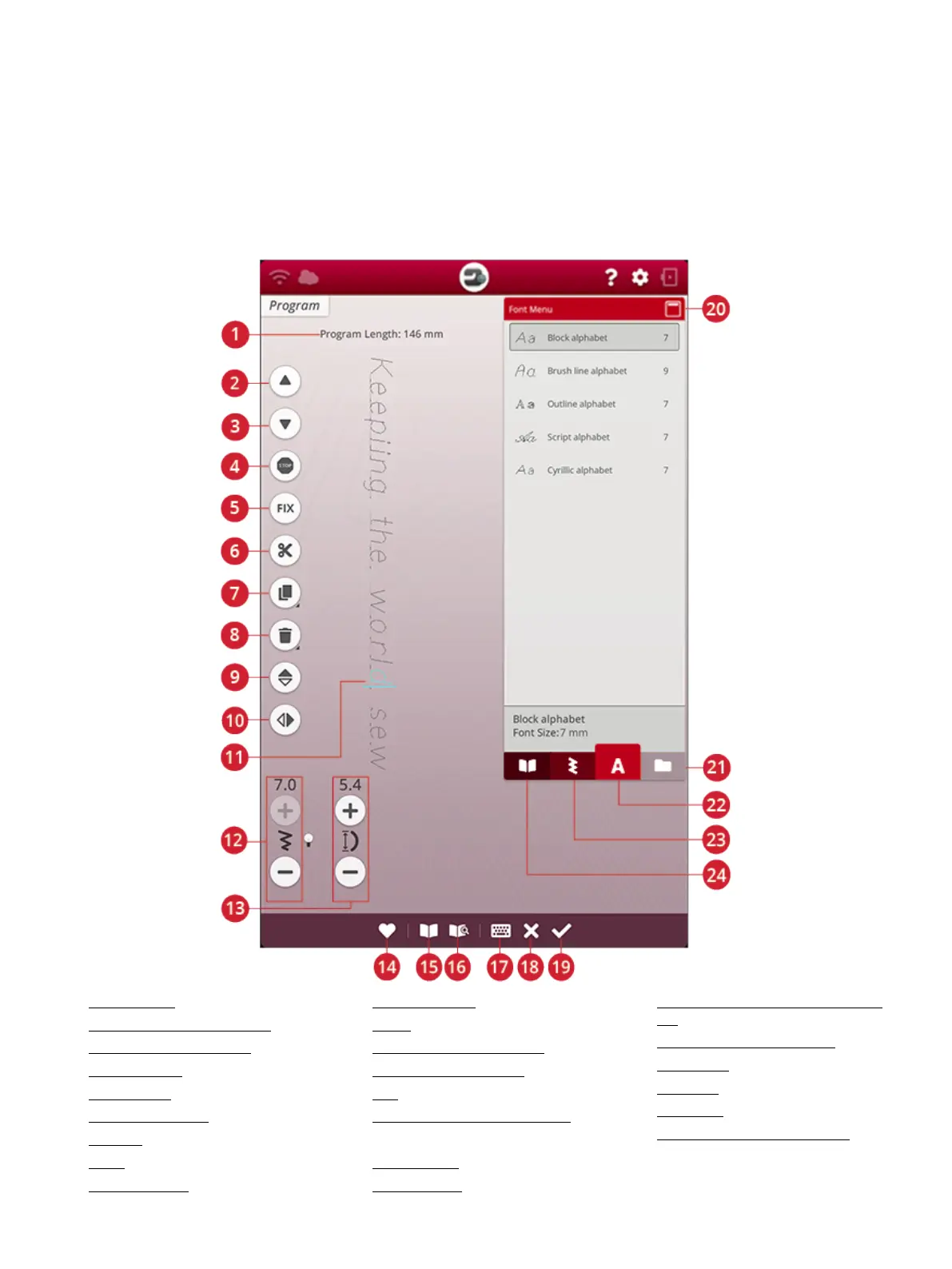
Program – Overview
You can combine stitches and/or letters and numbers to create stitch programs. Combine various decorative stitches and stitch
fonts from the from the machine stitch menus, mySewnet™ cloud folder on the machine, or from a USB device.
You can program stitches up to approximately 500 mm (20”) long. You can see how long your stitch program is at the top of the
window. You can program in both sewing and in embroidery edit.
Tip: If sewing mode is active and your stitch program is ready to be sewn, you can close the program window by pressing the foot control, or by pressing
the start/stop button.
Note: Not all stitches are available to program. A pop-up message will alert you if you try to select an unavailable stitch.
1. Program length
2. Step to previous stitch/go to last
3. Step to next stitch/go to first
4. STOP command
5. FIX command
6. Thread cut command
7. Duplicate
8. Delete
9. Mirror end to end
10. Mirror side to side
11. Cursor
12. Stitch width/Stitch positioning
13. Stitch length/Stitch density
14. Save
15. JoyOS ADVISOR™ project viewer
16. User’s guide
17. Open keyboard
18. Cancel program
19. OK, return to sewing mode/embroidery
edit
20. Minimize/expand selection area
21. File manager
22. Font menu
23. Stitch menu
24. JoyOS ADVISOR™ project menu
146 10 Program













 To Next Page