CHAPTER 5
5-4 IEN HARDWARE REFERENCE 940043-002
IEN 2000 CONFIGURATION
This section describes the configuration procedures for the IEN 2000 chassis. Defining the
IEN 2000 chassis to IENView is similar to defining an IEN 1000, IEN 3000, IEN 4000 or
IEN 5000 chassis in that, each port is represented by a unique bus address.
Bus Extension
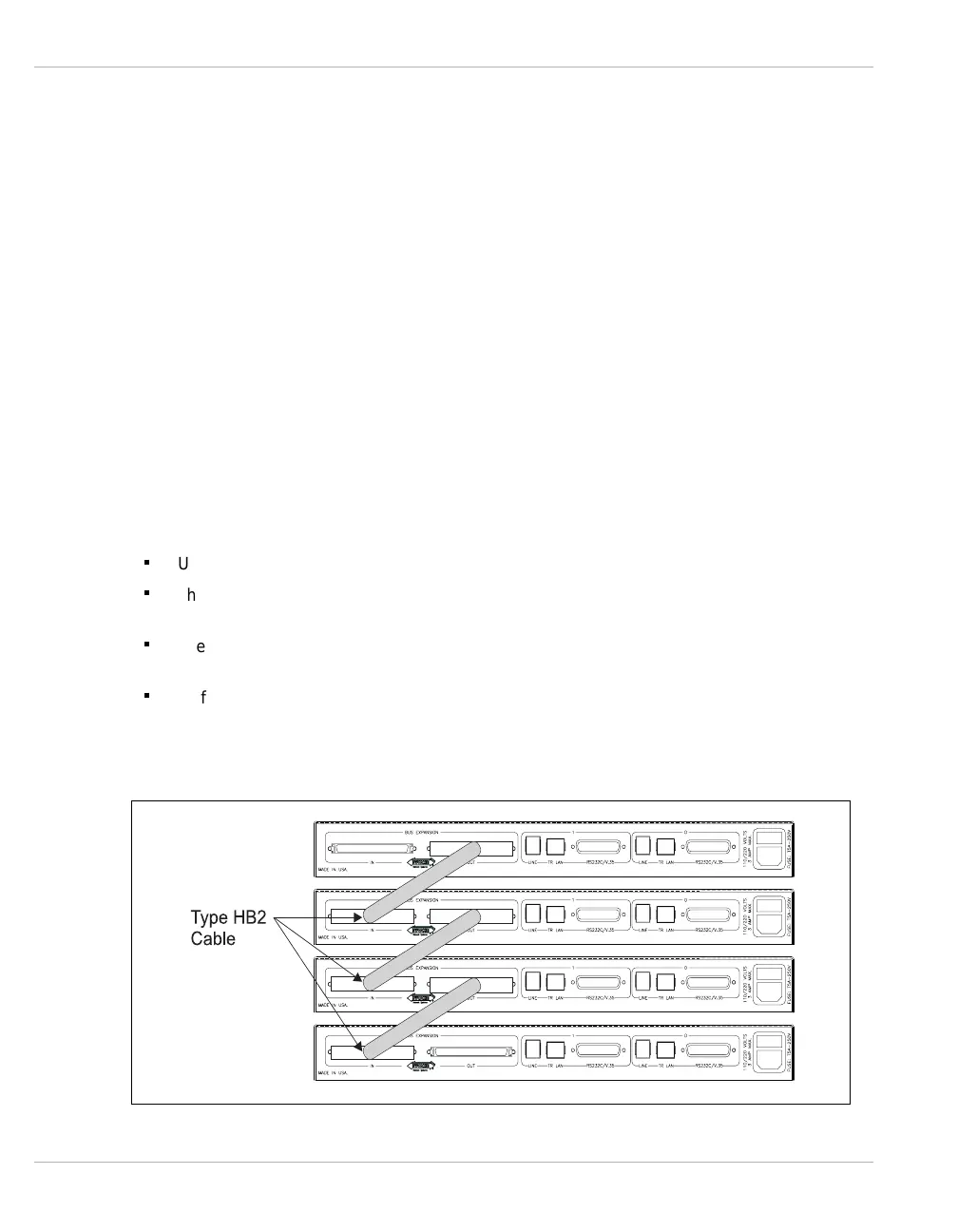
Ethernet or Token Ring bus extension is required when exceeding four chassis. Groups of
four chassis may be bus connected using Type HB2 cables and then connect the groups
using Ethernet or Token Ring bus extension.
Note: Standard bus extension is not an option with the IEN 2000 chassis.
The Ethernet or Token Ring bus extension uses LET61B or LTR61B LAN boards respectively;
however, these interfaces may not be used as router interfaces and must have their own
dedicated LAN for bus traffic. This method extends both the standard and high-speed
busses.
n
Used when exceeding four chassis
n
This method of bus expansion is used to extend both the high-speed and the standard
bus
n
The topology chosen should be dedicated as a backbone for the IEN node and not
shared with a LAN application
n
Traffic across the extended bus is minimized to that which requires to be crossed to an
application interface in another chassis
Figure 5-1 illustrates the bus expansion for the IEN 2000 chassis.
Figure 5-1 IEN 2000 Bus Expansion



 To Next Page