EasyManua.ls Logo

IAI SCON-CB-F - User Manual

IAI SCON-CB-F
450 pages
Print Icon
To Next Page IconTo Next Page
Loading...
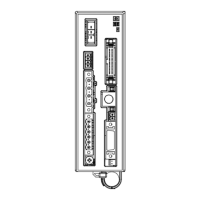
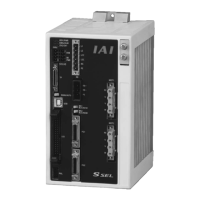
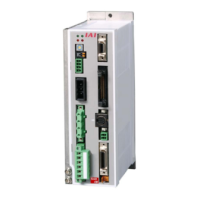
SCON-CB Series Controller
Instruction Manual
Fifth Edition
CB-F Standard Type
LC PLC Feature Equipped Type
CGB-F Safety Category Complied Type
LCG
Safety Categories Complying
PLC Feature Equipped Type

Table of Contents

Questions and Answers

  • S
    smithisaiahAug 20, 2025
    What to do if IAI Controller has connection error or disconnection?
    • S
      Sandra BeckAug 20, 2025
      If you're experiencing connection errors or disconnections with your IAI Controller, start by inspecting the connectors to ensure they are properly connected. Also, check the cables for any connection errors, disconnections, or pinching.
  • D
    Douglas SanchezAug 22, 2025
    What to do if IAI SCON-CB-F Controller is not connecting with host machine?
    • R
      Richard WeeksAug 22, 2025
      If the IAI Controller is not connecting with the host machine: 1. Ensure the communication rates of the controller and the host machine match. Set them to be the same. 2. Verify that the unit number (station number) is correctly set and doesn't duplicate another unit's number or fall outside the allowed range. 3. If using RS485 with a host device other than ROBONET and encountering response timeout errors, try reducing Parameter No.17 “Minimum delay time for slave transmitter activation” (a value of 2 is suggested as a reference). 4. Carefully check the communication cable wiring for any disconnections or poor connections. Also, confirm that termination resistances with the correct values are connected to the network terminals.
  • S
    Steve GrayAug 25, 2025
    What to do if ALM LED turns on in IAI SCON-CB-F?
    • C
      Curtis HernandezAug 25, 2025
      If the ALM LED illuminates on the IAI Controller's status display when power is supplied, it indicates an alarm has occurred. Connect the teaching tool to check the error code and then address the cause of the alarm by referring to the alarm list.
  • J
    Jennifer BarkerAug 26, 2025
    What to do if the IAI SCON-CB-F Controller actuator does not move?
    • S
      smithyvetteAug 26, 2025
      If the IAI Controller receives both position number and start signal, but the actuator doesn't move, there could be an issue with PIO signal processing, the position table setting, or the operation mode selection: * Confirm that the SV LED on the status display is ON. If not, turn on the servo-on signal (SON) of PIO. * Ensure the PIO pause signal *STP is ON, as operation is only available when it's ON. * Review the sequence or the settings of the position table. * If there is no positioning data set to the commanded position number, Alarm Code 0A2 'Position Data Error' will be generated. Set the position table.
  • S
    Samuel FryeAug 28, 2025
    Why is the EMG LED on IAI Controller lit?
    • B
      Bridget GonzalesAug 28, 2025
      If the EMG LED is lit on the IAI Controller, it indicates an emergency stop. This could be due to several reasons: 1. The emergency-stop switch may be engaged. Release it. 2. The emergency stop release circuit might be OFF, causing an open connection between EMG+ and EMG- of the system I/O connector. Check the emergency stop circuit. 3. EMG+/- of the system I/O connector may not be properly connected. Check the wiring of the system I/O.
  • M
    Marc BrownAug 29, 2025
    What to do if SV LED does not turn on in IAI SCON-CB-F?
    • J
      John MooreAug 29, 2025
      If the host controller (PLC) sends the servo ON signal to the IAI controller, but the SV LED does not illuminate, it suggests that PIO signal communication is disabled. Here are possible causes and solutions: 1. The 24V DC power for PIO might not be supplied. Check the PIO power voltage. If a single power supply is connected with a large load, the voltage may drop or the output may shut down. 2. There might be poor contact in the flat cable. Ensure the PIO cable connectors are securely inserted into the mating connectors. Check the input signals on the I/O monitor of the teaching tool or PC software.
  • M
    Melanie HesterSep 2, 2025
    How to fix vibrations of load in IAI Controller?
    • S
      Shannon VasquezSep 2, 2025
      If there are vibrations of the load connected to the IAI Controller, consider these solutions: 1. The acceleration/deceleration settings might be too high. Decrease these settings and consider using S-shape acceleration/deceleration. 2. The installation structure or the installed load may be sensitive to acceleration/deceleration. Use the vibration suppression control function.
  • J
    jamesangelaSep 4, 2025
    How to stop vibrations of IAI SCON-CB-F Controller actuator or load?
    • L
      Lance ThomasSep 4, 2025
      If the actuator or load is vibrating with the IAI Controller, the acceleration/deceleration settings might be too high. Either decrease the acceleration/deceleration setting in the host controller or set S-shape acceleration/deceleration.
  • V
    Vicki CantrellSep 6, 2025
    How to reduce noise and vibration from IAI Controller actuator?
    • Z
      zromanSep 6, 2025
      Noise and vibration from the IAI Controller actuator can stem from various factors, including the load status, actuator installation, and the rigidity of the mounting unit. Servo adjustment may improve the situation.
  • D
    Dana StarkSep 8, 2025
    What to do if PWR LED does not turn on in IAI SCON-CB-F?
    • J
      Jonathon RichardsonSep 8, 2025
      If the PWR LED on the IAI Controller's status indicator does not light up at power-on, the controller is not receiving proper power. Check the voltage supplied to the controller. If the PWR LED remains off despite normal voltage and correct wiring, contact IAI.

Summary

Name for Each Parts and Their Functions

Chapter 1 Specifications Check

1.2 Basic Specifications

Lists fundamental technical specifications of the controller.

Chapter 2 Wiring

2.3 Pulse Train Control Mode (Only for Controller for Motors of up to 750 W)

Explains operation and wiring for pulse train control mode.

Chapter 3 Operation

3.2 Operation in Positioner Mode

Explains how to operate the controller in positioner mode.

3.3 Operation in Pulse Train Control Mode (Only for Types up to 750 W)

Details how to operate the controller using pulse train control.

Starting Procedures

Safety Guide

Safety Precautions for Our Products

Outlines common safety precautions for using the robot products.

Actuator Axes

Chapter 5 Vibration Suppress Control Function

5.2 Settings of Parameters for Vibration Suppress Control

Details specific parameters for configuring vibration suppression.

Chapter 7 Absolute Reset and Absolute Battery

Chapter 8 Parameter

8.1 Parameter List

Provides a comprehensive list of controller parameters and their settings.

8.2 Detail Explanation of Parameters

Offers in-depth explanations for various controller parameters.

8.3 Servo Adjustment

Guides on performing servo adjustments for optimal performance.

Chapter 9 Troubleshooting

9.1 Action to Be Taken upon Occurrence of Problem

Provides steps to take when a problem occurs with the controller.

9.2 Fault Diagnosis

Helps diagnose common faults and their possible causes.

9.3 Alarm Level

Explains the classification of alarms by danger level and cancellation.

9.4 Alarm List

Lists all alarm codes, their causes, and treatments.

Chapter 10 Appendix

10.2 Conformity to Safety Category

Explains conformity to safety categories and system configurations.

10.5 List of Specifications of Connectable Actuators

Lists specifications for actuators that can be connected.

IAI SCON-CB-F Specifications

General IconGeneral
BrandIAI
ModelSCON-CB-F
CategoryController
LanguageEnglish

Related product manuals