11-4
■ Setting sleep timer
The sleep timer turns the transceiver power OFF au-
tomatically after passing the set period. The timer can
be set to 5–120 minutes in 5 minute steps.
The sleep timer function counts the ‘minute’ units,
anddoesnotcountthe‘second’units.Forexample,
when the sleep timer is started at 12:00 59, first one
minutepastforjust1second.Themaximumerroris
therefore 59 seconds. This is normal, not a malfunc-
tion.
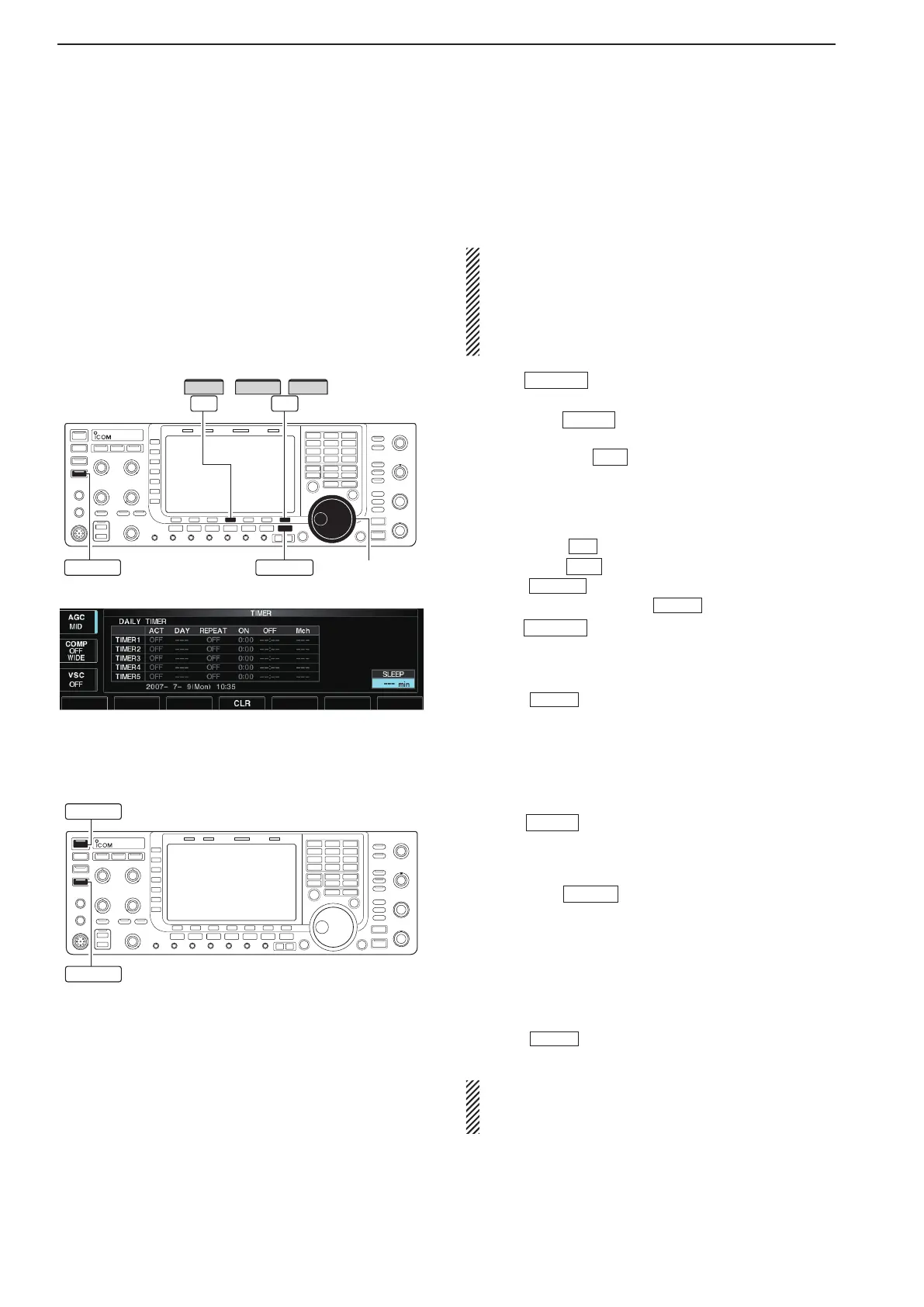
Main dial
SLEEP
EXIT/SET
/
F-4 F-7
SETCLR
TIMER
q Push
EXIT/SET
several times to close a multi-func-
tion screen, if necessary.
w Hold down
TIMER
for 1 second to select timer set
screen.
e Push [SLEEP]
F-7
to select the sleep timer set
condition.
•“–––”blinks.
r Set the desired time period using the main dial.
•“TIMER–setPush[SET]”blinks.
•Push[CLR]
F-4
to select “– – –” to cancel the setting.
t Push [SET]
F-7
to set the time.
•Push
EXIT/SET
to cancel the setting.
•Thetimerindicatorabove
TIMER
switch lights green.
y Push
EXIT/SET
toexittimersetscreen.
u The transceiver emits 10 beeps and turns OFF
after the sleep timer period elapses.
•Thetimerindicatorblinkswhilebeeping.
•Push
TIMER
momentarily to cancel the sleep timer, if
desired.
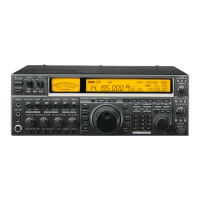
■ Timer operation
q Preset the daily timer as described previously.
w Push
TIMER
momentarily to turn the timer func-
tion ON.
•Thetimerindicatorabovethisswitchlightsgreenwhen
the timer function is ON.
e Hold down
POWER
for 1 second to turn the power
OFF.
•Thetimerindicatorlightscontinuously.
r When the set time arrives, the power is automati-
cally turned ON.
t The transceiver emits 10 beeps and turns OFF
after the power-off period elapses.
•Thetimerindicatorblinkswhilebeeping.
•Push
TIMER
momentarily to cancel the sleep timer, if
desired.
Timer action in the timer set screen must be se-
lected ON to enable timer operation, described in
page 11-3 steps r.
11
CLOCK AND TIMERS


 To Next Page