120
What is the programmer?
The “Programmer” is the place where all the programming happens.
As soon as you modify a fixtures attribute value by using any of the value input methods described
below, it will show up in the programmer.
The programmer always takes precedence over cuelists, this way you may always at any point in a show
modify the look on stage.
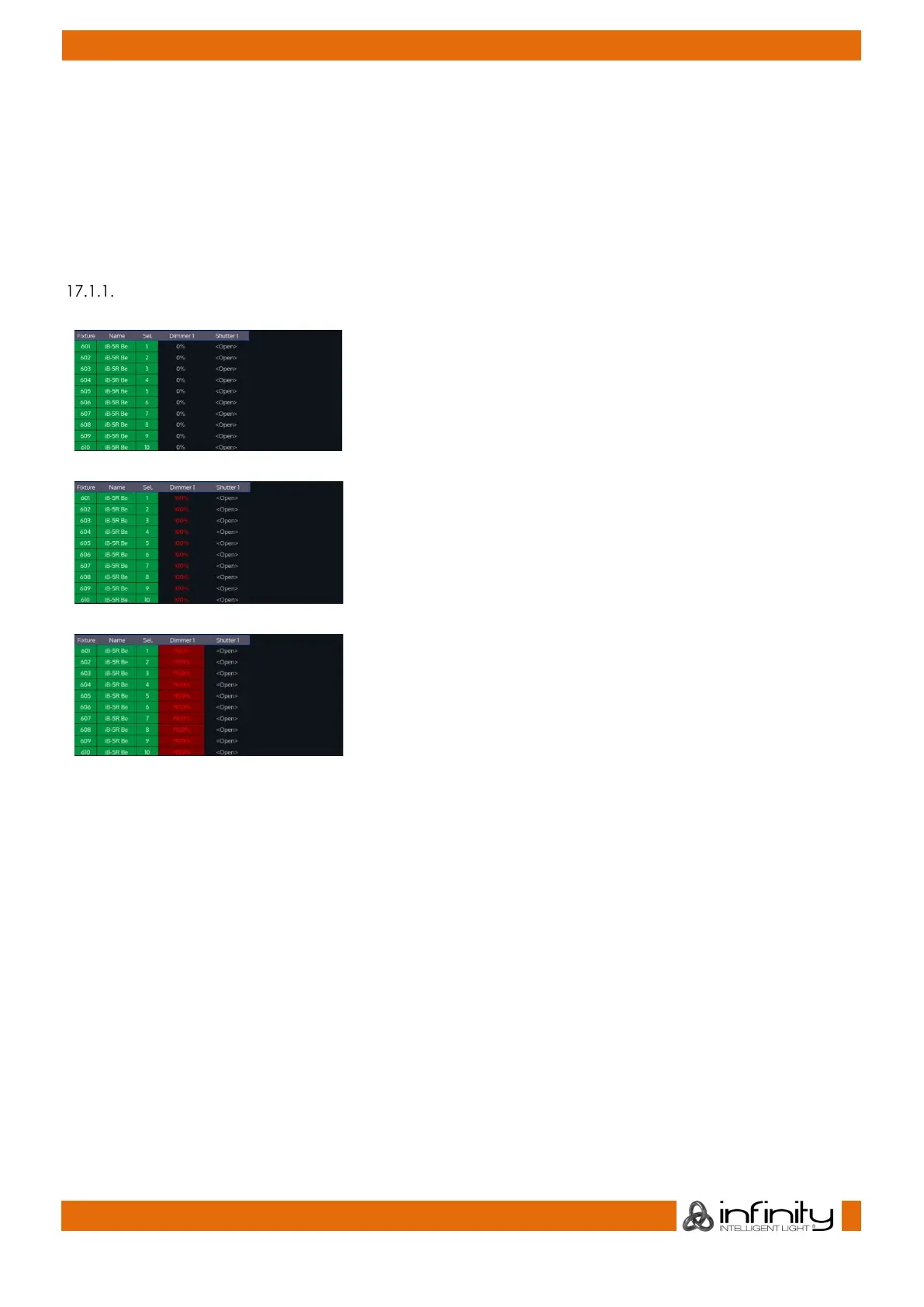
Different states of fixture attribute values
This image shows how the programmer looks like if you have
fixtures selected, but no values assigned to them. They are still
outputting values set by cuelists or their default values set in the
library. These values are displayed in grey color.
This image shows how the programmer looks like if you have
fixtures selected, with values assigned in the programmer. The
programmer takes precedence over cuelist output for the
attributes with values in the programmer. However, these values
would not be recorded.
This screenshot shows how the programmer looks like if you
modified (touched) values of an attribute in the programmer.
The programmer takes precedence over cuelist output for all
attributes with values in the programmer. As soon as values are
“touched” (indicated by red background color of the
corresponding cell) they can be recorded.
The side menu of the programmer indicates which attribute groups have active (touched) values by
using a red border color. Attribute groups with inactive colors will show an orange border color instead.



 To Next Page