241
Edit Ranges Menu (Add icons / names)
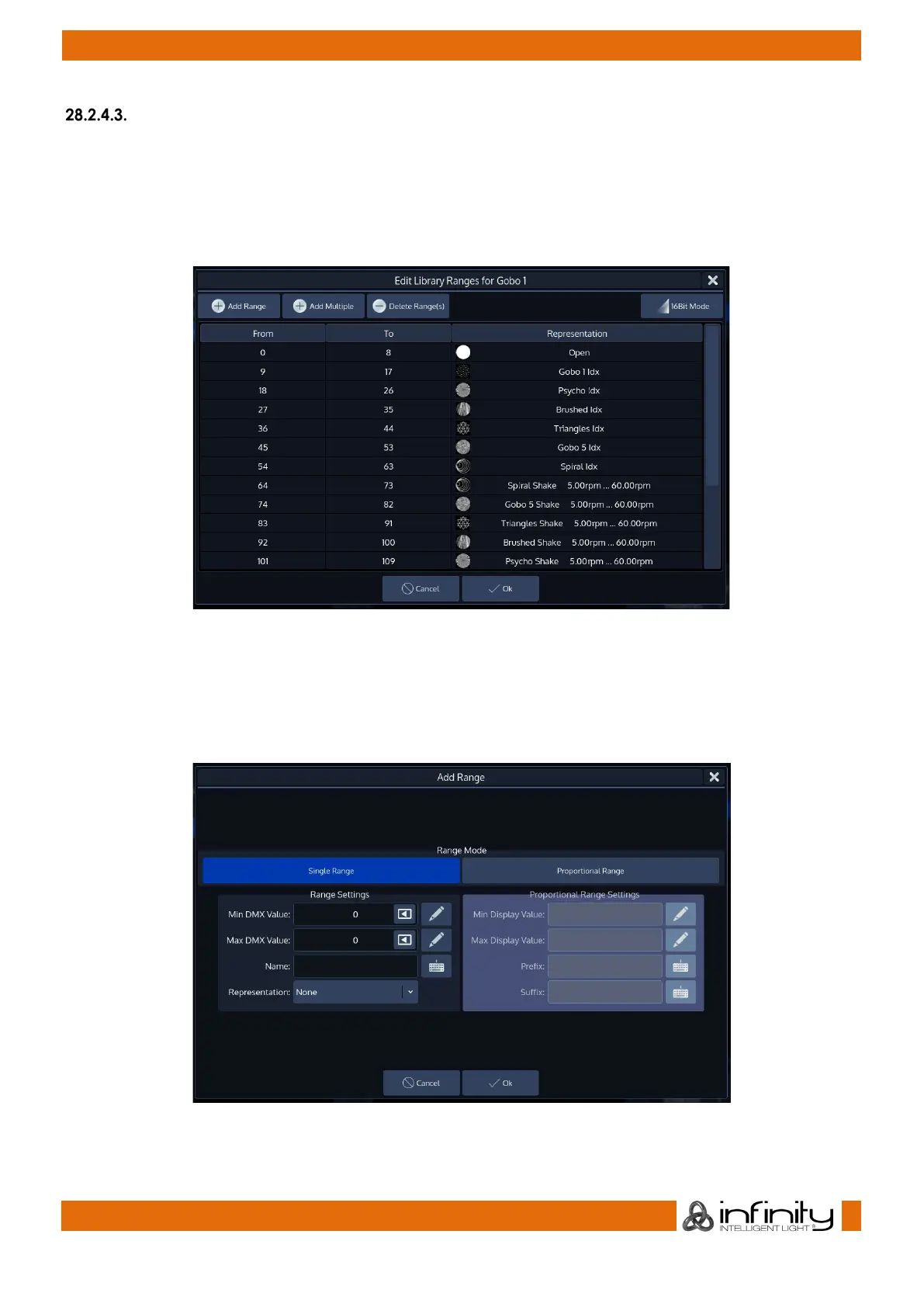
The Edit Ranges Menu is used to specify how a Channels functions are mapped to the corresponding
DMX Values, enabling you to show the name or even icons for a specific range of values within the
Programmer and the Select Range popup that opens when you push on an encoder.
It is opened by selecting the Ranges cell from within the Module Editor tab for the parameter followed by
pressing the [Set] key from within a range cell.
Fig. 213: Range Editor
Adding a ‘Range’
To add a Range to the list, click on the Add Range button.
A new screen will be shown allowing you to specify information about this range.
Fig. 214: Range Editor - Add Range



 To Next Page