122
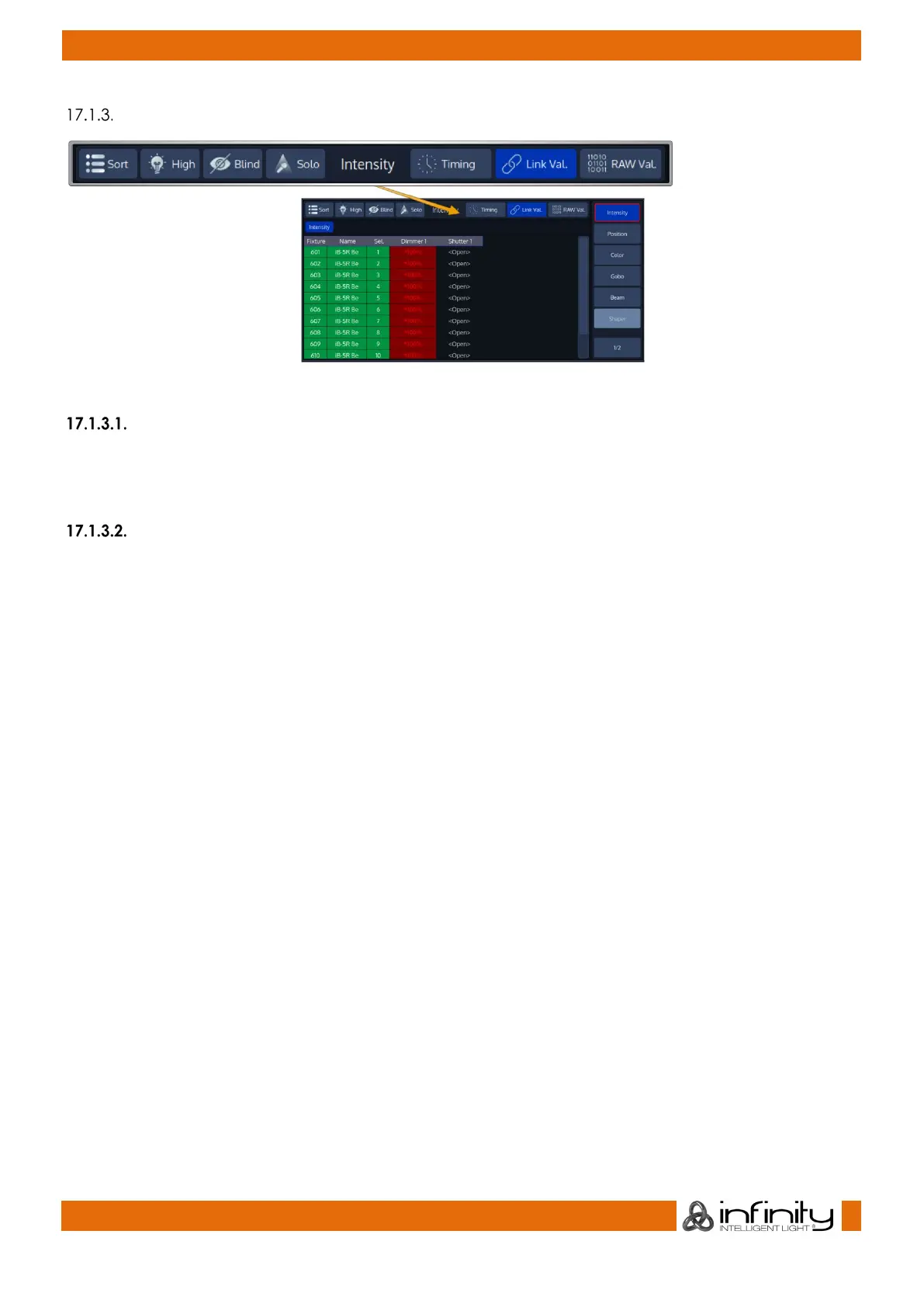
Programmer Title Bar Buttons
Fig. 92: Programmer Title Bar Buttons
Sort Function
The Sort button will sort fixtures by their selection order in the programmer. This function is just affecting the
way the programmer information is displayed. If you prefer to have your fixtures displayed by user
number, you may switch this function on and off at any time.
Highlight Function
Pressing the [Highlight] key or Softbutton temporarily sets the selected fixtures to a “Full on, open
white” state, and will set attributes like Gobo, etc to open. This function may be useful when you need to
see the beam of a fixture on stage, while focusing positions for example. It can also be used to quickly
build groups.
Highlight only changes the attribute values in the output, not in the current cue or in the Programmer,
and highlight has the third highest priority when the console determines an attribute’s output value. Only
Group and Fixture Masters and the Grandmaster have a higher priority.
Highlight remains active until you press the Highlight key again. It also applies to sub-selections, meaning
you may use highlight to find a specific light by stepping through the selected fixtures using the [Prev] or
[Next] key. Hightlights status is indicated by a LED above the key.
To see how the Highlight function works:
● Select Fixtures 1 through 12
● Press the [Highlight] key. The lights will keep their position on stage, but other attributes may
change to the highlight value set in the library.
● Hit the [Prev] or [Next] key to step through the fixtures.



 To Next Page