240
Select Parameter Dialog
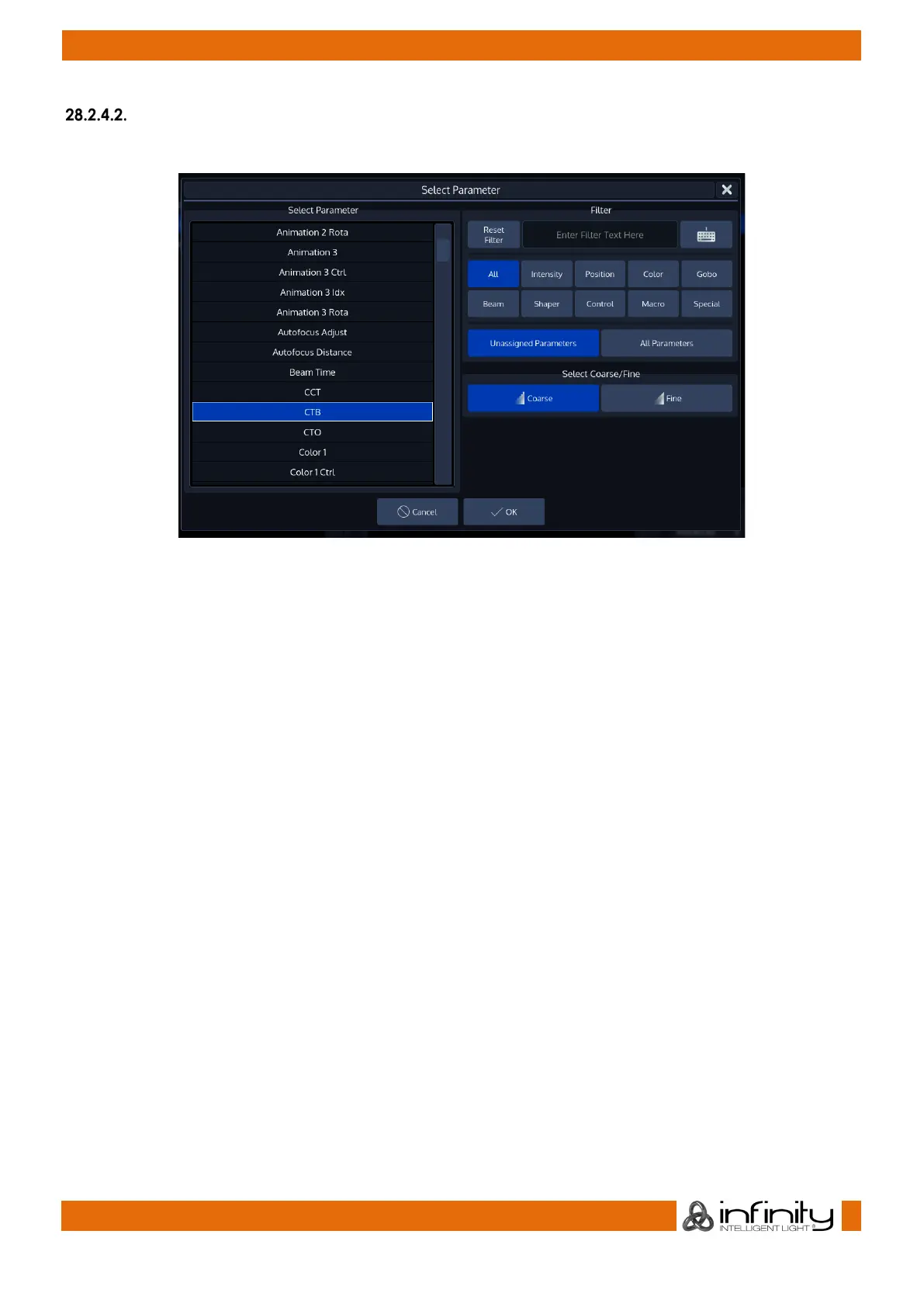
The Select Parameter Dialog is then used to define the parameter this channel is mapped to.
Fig. 212: Fixture Editor - Select Parameter
It shows a list of available parameters on the left-hand side. This list may be filtered by entering the search
string into the Filter Text field in the top right part of the screen. You may further define the search by
filtering by attribute groups.
Additionally, you may select to be shown Unassigned Parameters only, or you may select to see All
Parameters, even if they have already been added to a fixture type.
The Coarse and Fine buttons may be used to toggle between the assignment of a coarse or a fine
channel.
Click on OK when done.



 To Next Page