254
Update Online
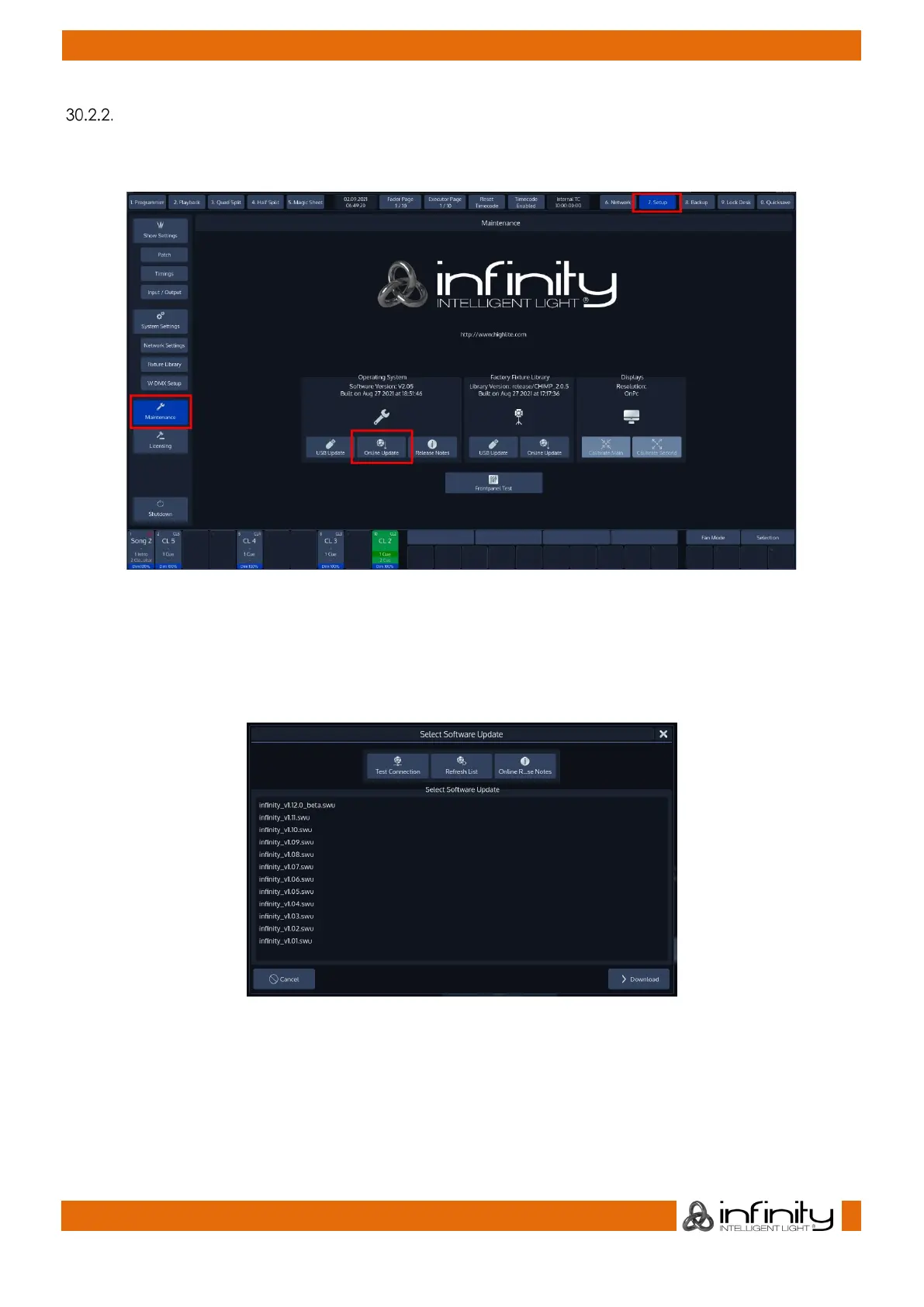
In Setup menu click on Maintenance from the Side Menu and click on Online Update from within the
Operating System group-box.
Fig. 225: Online Software Update
The select software update popup-screen will appear.
Click on Refresh List to check for the latest software updates.
Online Release Notes shows you the release notes before updating.
Fig. 226: Select Update From List
Select a Software Update and start the process by clicking on the Download Button.
A wizard will lead you through a few steps and will ask you to reboot the console when done.
Do not loose power or switch off the Chimp during the update process. This may render the Chimp un-
bootable!



 To Next Page