93
Sound Input
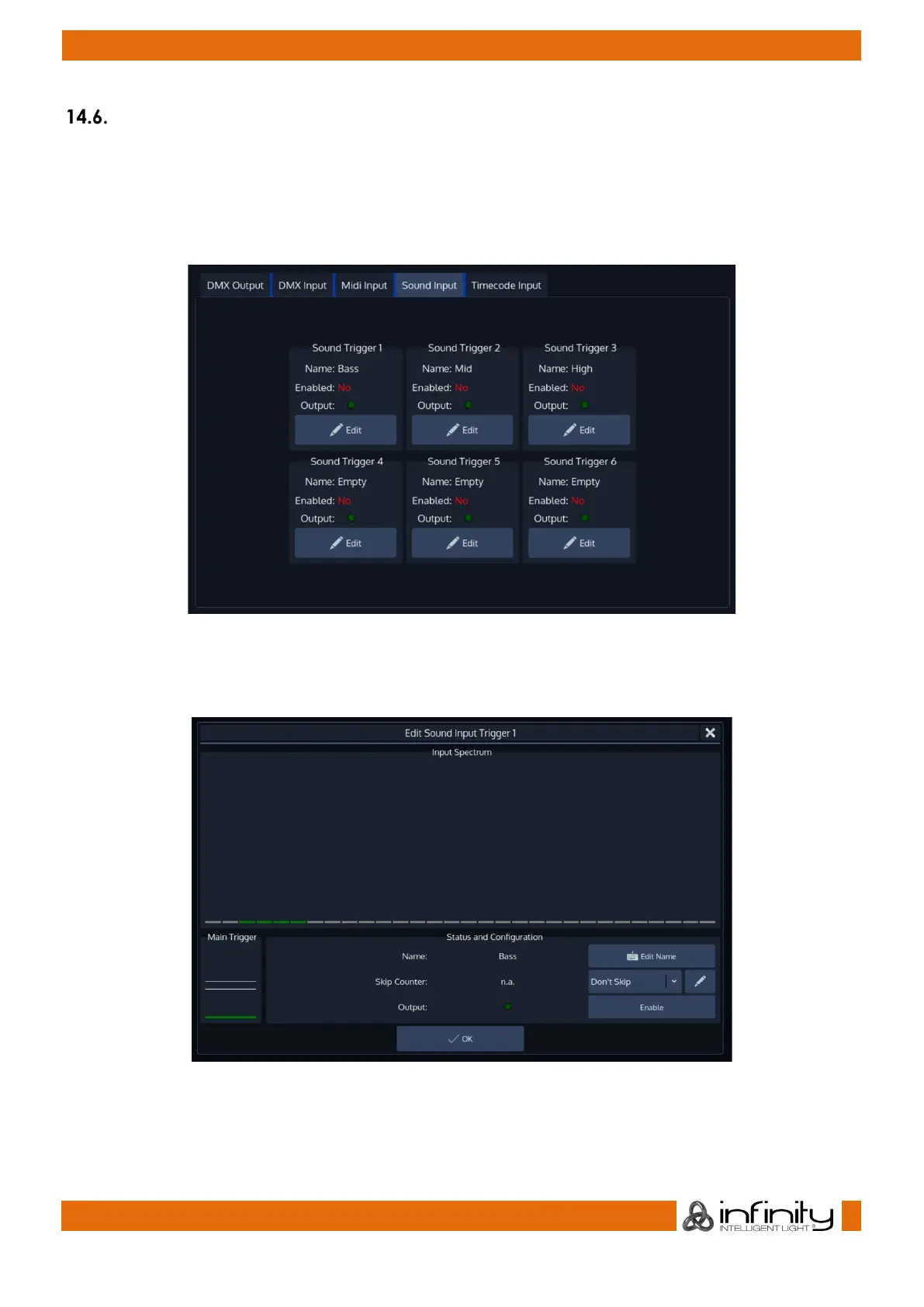
To set up Sound Input, open the Setup Screen, head over to the Input Output Page and select Sound
Input from the Tabs shown in the center of the screen.
The Chimp provides 6 independently configurable Sound triggers.
Each trigger may have a frequency range set, a high and a low threshold.
Fig. 77: Sound Input Settings
To setup one of the triggers, press the Edit Button found in the groupbox for each trigger. This will open the
Edit Sound Trigger screen which shows a Graphical Analyzer of the incoming Audio signal.
Fig. 78: Edit Sound Trigger
To be able to use this trigger, you need to enable it by checking the Enable button.
Addtitionally, you may set a Name for this trigger to be able to recognize it later on by clicking on Edit
Name.



 To Next Page