167
Resetting User Colors for a Preset Item
You may reset the user colors for one or multiple Presets to not show a colored border around the item.
● Press the [Name]-key twice.
● The commandline will read Appearance.
● Now select the Preset Item using the touchscreen or by using the numberblock.
● Complete the numberblock command by pressing the [Enter]-key.
● Click on Clear Color in the dialog window to reset the user colors.
If you use the numberblock you may also color multiple Items at once using the [+], [-] and [thru]
keys.
For example: [Appearance][Preset][1][.][1][thru][1][10] [Enter]
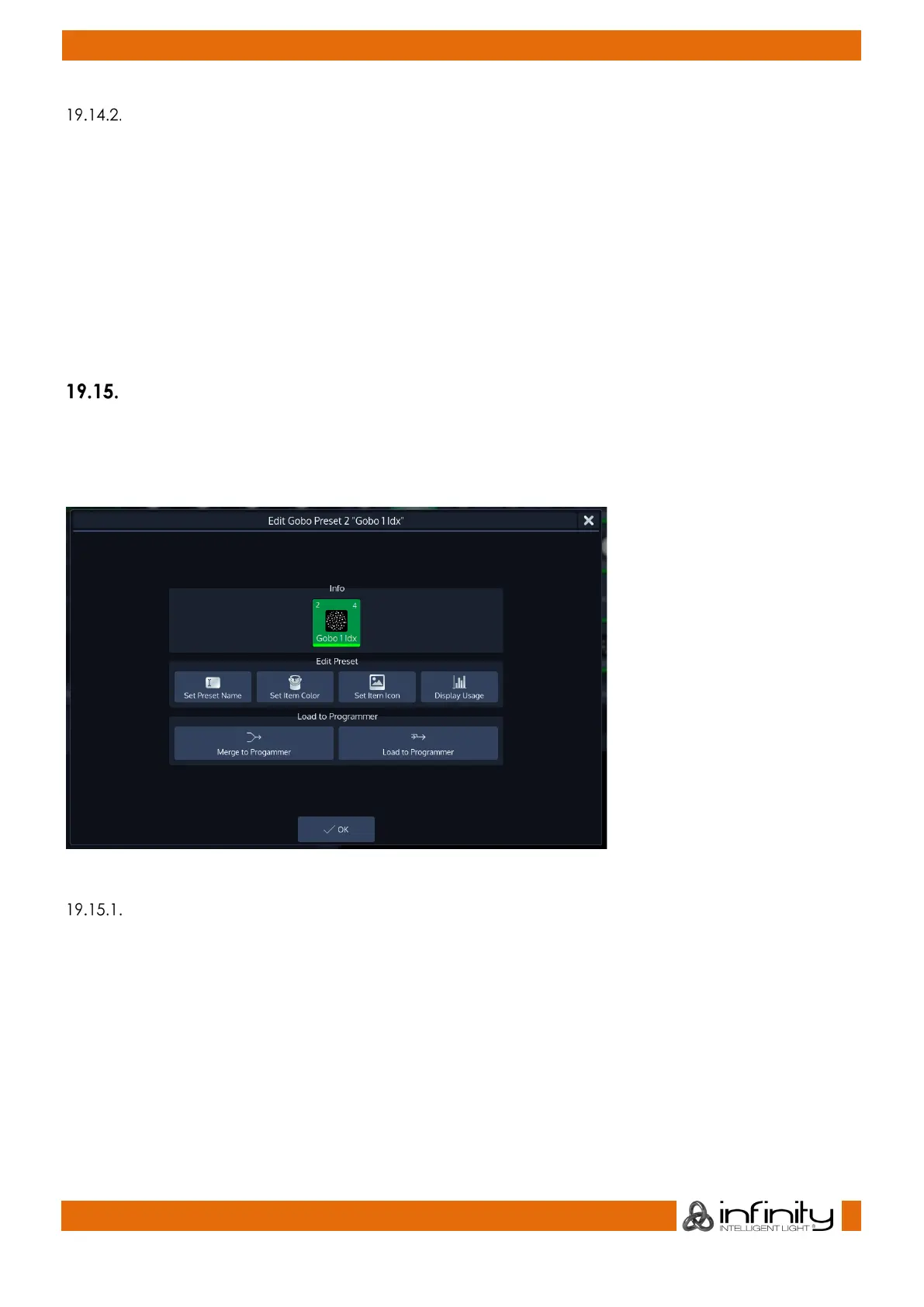
Edit Preset Window
The Edit Preset –Window may be used as a quick way to rename a preset or to load its values to the
programmer. It is also used to set its Icon and icon color or to display the usage of the Preset.
To open the Edit Preset Window, type [Edit] and select the Preset you would like to edit.
Fig. 145: Edit Preset Window
Set Preset Name
Clicking on the Set Preset Name button will open up an on-screen keyboard allowing you to rename this
particular Preset.



 To Next Page