59
Saving as new Showfile
We recommend to periodically save your show file as a new file.
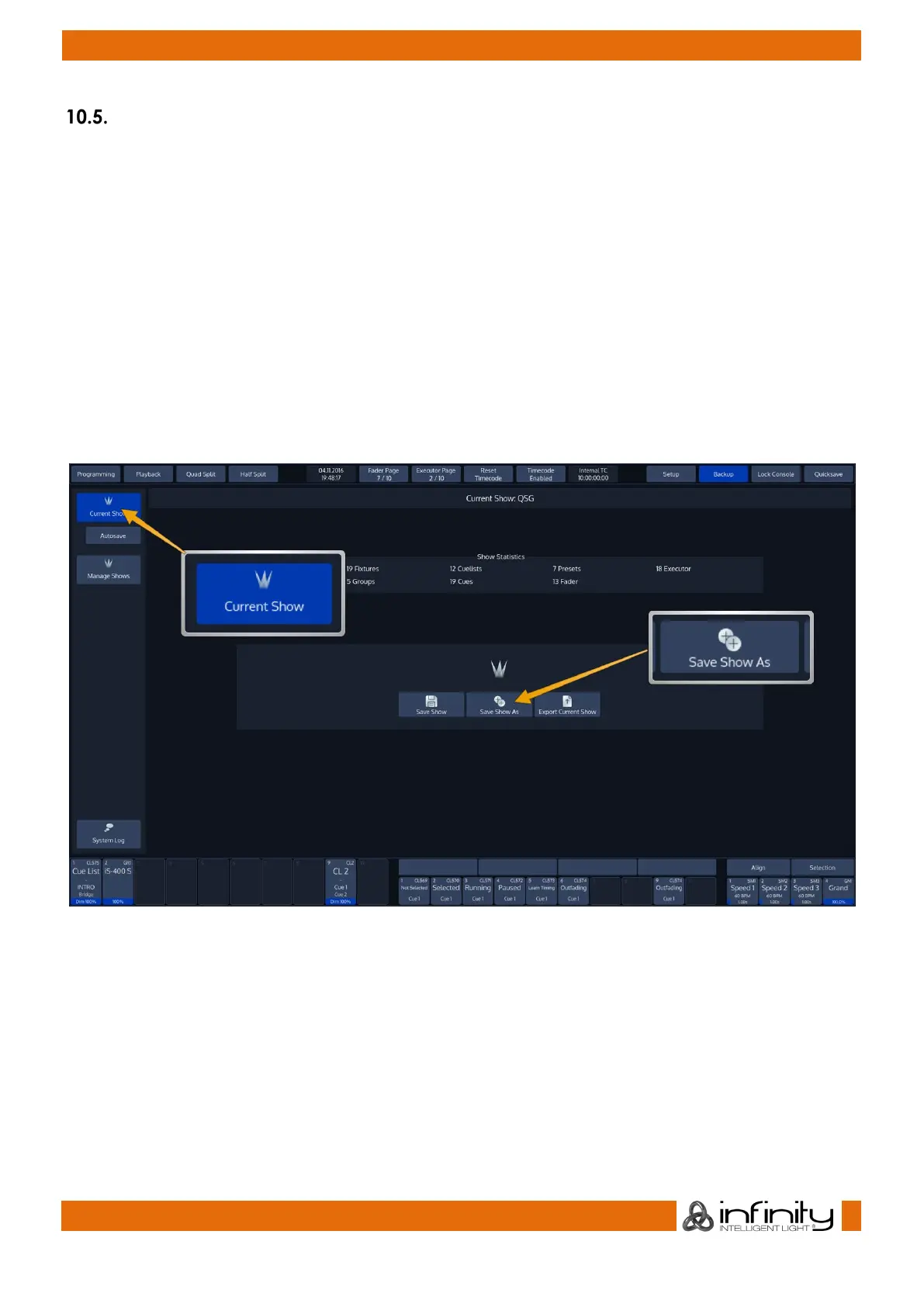
The „Save Show as“ button will create a copy of the showfile you are working on at the moment (with a
given name) and will automatically continue with the new showfile, preventing further changes to the
previous show file.
To save as a new Showfile, , head over the Backup Menu by pressing the Backup Button on the Top
Toolbar.
Make sure Current Show is selected in the side menu.
Click on Save Show As. An on-screen keyboard will be shown. Enter the new Showfile name and press
Enter to complete the process.
Fig. 41: Save Show as



 To Next Page