152
“Speed” Effect Attribute
The speed effect attribute defines how fast one complete cycle of the effect will be. Its format is CPM,
Cycles per minute.
Adjusting the effect speed increases or decreases the number of cycles it completes per minute. When
combining effects on different attributes, you can use the rate attribute to build a specific look. For
example, if you create an effect where a fixture performs a up and down movement on the tilt – moving
up during the first cycle of the effect, and down on the second, then the effect on the intensity
parameter would need to be half of the speed on the tilt parameters to only have the fixture go out
when it is changing directions of the movement.
Selecting the Speed Cell and pressing the [Set] key will open the Set Effect Speed Parameter Dialog
window, which can be used to further alter values of the size, for example to randomize or fan values.
“Offset” Effect Attribute
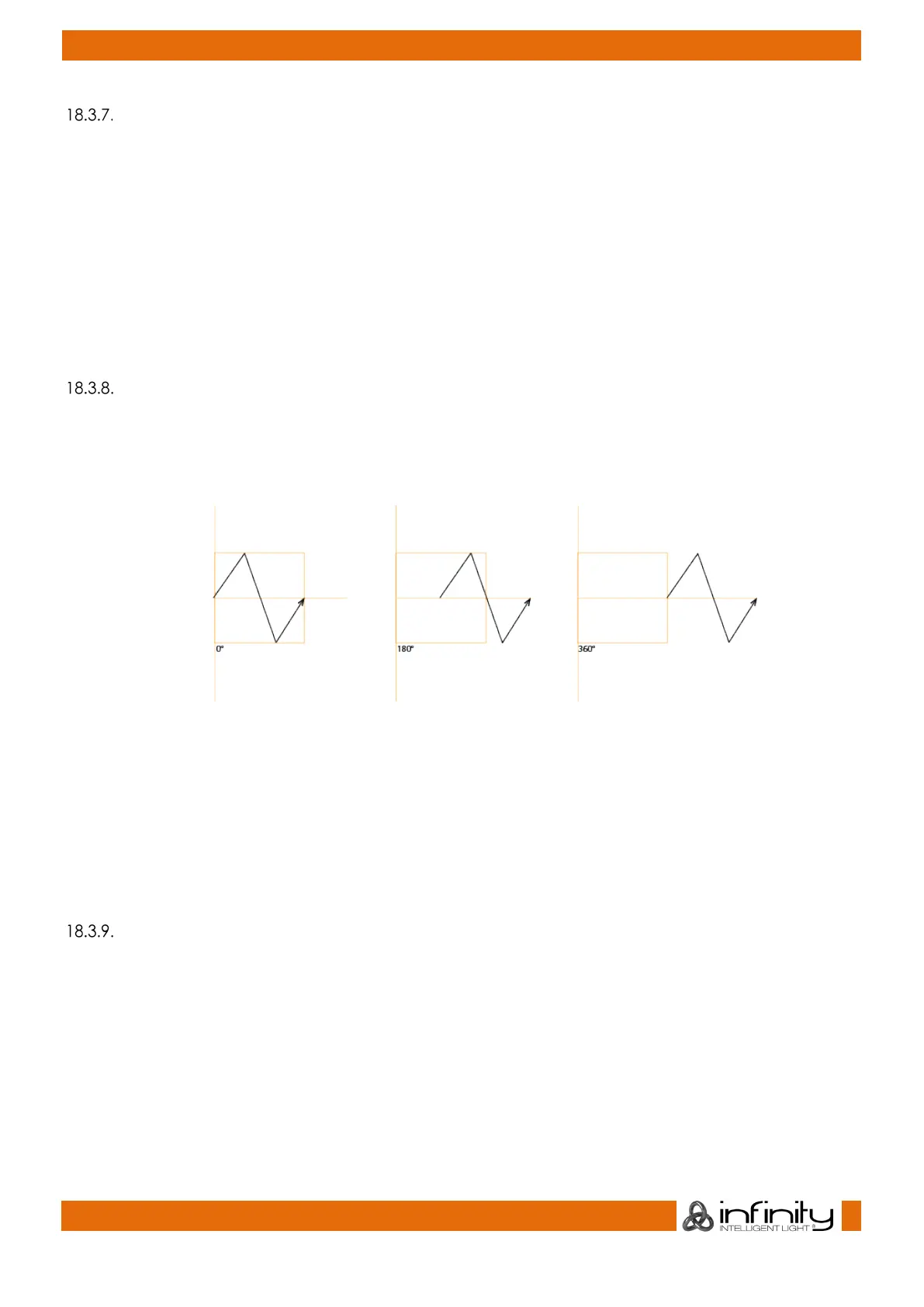
The “Offset” effect attribute shifts the start and end point for each fixture in the effect, so they can be
spread.
Fig. 129: Offset Effect Attribute
The effect offset is assigned in degrees, where 0° means the start and end points are not shifted, whereas
360° means they are shifted by a full duration of the effect.
It is used to, for example, generate a wave effect on the tilt by setting the spread to 0 to 360 degrees.
Selecting the Offset Cell and pressing the [Set] key or double, right or long clicking into it will open the
Set Effect Offset Parameter Dialog window, which can be used to further alter values of the offset, for
example to randomize or fan values.
“Duty Cycle” Effect Attribute
The “Duty Cycle” attribute defines how long the duration of the effect within a cycle is. It is assigned as a
percentage.



 To Next Page