95
Timecode Input
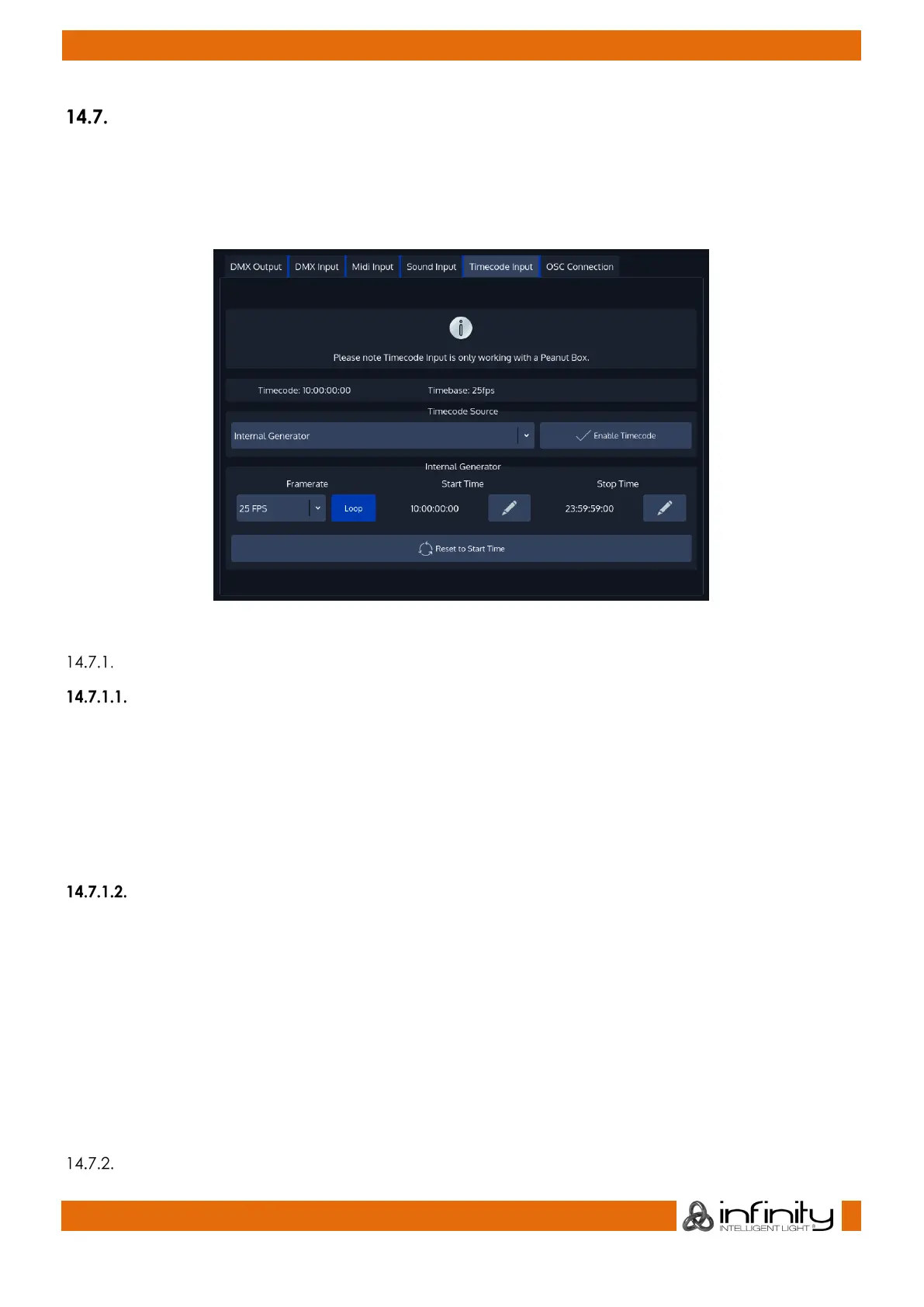
To set up Timecode Input, open the Setup Screen, head over to the Input Output Page and select
Timecode Input from the Tabs shown in the center of the screen.
Please note: You need a Peanut box to be able to use externally supplied (MIDI / LTC) timecode on the
OnPC or Chimp 100 consoles.
Fig. 79: Timecode Input
Timecode Setup
Internal Timecode
Should you wish to use the internal Timecode, set the Timecode Source to Internal Generator. You may
now define the Framerate and the Start and Stop Time of the internal timecode. The stop time is used to
either stop the timecode as soon as it reaches set time or to loop (if enabled) the timecode. Looping the
timecode will cause the timecode to jump back to the start time.
Generated Timecode will be Output using the MIDI Out connector.
To start the timecode generator, click on Enable Timecode. To disable it, click the button again.
External Timecode Source
To use an external Source to trigger the Chimp Console, connect the Timecode source to the console -
either using the SMPTE (Linear Timecode) connector on the back, or by connecting to the MIDI In for MIDI
Timecode. After that, navigate to the Timecode Input Configuration window and select the appropriate
source from the Timecode Source dropdown.
Please note that the console will auto-detect the framerate of the incoming signal, hence no further
configuration is needed. Any received Timecode will be output through the MIDI Out connector. That
means the console converts SMPTE Timecode to MIDI Timecode.
The console will always listen to timecode, however Cues are only triggered if the Timecode is enabled.
To enable the Timecode, make sure the Enable Timecode button within the Timecode Input
Configuration menu is highlighted.
Using Timecode



 To Next Page