- 141 -
Windows utilities
4
5
1
2
3
Convenient print
functions
Appendix Index
Checking and
Changing Printer
Settings Using
the Control Panel
Network
Setup
Matching
Colors
Using Utility
Software
- 140 -
Windows utilities
4
5
1
3
2
Convenient print
functions
Appendix Index
Checking and
Changing Printer
Settings Using
the Control Panel
Network
Setup
Matching
Colors
Using Utility
Software
6
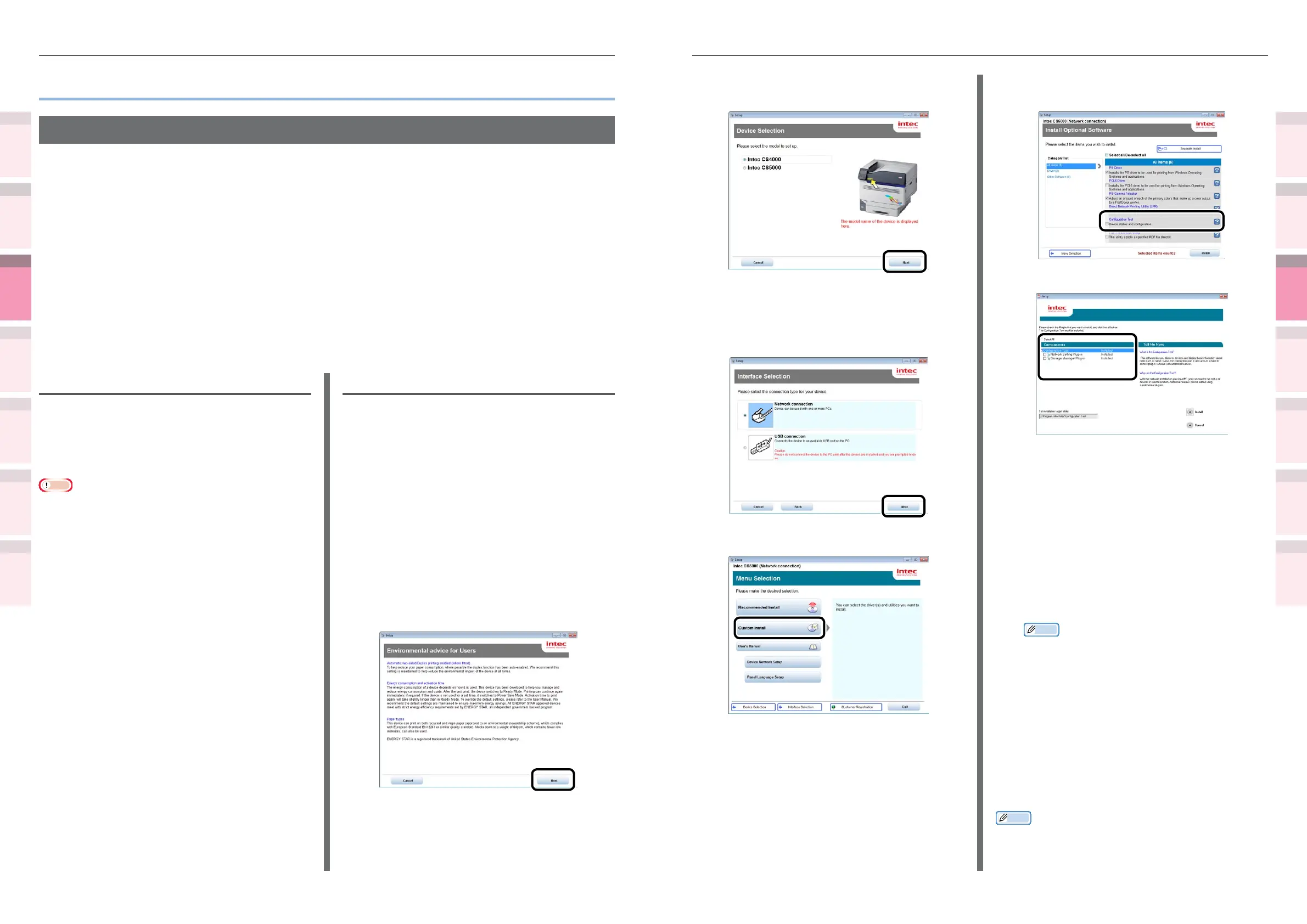
Select the printer to be used, and then
click the [Next] button.
7
Select the printer connection method,
and click the [Next] button. (In this
example, network connection is
selected.)
8
Click [Custom Install].
9
Click [Switch to another screen.], and
then click [Conguration Tool].
10
Select the plug-in to be installed.
z
Network Setting plug-in
Restart the IP address settings and printer,
and display web pages. Added to the plug-
in menu when installed. For details, see
“Network Setting plug-in” (P.143).
z
Storage Manager plug-in
Includes functions such as ICC prole
registration and management functions, form
data registration and deletion functions, and
saved job management functions, etc. Added to
the plug-in menu when installed. For details, see
“Storage Manager plug-in” (P.144).
Memo
z
Plug-ins can also be installed additionally later.
11
Specify the installation destination
folder.
In the factory settings, C:\Program Files\
Intec\Conguration Tool is specied.
12
Click [Install].
13
When
"
Installation nished
"
is displayed,
click [Exit].
Memo
z
When the restart window is displayed, restart the PC
according to the window instructions.
z
Windows utilities
Conguration Tool
Conguration Tool is a utility that changes and manages the Intec device settings.
Conguration Tool has the following functions to easily set and manage multiple Intec devices.
z
Displays the device information
z
Registers and manages ICC proles
z
Registers and deletes form data
z
Manages saved jobs
z
Formats partitions
z
Changes HDD partition sizes
z
Initializes ash memory
z
Sets printer networks
Operations environment
PCs running Windows 8.1/Windows 8.1 (64-bit
version)/Windows 8/Windows 7/Windows Vista/
Windows XP/ Windows Server 2012 R2/Windows
Server 2012/Windows Server 2008 R2/Windows
Server 2008/Windows Server 2003 versions
Note
z
PC administrator privileges are required for the setup.
z
Internet Explorer 5.5 SP1 or later must be installed.
Installing
1
Set the "Software DVD-ROM".
2
When the "AutoPlay" window is
displayed, click [Launch Setup.exe].
3
When the "User Account Control"
window is displayed, click the [Yes]
button.
4
Read the "Software License Agreement",
and click the [Agree] button.
5
Read the "Environmental advice for
Users", and click the [Next] button.



 To Next Page