iPECS UCP
Hardware Description and Installation Manual Issue 1.3
50
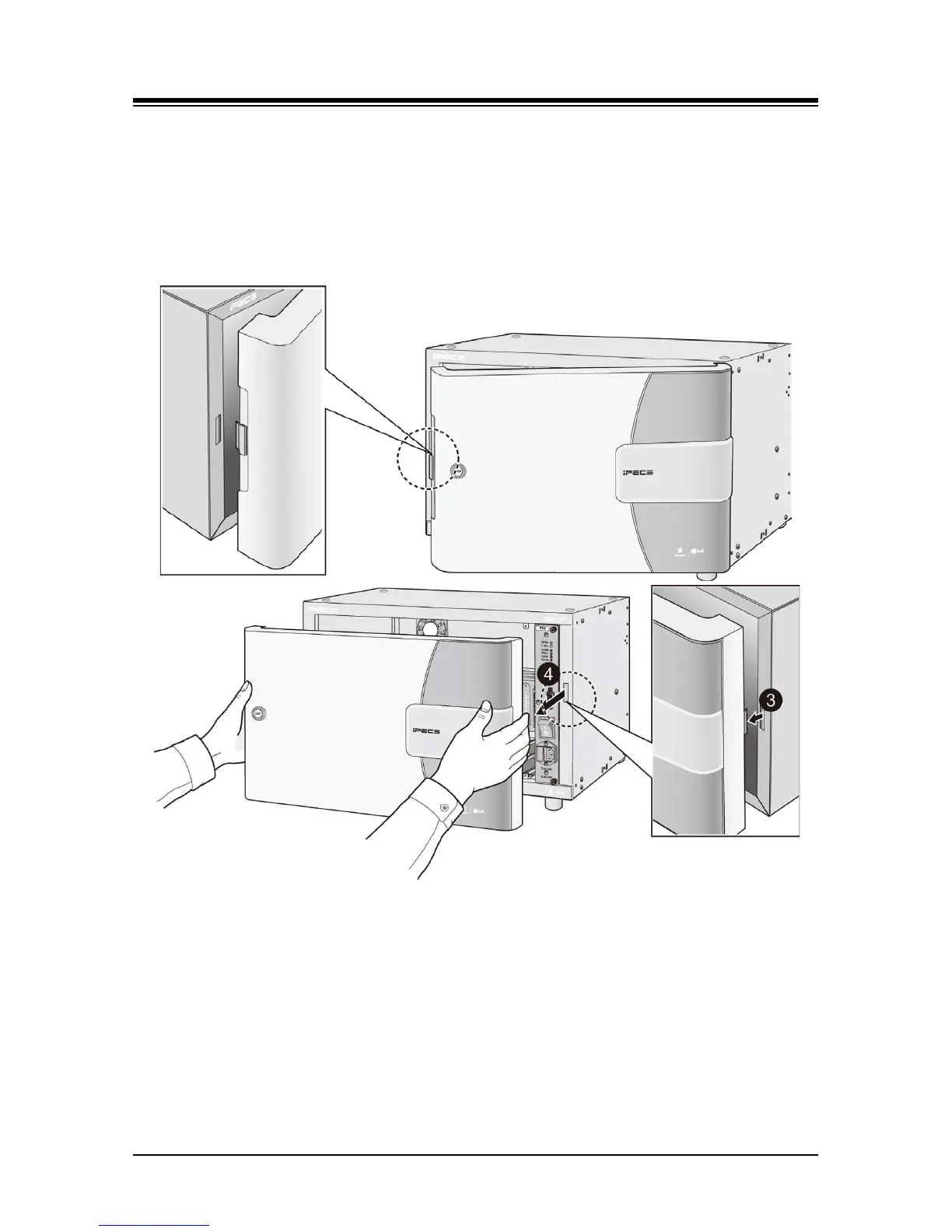
To remove:
1. Push the button on the left side of cover to disengage the latch. Refer to Figure 5.1.1-2.
2. Swing the left side of the cover open slightly.
3. Slide the cover to the left to disengage the notched tab.
4. Pull the cover away from the cabinet.
Figure 5.1.1-2 Cover removal



 To Next Page