iPECS UCP
Hardware Description and Installation Manual Issue 1.3
49
5. Module Mounting Hardware Installation
5.1 Enhanced Main Cabinet Installation
The Enhanced Main Cabinet can be desk, 19” rack or wall mounted. The following paragraphs
provide directions for each of the mounting options as well as installation and removal of the front
cover.
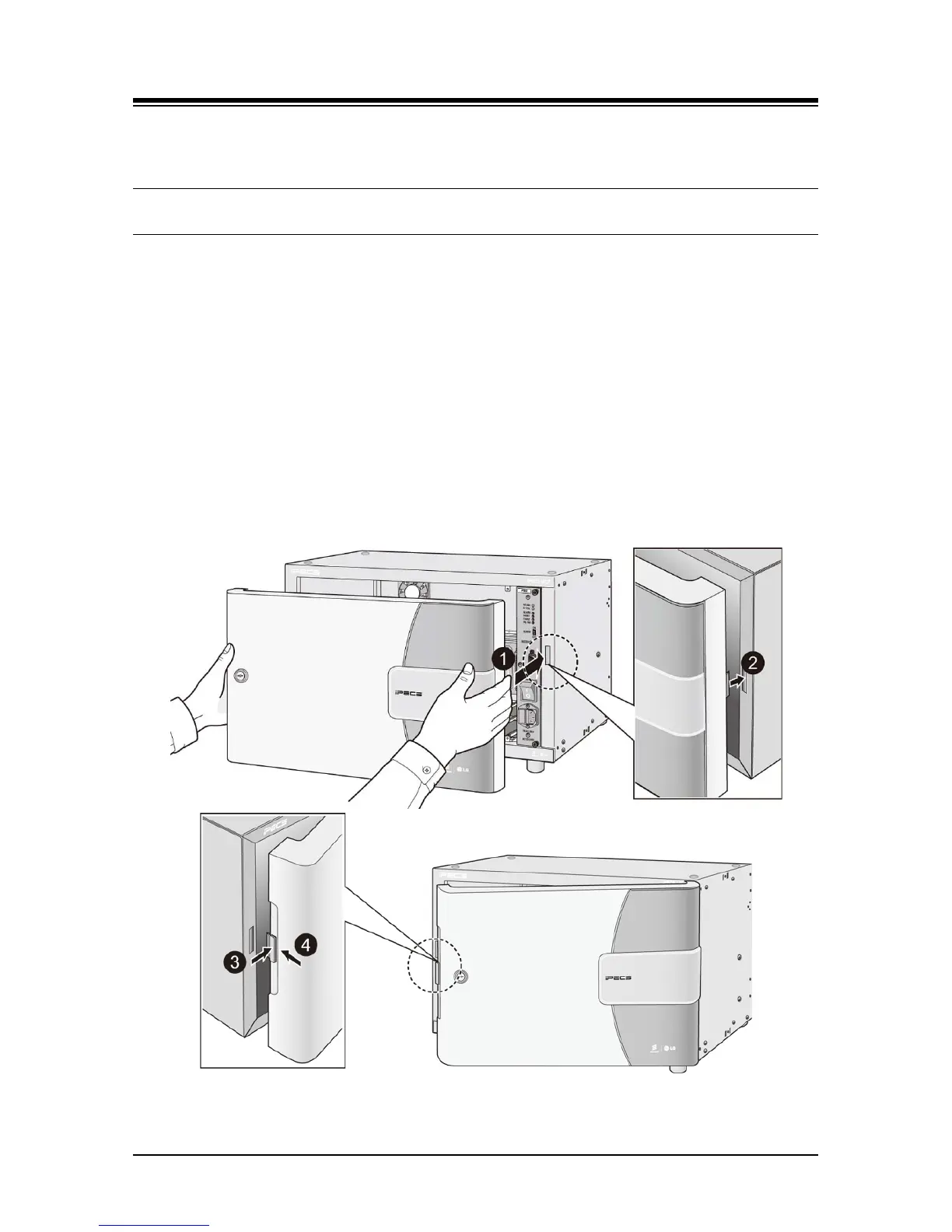
5.1.1 Cover Close/Open
The front cover is provided as standard equipment with the Main Cabinet. The cover hooks and
snaps on to the cabinet as follows:
1. Align the notched tab on the right side of the cover with the slot in the right side of the
cabinet as shown in Figure 5.1.1-1 below.
2. Push the tab into the corresponding slot in the cabinet.
3. Slide the cover to the right to engage the notched tabs.
4. Swing the left side of the cover closed over the cabinet engaging the cover latch.
Figure 5.1.1-1Cover installation



 To Next Page