iPECS UCP
Hardware Description and Installation Manual Issue 1.3
104
7.1.2 LIP-8000 Serial Console Installation and Wiring
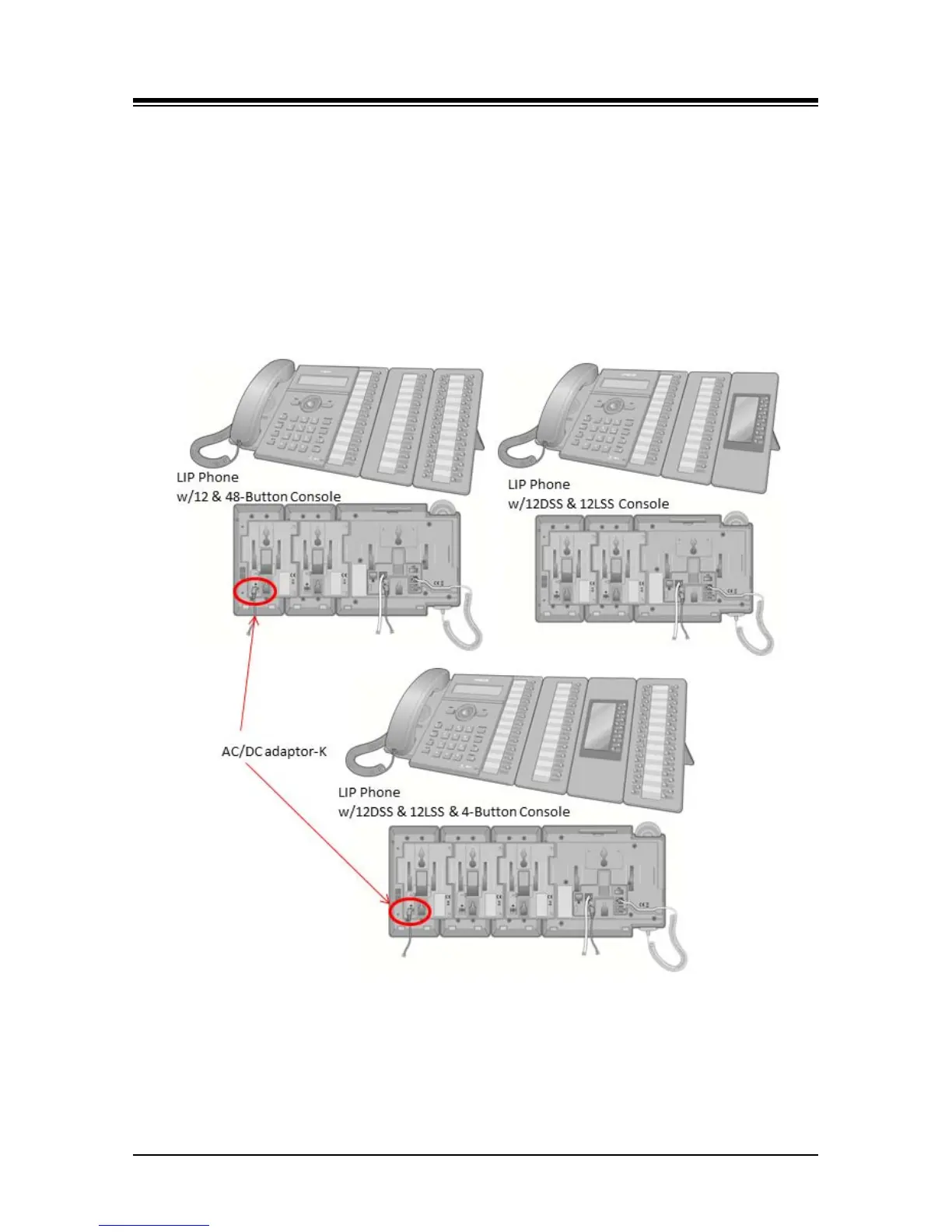
LIP-8000/8000E Series Serial DSS/BLF Consoles are available in three (3) models 12-button
w/paper labels (LIP-8012DSS), 12-button w/LCD (LIP-8012LSS), and 48-button w/paper labels
(LIP-8048DSS). Up to four (4) consoles can be connected to an LIP-8000 series phone using the
serial ribbon cable from the console. LIP-8000/8000E phones will power a maximum two (2) LCD
DSS Consoles and, when more than two consoles are connected, one must be the 48-button
Console. In all cases, the 48-button Console must be powered by the AC/DC Adaptor-K. The
figures below depict installation of various console configurations. Note that in all cases, AC/DC
Adaptor-K must be attached to the 48-button Console.
Figure 7.1.2-1 LIP-8000/8000E series Console Configurations



 To Next Page