iPECS UCP
Hardware Description and Installation Manual Issue 1.3
102
7. Terminal Installation and Wiring
7.1 IP Phone & DSS Installation
LIP Phones and Consoles can be connected to any standard 10/100/1000 Base-T Ethernet
switch port. When connected to an 802.3af compliant switch port, such as the ES8GP, the LIP
Phone can derive power from the Ethernet port. When LAN power is not available, the optional
AC/DC adaptor must be used.
Power
All LIP Phones consoles can be powered by the AC/DC Adapter-K- (48 VDC @0.1A) or over the
LAN cable using the ES8GP or other 802.3af compliant switch. Note the LIP-8000 series 12-
button consoles are powered by the associated LIP-8000 series IP phone while the 48 button
must be powered by an AC/DC Adapter-K. A maximum of two (2) 12-button consoles may be
powered by the LIP Phone.
Using the AC/DC Adapter, after connecting the Phone to the LAN, the Adapter’s DC voltage plug
is inserted into the power-input jack in the base of the Phone. One end of the AC power cord is
inserted into the mating receptacle of the AC Adapter; the other end is inserted into the AC power
outlet.
7.1.1 LIP Phone Wiring
iPECS UCP supports LIP Phone series. LIP-7008D and LIP-8004D have a single LAN port that is
wired to an Ethernet switch port. Generally all other LIP phone series shown here have two (2)
Ethernet ports, a LAN port and a PC port. The LAN port is connected to an Ethernet switch port
and the PC port is connected to the LAN connection of a PC. The LIP phones are wired to any
10/100/1000 Base-T Ethernet switch port with access to the iPECS UCP. The LIP phones can be
powered from a PoE compatible Ethernet switch port or using the AC/DC Adaptor-K.
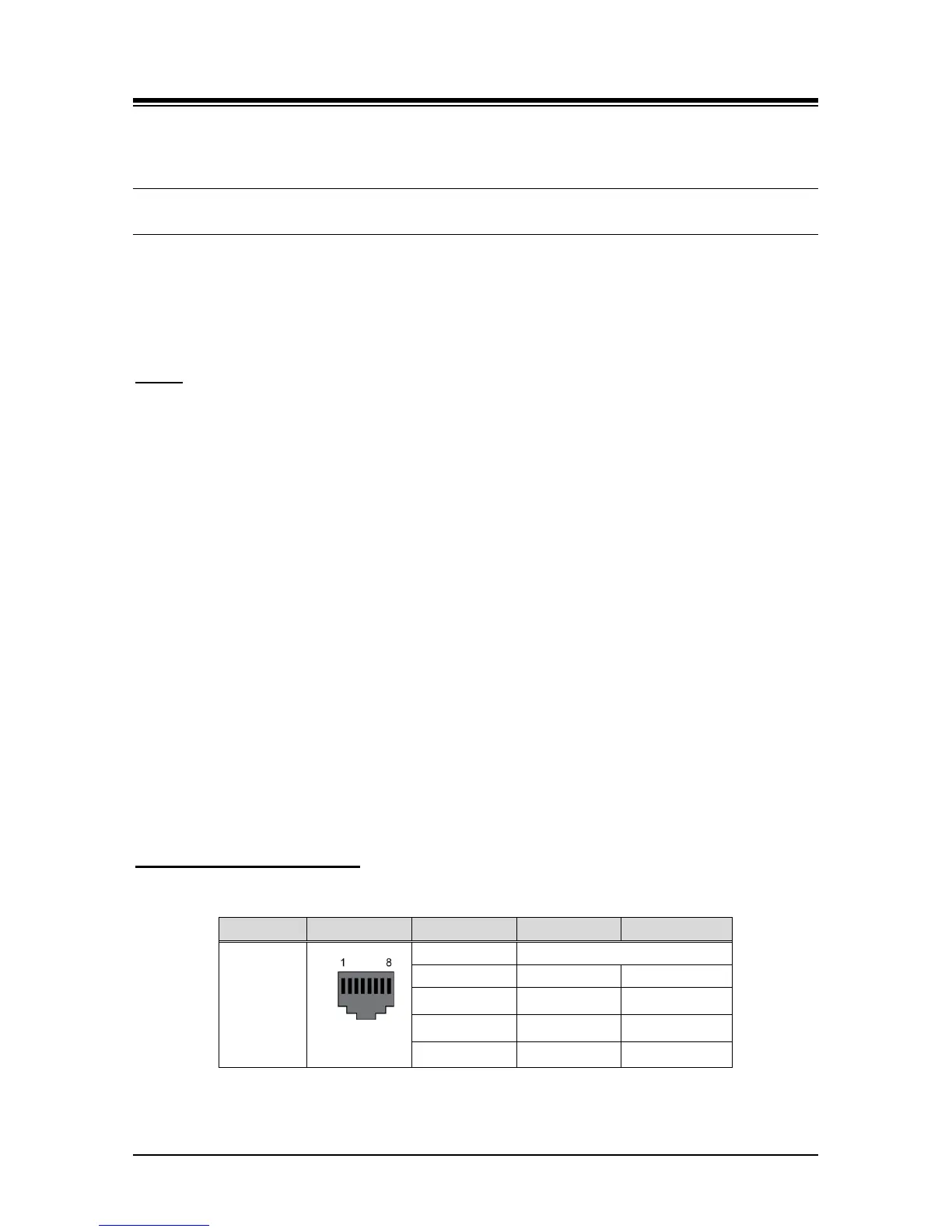
Modular Jack Pin Assignment
Table 7.1.1-1 LIP Phone Modular Jack Wiring
Connector Pin-out Pin Number Signal Name
Function
RJ45
4,5,7,8 Reserved
1 TX+ Transmit Data
2 TX- Transmit Data
3 RX- Receive Data
6 RX+ Receive Data
1. Using the above wiring chart, wire the RX and TX pins from the RJ45 Wall outlet, or
equal, for the IP Phone to the appropriate Ethernet switch termination point using Cat 5



 To Next Page