iPECS UCP
Hardware Description and Installation Manual Issue 1.3
59
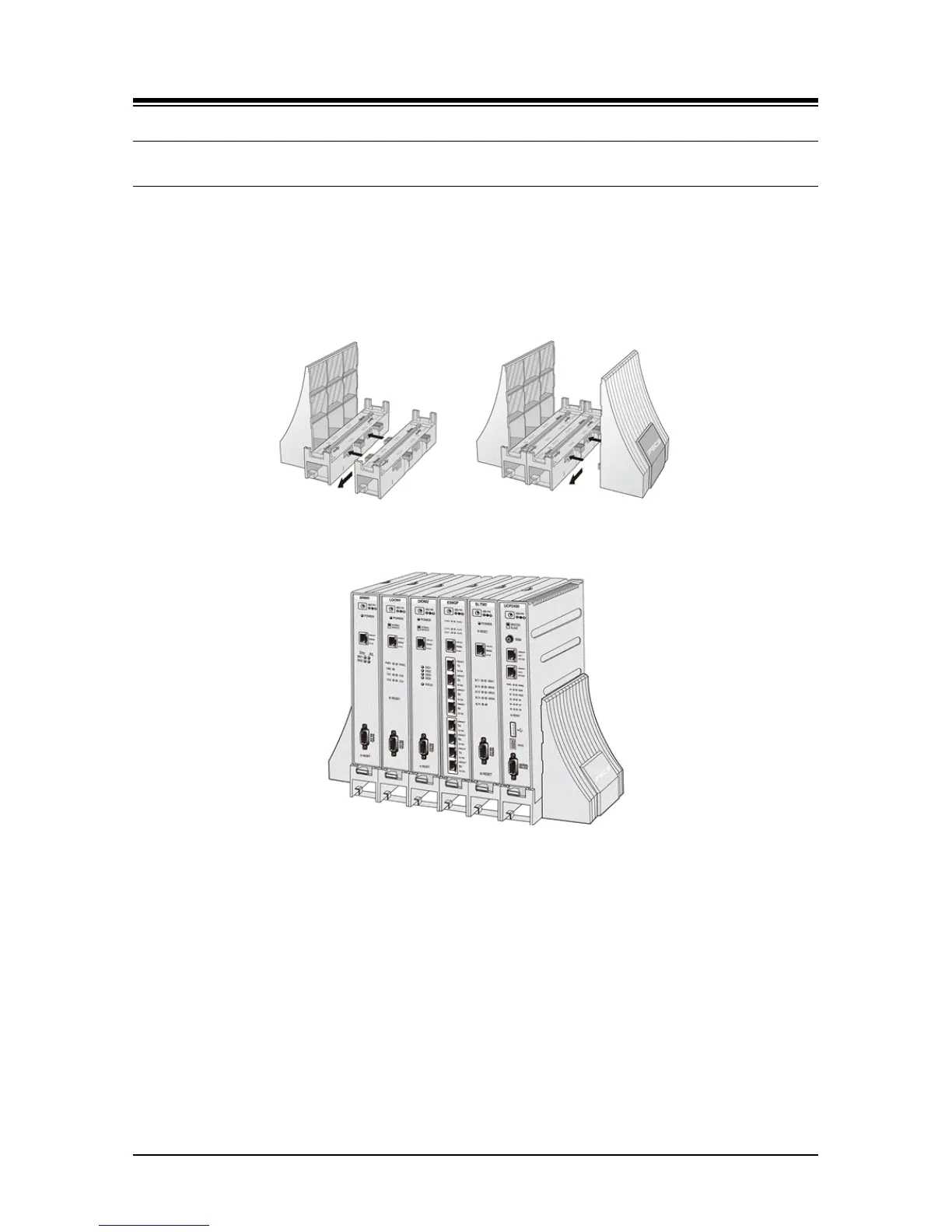
5.4 Module Desk Mount Holder Kit
To assemble the Desk Mount Holder, refer to the instructions below and Figure 5.4-1. Note a
Desk Holder Extender is required for each Module.
1. Place the keyhole slots on the side of the Extender over the keys on the side of the
bookend.
2. Slide the Extender and bookend in opposite directions to the locked position.
3. Repeat for additional Extenders and the other bookend.
Figure 5.4-1 Module Desk Mount Holder Kit
Once assembled, Modules are simply placed in the Desk Holder “slots”. The front of all Modules
should be placed in the same side of the Desk Holder.



 To Next Page