iPECS UCP
Hardware Description and Installation Manual Issue 1.3
60
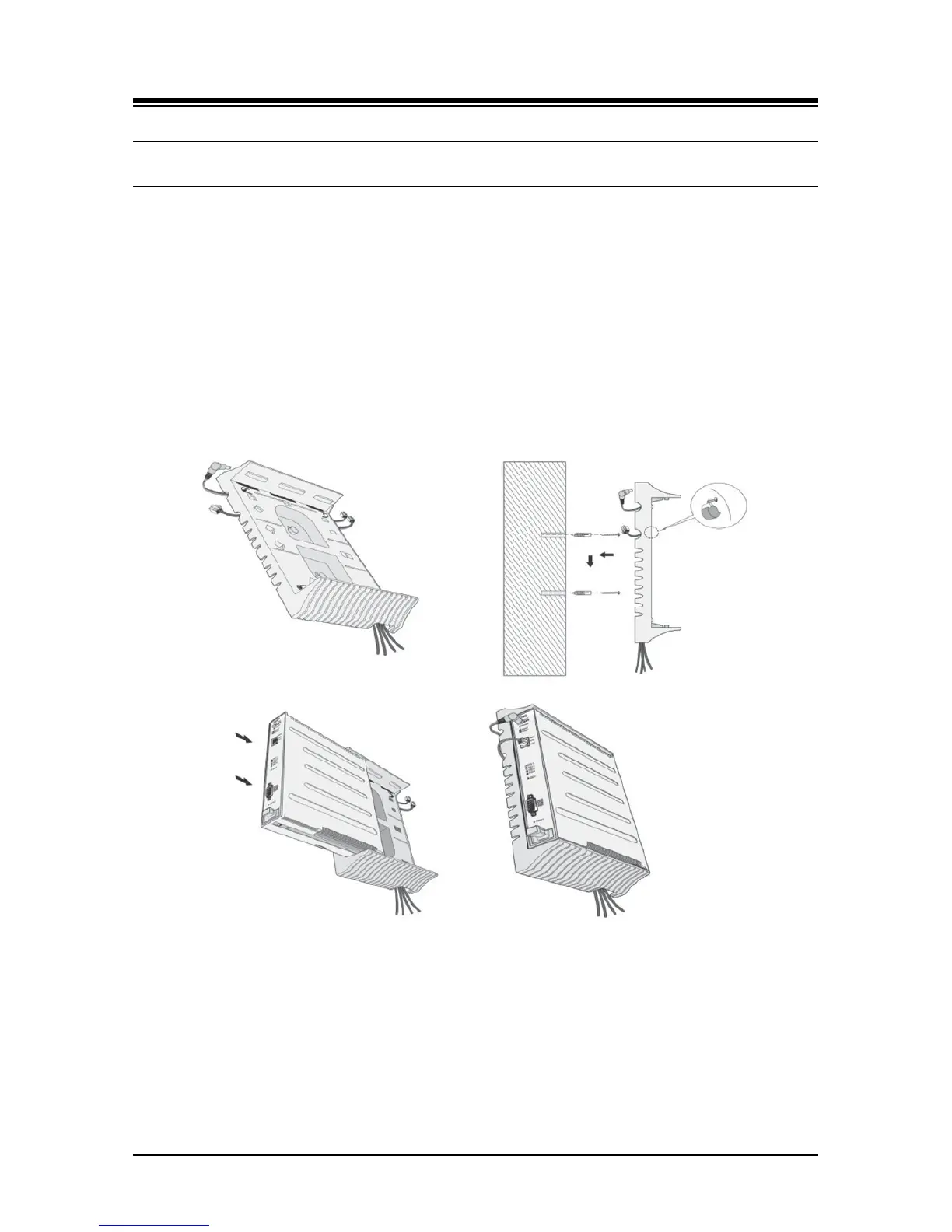
5.5 Module Wall Mount Holder Kit
The Module Wall Mount Holder will house a single Module. To install, refer to Figure 5.5-1 and
instructions below:
1. Place the Wall Mount Holder in position and mark two (2) holes over a wall stud.
2. Drill two (2) 7 mm holes for the plastic wall anchors provided.
3. Insert the two (2) anchors into the holes, then insert and tighten the screws leaving about
6 mm (¼ -inch) exposed.
4. Arrange wiring in the back of the Wall Mount Holder.
5. Place (hang) the Wall Mount Holder on the screws and tighten securely.
6. Slide the Module into the Wall Mount Holder until it locks.
7. Connect all wiring to the Module as appropriate. Refer to section 6.
Figure 5.5-1 Module Wall Mount Holder Kit



 To Next Page