iPECS UCP
Hardware Description and Installation Manual Issue 1.3
77
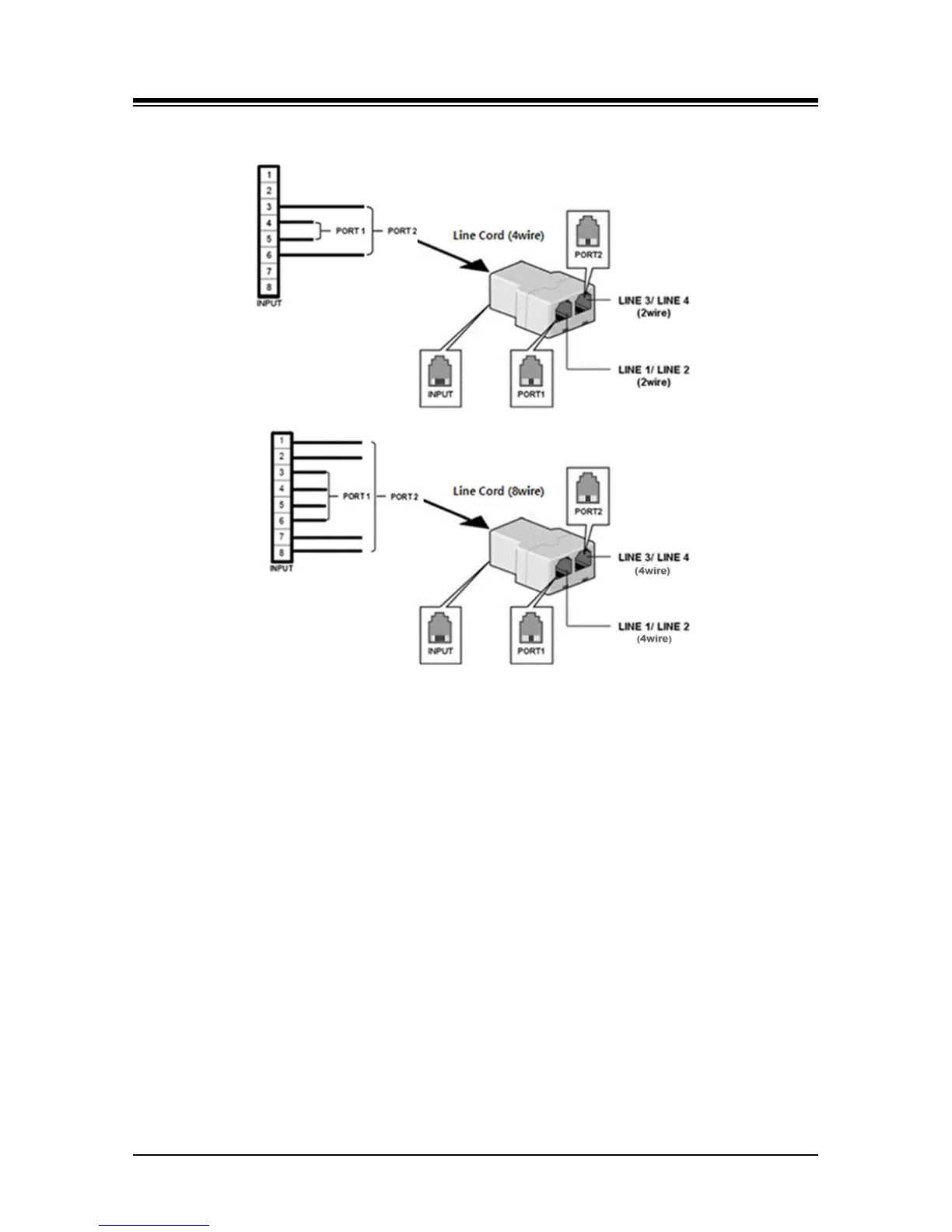
the center pair(s) of the Jack Splitter RJ45 jacks.
Figure 6.2.1-1 Jack Splitter Application
6.2.2 Installation of Optional PSTN Unit
A PSTN option unit (COIU4, BRIU2 and BRIU4) can be mounted on iPECS UCP100 module
board.
To install PSTN option module, first remove all connections to the UCP module then perform the
following steps referring to Figure 6.2.2-1:
1. Remove the UCP100 board from the module
a. Remove screws holding the housing back plate
b. Remove the screws holding the board in place
c. Carefully remove the board from the module housing
2. Locate the connector pins for the option unit.
3. Align the connectors on the option unit with the connector pins on the board and push
gently to engage.
4. Carefully reinstall the board in the housing, and insert and tighten screws through the
board in to the housing.



 To Next Page