iPECS UCP
Hardware Description and Installation Manual Issue 1.3
110
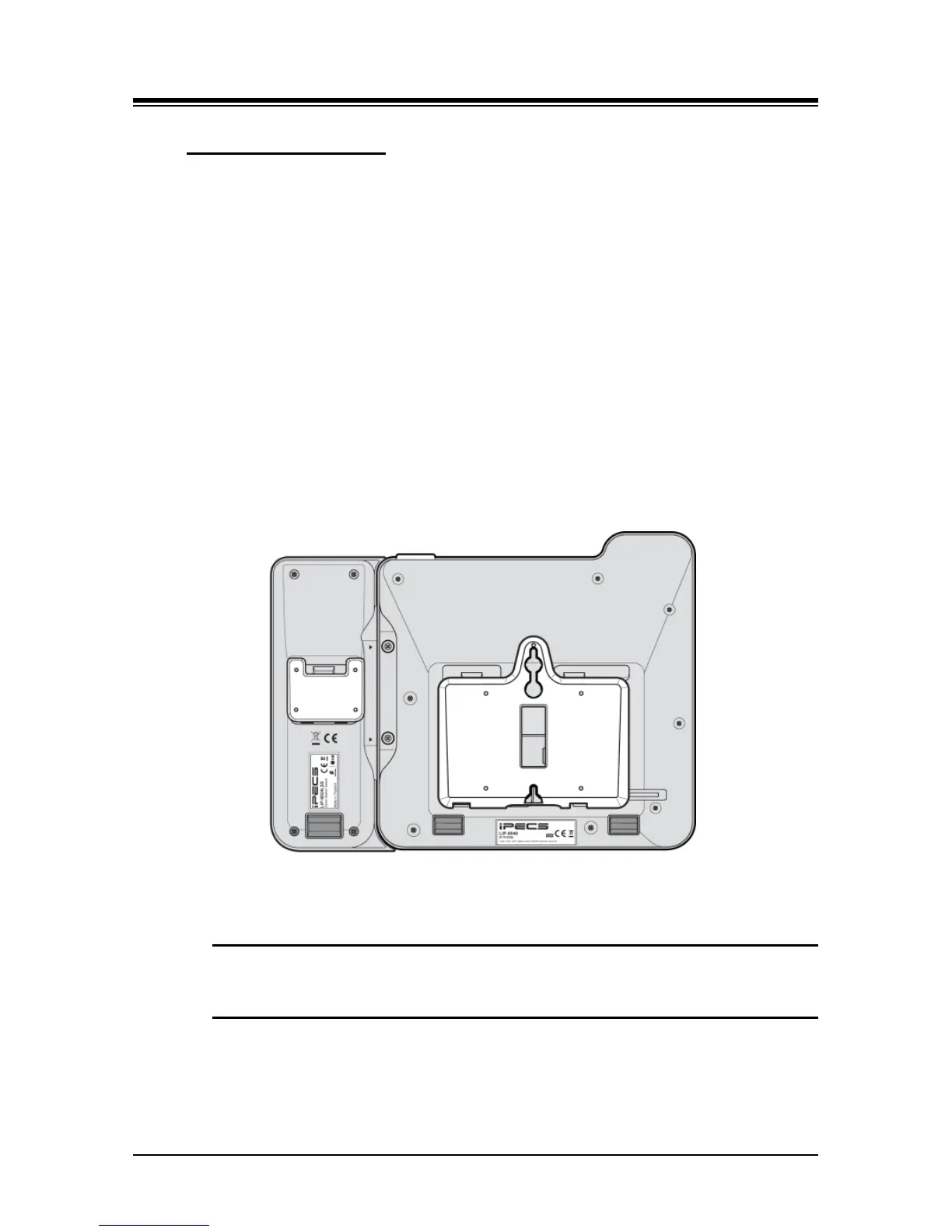
7.1.5 LIP-9000 Wall Mount
LIP-9000 series phones can be wall mounted as needed. The following instructions describe the
wall mount installation. Note the foot-stand must not be installed.
1. If installed, remove the foot-stand from the Phone and Button kit.
2. Connect all wiring to the Phone. Connect the Phone side wiring only.
3. If required, install the Button kit.
4. Align the wall-mount bracket (ordered separately) over the back of the phone, then
press the bracket onto the phone applying steady pressure until it clicks into place.
5. Install the Button kit wall-mount bracket if required, in the same manner as the
bracket for the phone.
6. Mark and drill two 7mm holes for plastic wall anchors (not included).
7. Insert the two anchors into the holes, and insert and tighten the two screws (not
included) leaving about 2.5 mm (1/8-inch) exposed.
8. Align the key holes in the bracket over the screws and slide the phone down
assuring the phone is secure.
9. Remove, reverse and re-install the handset hook so that the hook catches the
groove in the handset receiver.
10. Hang the handset up on the handset hook.
Figure 7.1.5-1 LIP-9000 Series Wall Mount Installation
NOTE
It may be necessary to remove the phone and tighten or loosen the screws for a
secure mounting.



 To Next Page