iPECS UCP
Hardware Description and Installation Manual Issue 1.3
87
6.9 DTIM24 Installation
The DTIM24 is intended for installation in a 19” rack, it is NOT intended for installation in the
cabinet. The DTIM24 provides a gateway between Ericsson-LG Enterprise’s Digital terminals
(LKD and LDP models) and other iPECS appliances.
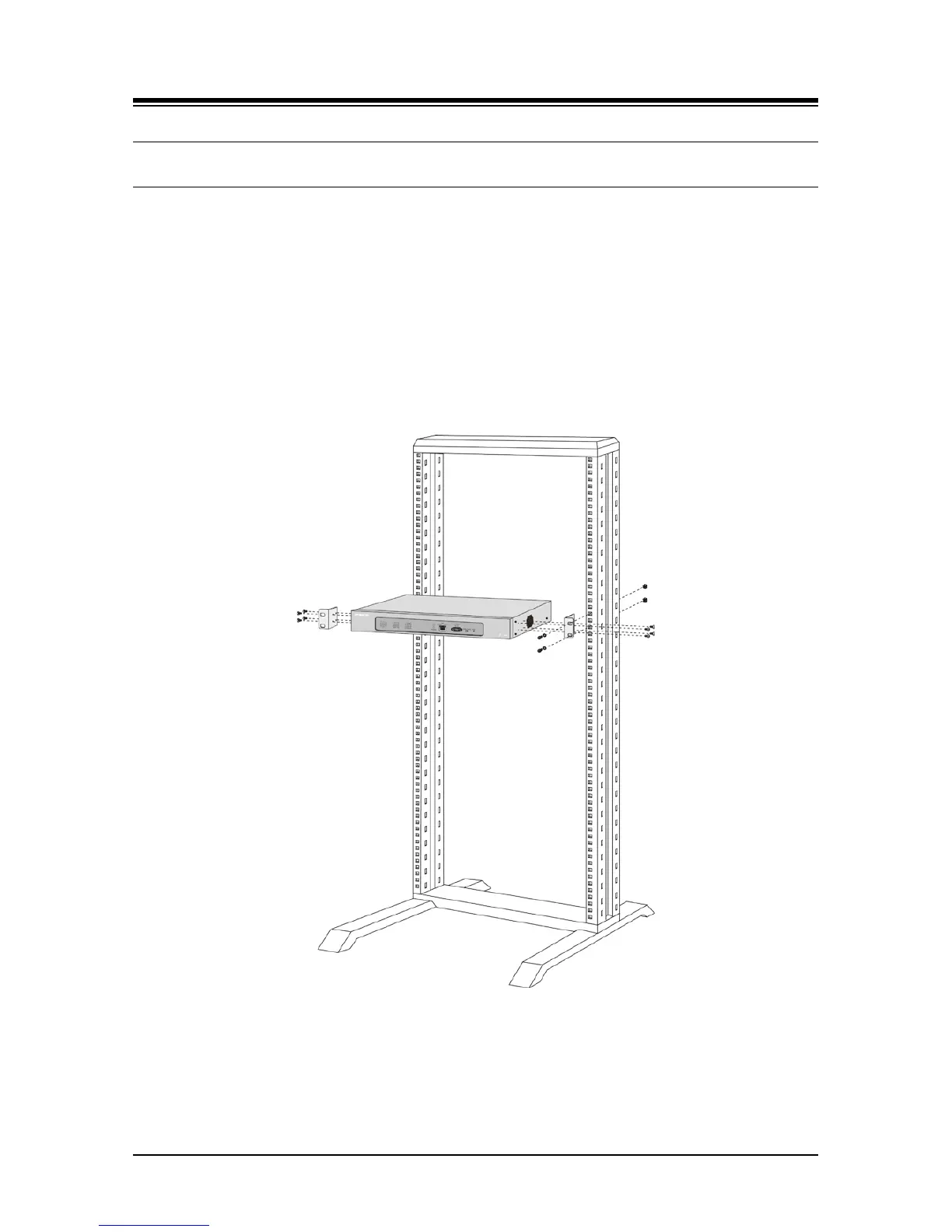
To mount the DTIM24 in a 19” rack,
1. Mount the left and right mounting brackets to the DTIM24 module using the eight (8)
machine screws provided as shown in Figure 6.9-1.
2. Mount the Module with the four (4) machine screws, nuts and washers as shown in
Figure 6.9-1.
3. Complete the installation using the instructions for wiring given below.
Figure 6.9-1 DTIM24 Rack Mounting Installation



 To Next Page