iPECS UCP
Hardware Description and Installation Manual Issue 1.3
51
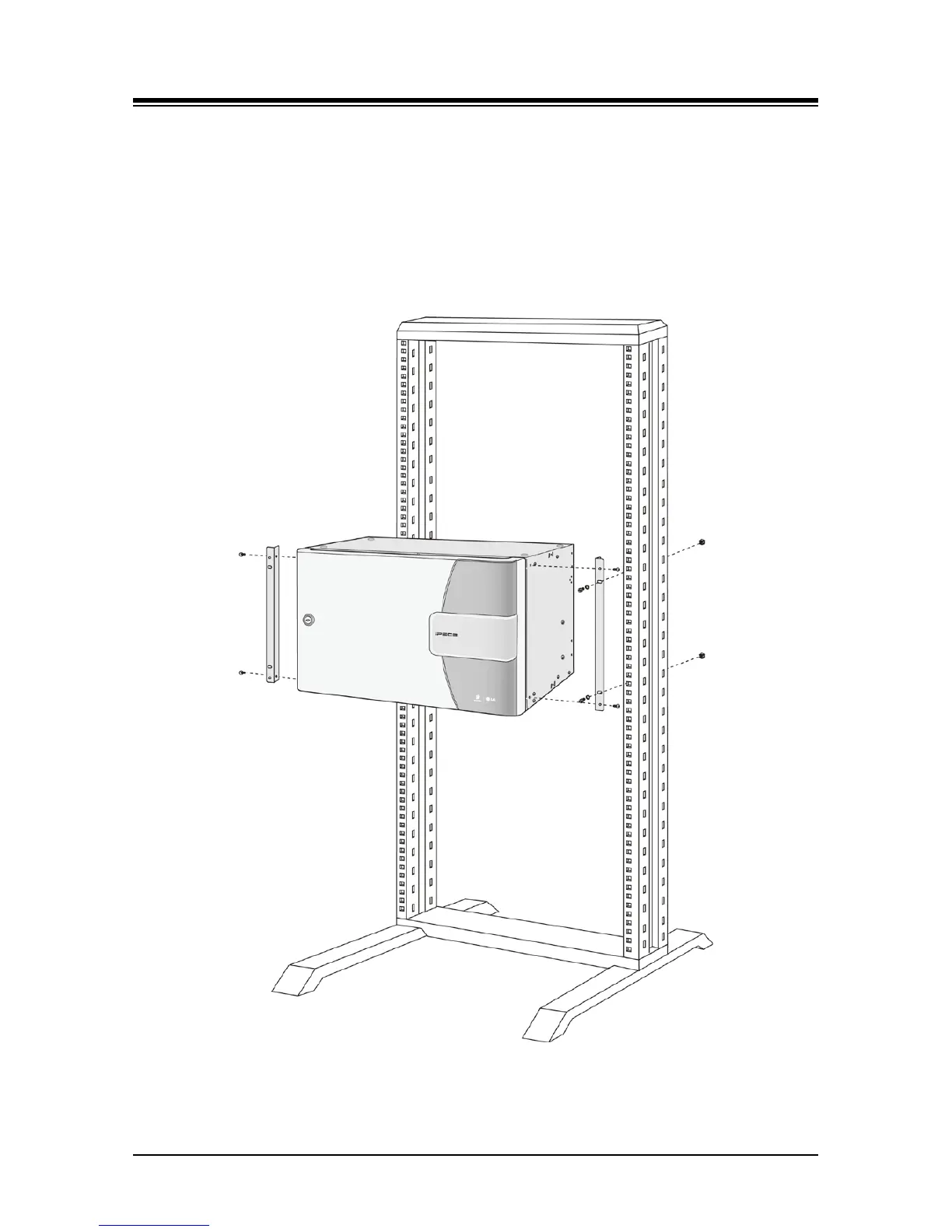
5.1.2 Cabinet 19” Rack Installation
Rack mount brackets are provided as standard equipment with the cabinet. These brackets
attach to the front sides of the cabinet. To rack mount the cabinet:
1. Bolt the Rack mount brackets securely to the sides of the cabinet with the four (4) M4 x 6
mm machine screws supplied. Refer to Figure 5.1.2-1.
2. Connect the brackets to a standard 19” rack securely with four (4) appropriate machine
screws, nuts and lock-washers.
Figure 5.1.2-1 Rack (19”) Installation



 To Next Page