- Digital Microscope VHX-5000 User’s Manual -
Navigation
8-8
Setting Image Views
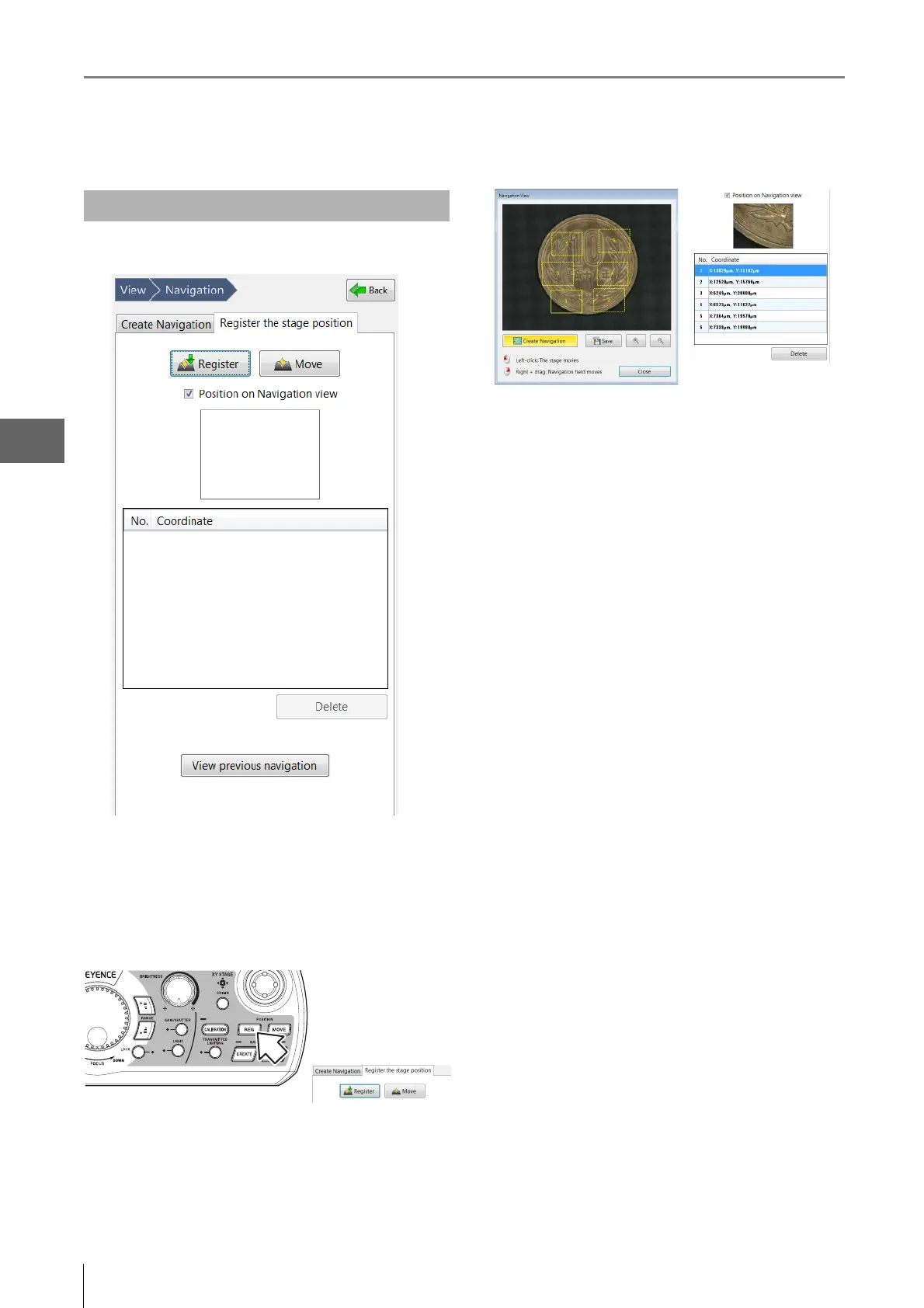
1 Click [Register the stage position] tab.
2 Click on a position where you want to register the
stage position on the navigation image first, then
press the REG stage position button on the
console or click [Register] in the [Register the
stage position] tab.
The stage position's coordinates will be registered in
the system and added to the list. Multiple positions
(max. 10) can be registered.
Newly registered coordinates are added to the top of
the list. If additional coordinates are registered, when
ten coordinates are already registered, the coordinates
at the bottom of the list will be deleted.
To delete certain coordinates, select them from the list
and click [Delete].
When checking the [Position on Navigation view]
option, the registered position and list No. are displayed
with yellow dashed line on the navigation image and
the selected coordinates' thumbnail appears in the
[Navigation] tab.
Registering a Stage Position



 To Next Page