- Digital Microscope VHX-5000 User’s Manual -
Installation/Connection
2-6
Installation/Connection
This section will explain how to install a stand using the
free-angle observation base unit VHX-S550.
For further details, refer to the VHX-S550 User's Manual or
Instruction Manual for the actual stand being used.
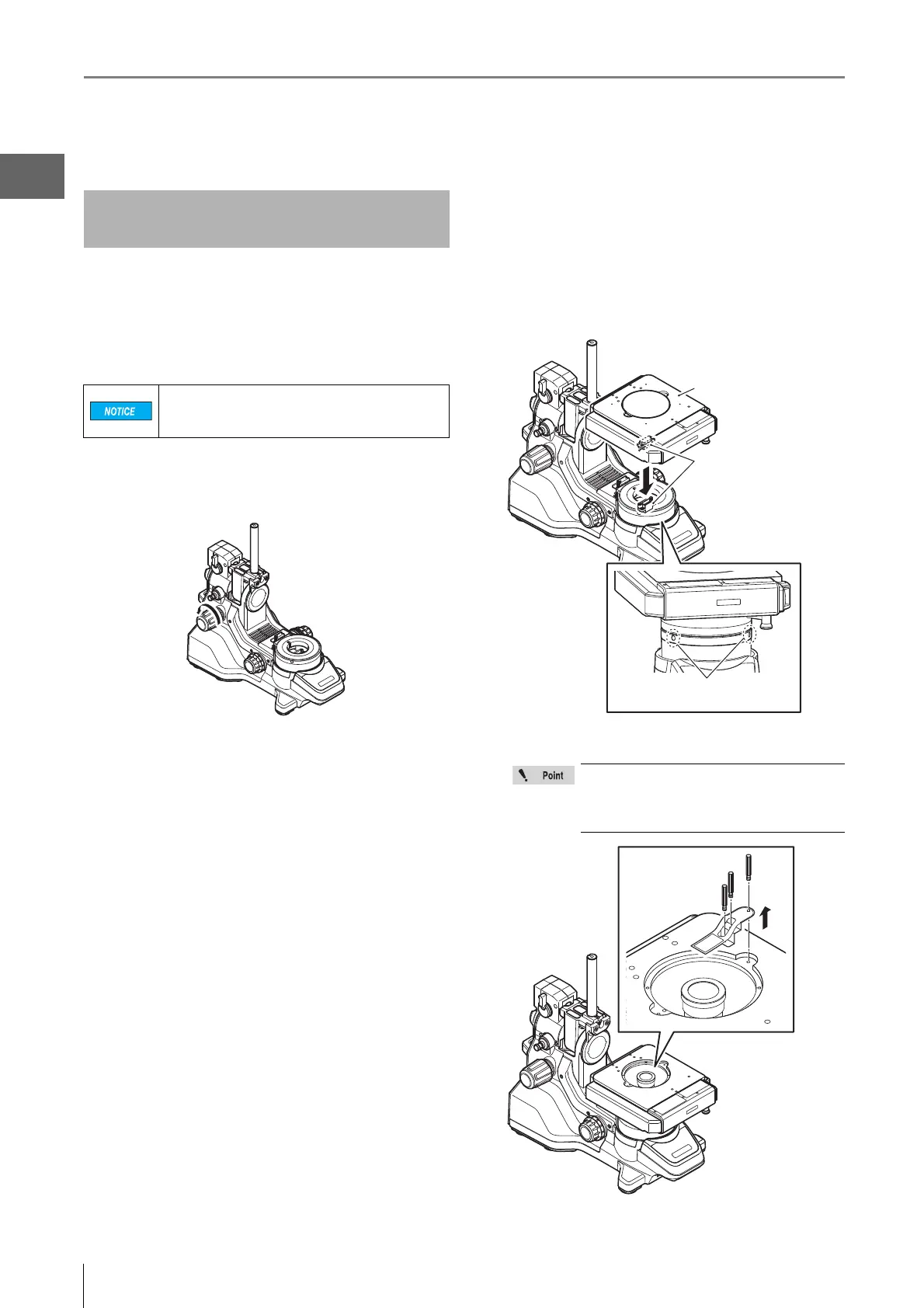
1 Install the free-angle observation base unit on a
fixed flat surface.
2 Tighten the stand arm lock knob to lock the camera
pole in place.
3 Place the XYθ stage on the XYθ stage mount.
Tighten the XYθ stage mounting screw to fix the
stage in place.
•
Align the orientations of the connectors of XY
θ
stage
and XY
θ
stage mount before attaching.
•
2 screws are used (1 screw is a spare).
•
Use the provided hexagonal wrench.
4 Remove the protection bracket of the XYθ stage.
Installing the VHX-S550
Free-angle Observation Base Unit
Install the free-angle observation base unit on a
fixed flat surface. Otherwise, the stand may fall
over and become damaged.
Keep the removed protection bracket and
screws so that they can be reused when
moving the stage. Be sure to secure the
XYθ stage during transportation.
Attach in proper direction
of the connector.
XYθ stage
Attachment positions of
XYθ stage mounting screws



 To Next Page