- Digital Microscope VHX-5000 User’s Manual -
Manual Image Stitching
11-9
Stitching Images
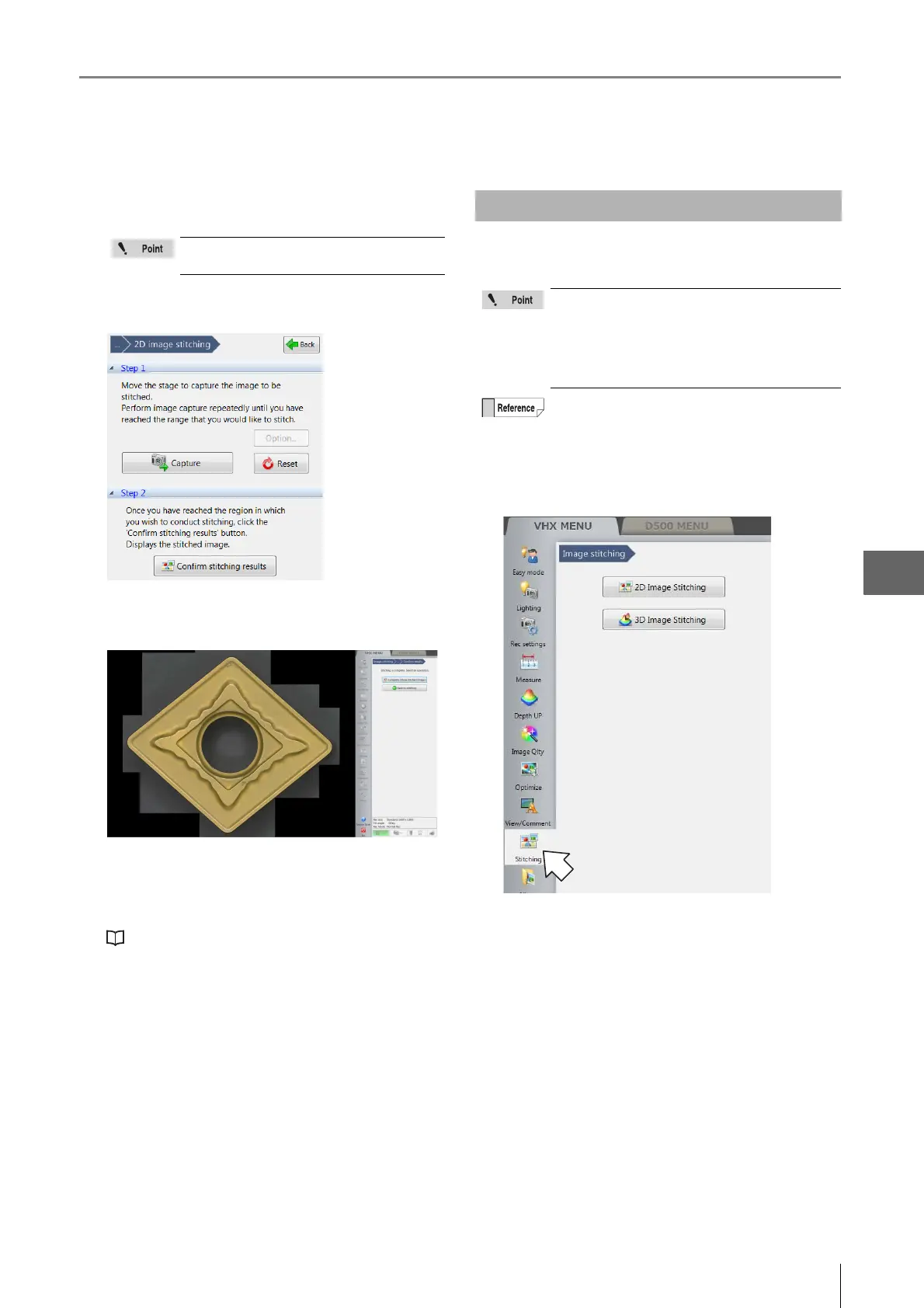
6 Repeat step 5 until the desired area is stitched.
To start over from the beginning, click [Reset].
7 Click [Show stitched image].
When image stitching completes, the stitched image
appears.
8 Click [Complete (Show stitched image)].
The stitched image appears and the [Wide-view] dialog
box appears.
"Wide-view" (Page 5-9)
Stitching an image captu red in 3D allows you to observe a
3D image over a larger area.
1 Click [VHX MENU], and then [Stitching].
The [Image stitching] menu appears.
If the stitched image exceeds 20000 pixels,
an error message will appear.
Stitching 3D Images
• The maximum size of the stitched image is
20,000 x 20,000 pixels.
• Image stitching cannot be used in
conjunction with these modes:
Recording sizes other than normal (1600 x
1200), split screen.
The Z-axis motorized stage is required to use this
function.



 To Next Page