- Digital Microscope VHX-5000 User’s Manual -
Album
6-2
Playing and Editing Images
Album
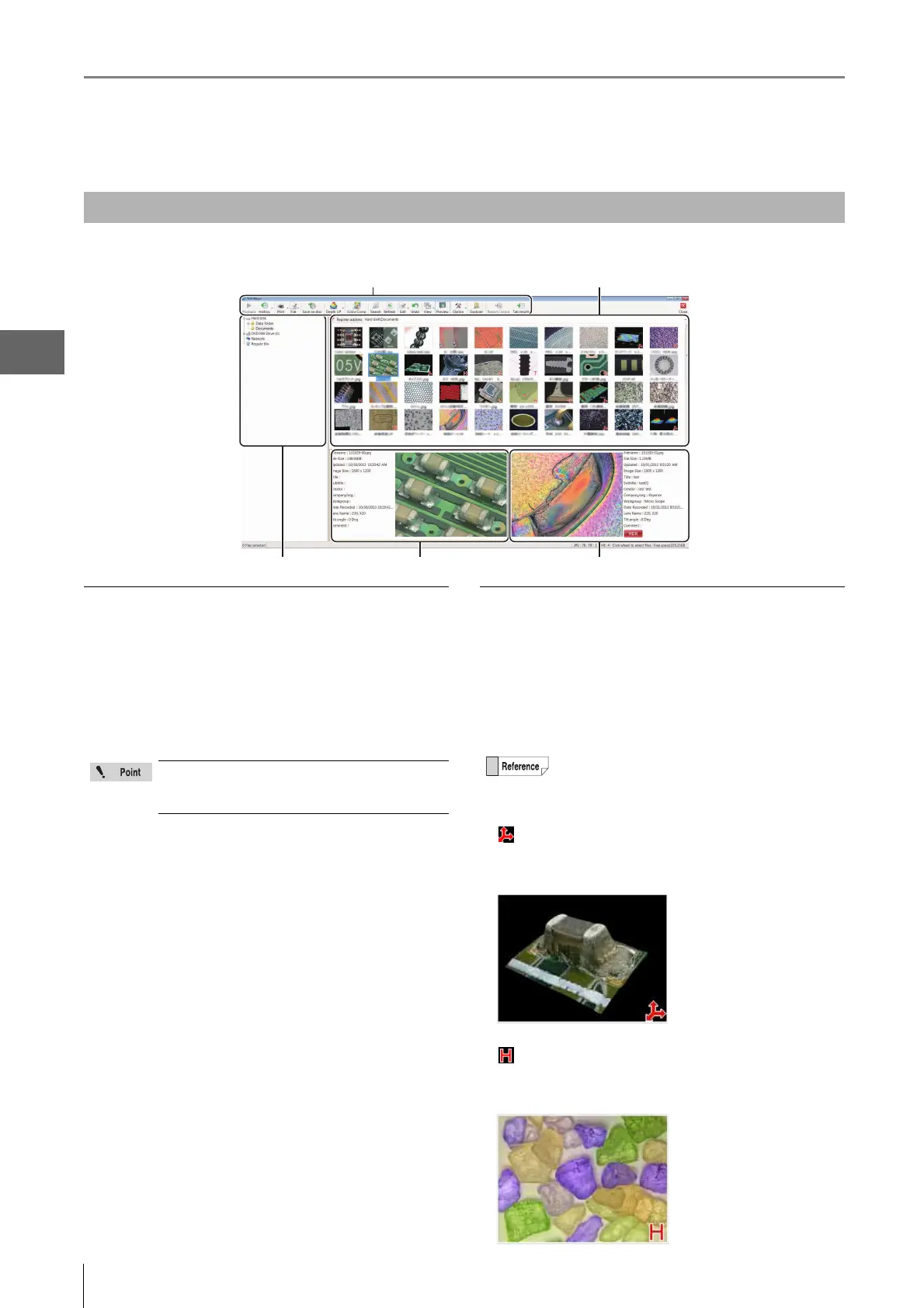
This section explains the names and functions used in the Album window.
Folder view
This is a tree view of the folders on the hard disk or other
storage devices.
Hard disk
This shows the hard disk in the microscope. Users can
store images in the data folder and create new folders.
DVD RW drive (E:)
This is the DVD hyper multi drive on the right side of the
panel.
Reading and writing DVD±R/-RAM/±R DL/±RW and CD-R/
RW disks is possible.
Removable disk (F:)
Any USB memory device connected to the USB port will be
recognized as a drive and added to the tree view.
Network
This shows any shared drives on the network.
Refer to "LAN Connection" (Page 14-2) for setting
procedures.
Recycle Bin
Deleted files are saved here.
Files window
This window shows the files currently saved in the selected
folder. The view can be set to show thumbnails, details, or
other views.
Change the view by clicking [View] on the menu as
described in "Changing the View of the Files Window"
(Page 6-16).
• 3D Files
appears in the lower right of the thumbnail.
This indicates a 3D image (Page 10-2). The image can be
played back in 3D.
• HDR files
appears in the lower right of the thumbnail.
This image was recorded using the High Dynamic Range (HDR)
function (Page 7-2).
Names and Functions
Folder view Preview area 1 Preview area 2
Menu bar Files window
The VHX-5000 Communication Software can
browse the Documents folder and the Data
folder.
In thumbnail view, the contents of the file is
indicated by a symbol displayed in the lower right of
the thumbnail.



 To Next Page