- Digital Microscope VHX-5000 User’s Manual -
Installation/Connection
2-3
Installation/Connection
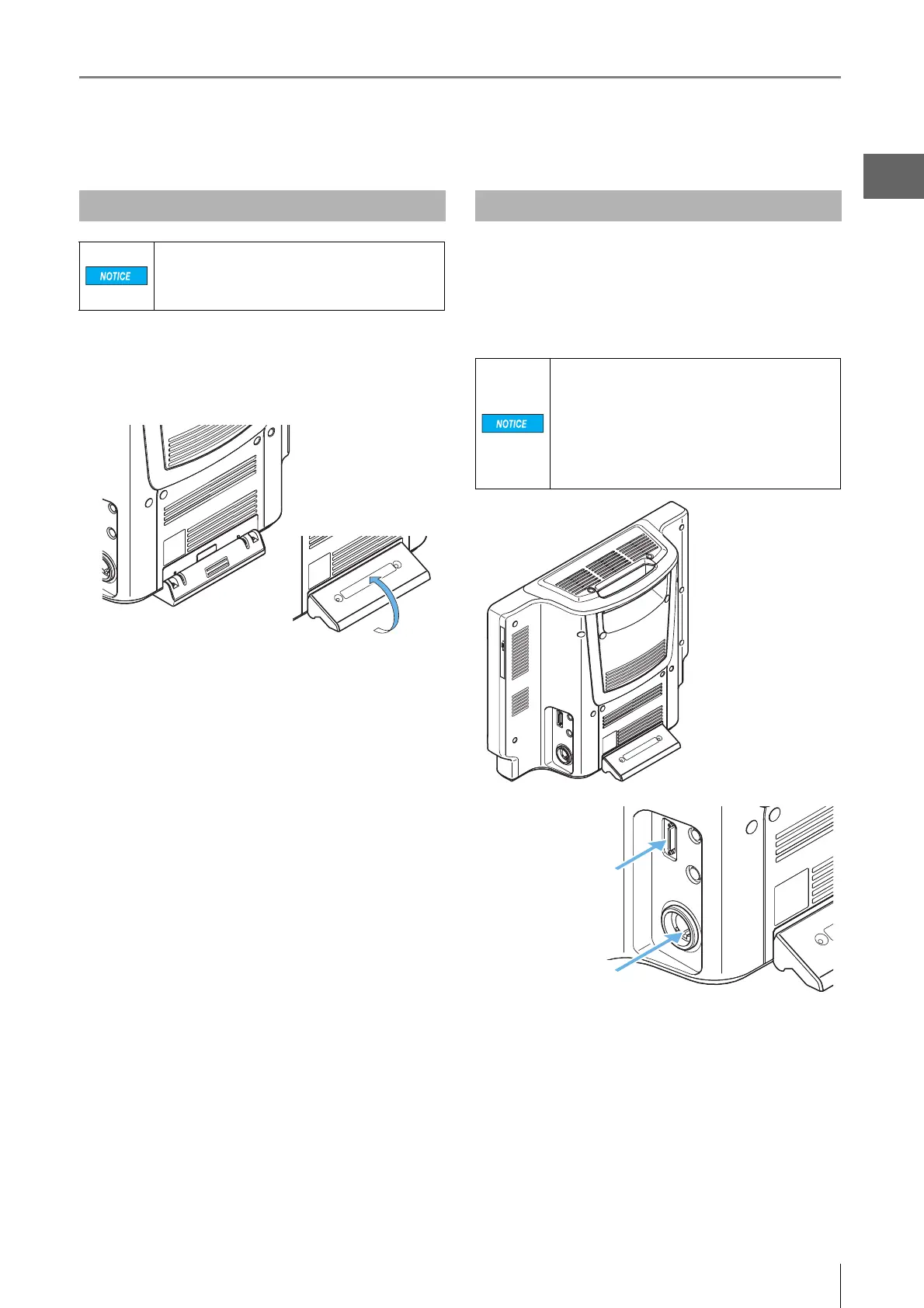
1 Pull out the tilt stand and lock it in place with the
magnetic catch located at the lower back side of
the microscope.
2 Set up the microscope where observations are to
be made.
Connect the following camera cables to the microscope:
camera cable, optical fiber cable.
These connection ports are located on the lower right side
of the microscope.
Installing the VHX-5000
Install the microscope on a fixed flat surface.
Otherwise, the microscope may fall over and
become damaged.
Be sure to pull out the tilt stand.
Connecting the Camera Unit
• Always turn the main power switch off before
connecting or disconnecting the camera
cable and lens/TRIPLE'R unit. Doing so with
the power turned on may cause the camera
unit to fail or become damaged.
• Check the orientation of the connectors
before connecting them. Otherwise the
connector pins may bend and cause failures.
Optical fiber cable
Camera cable



 To Next Page