- Digital Microscope VHX-5000 User’s Manual -
Installation/Connection
2-7
Installation/Connection
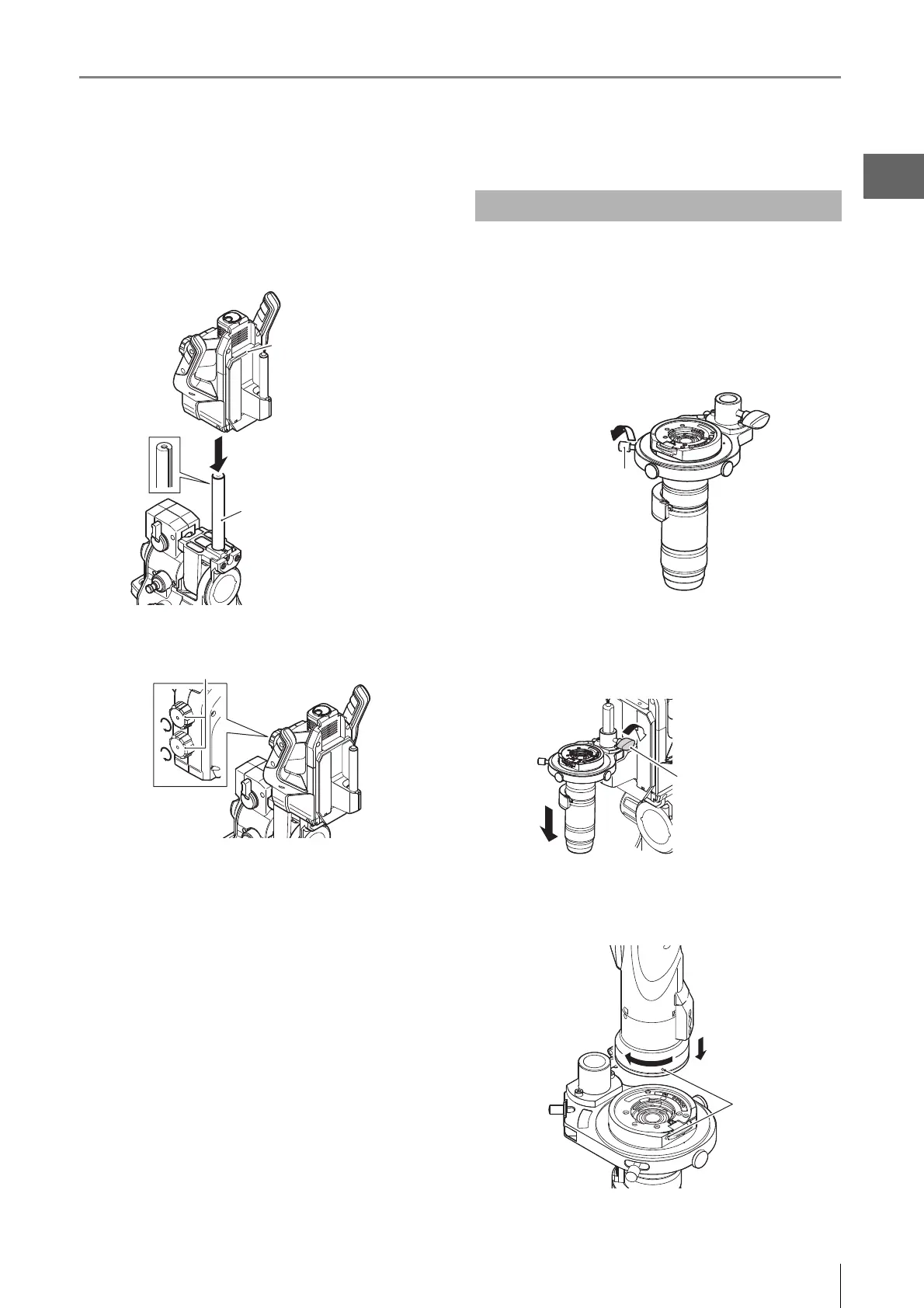
5 Insert the Z-axis Motorized Stage until it is at the
bottom of the camera pole.
Insert so that the screw on the Z-axis motorized stage
fits straight into the V-groove of the camera pole.
6 Tighten the Z-axis motorized stage lock knob.
7 Connect the Z-axis motorized stage and base unit
via cable.
Mount the lens by selecting the appropriate bayonet lens
attachment matching the lens and stand specifications.
The following explanation is based on the VH-Z20T.
1 Mount the lens in the lens joint and affix using the
lens mounting screw.
2 Insert the lens joint from the top of the joint
attachment pole on the Z-axis motorized stage and
tighten the joint locking knob.
3 Align the O marks on the VH-Z20T and camera and
rotate the camera clockwise until you hear a click.
Camera pole
Z-axis motorized stage
Z-axis motorized stage lock knob
Mounting and Removing the Lens
Joint locking knob



 To Next Page