- Digital Microscope VHX-5000 User’s Manual -
Basic Operation
3-3
Basic Operation
Initialize the XYθ stage if you are using the Free-angle
Observation Base Unit VHX-S550. For this initialization, the
origin calibration and θ initialization are available.
Origin calibration
If the main unit is powered on with the XY stage controller
powered on, the XYθ stage automatically moves to the
origin (center) and origin calibration is performed.
During the initialization process, the "XY stage" LED on the
console blinks and will stay illuminated after the initialization
is complete.
θ initialization
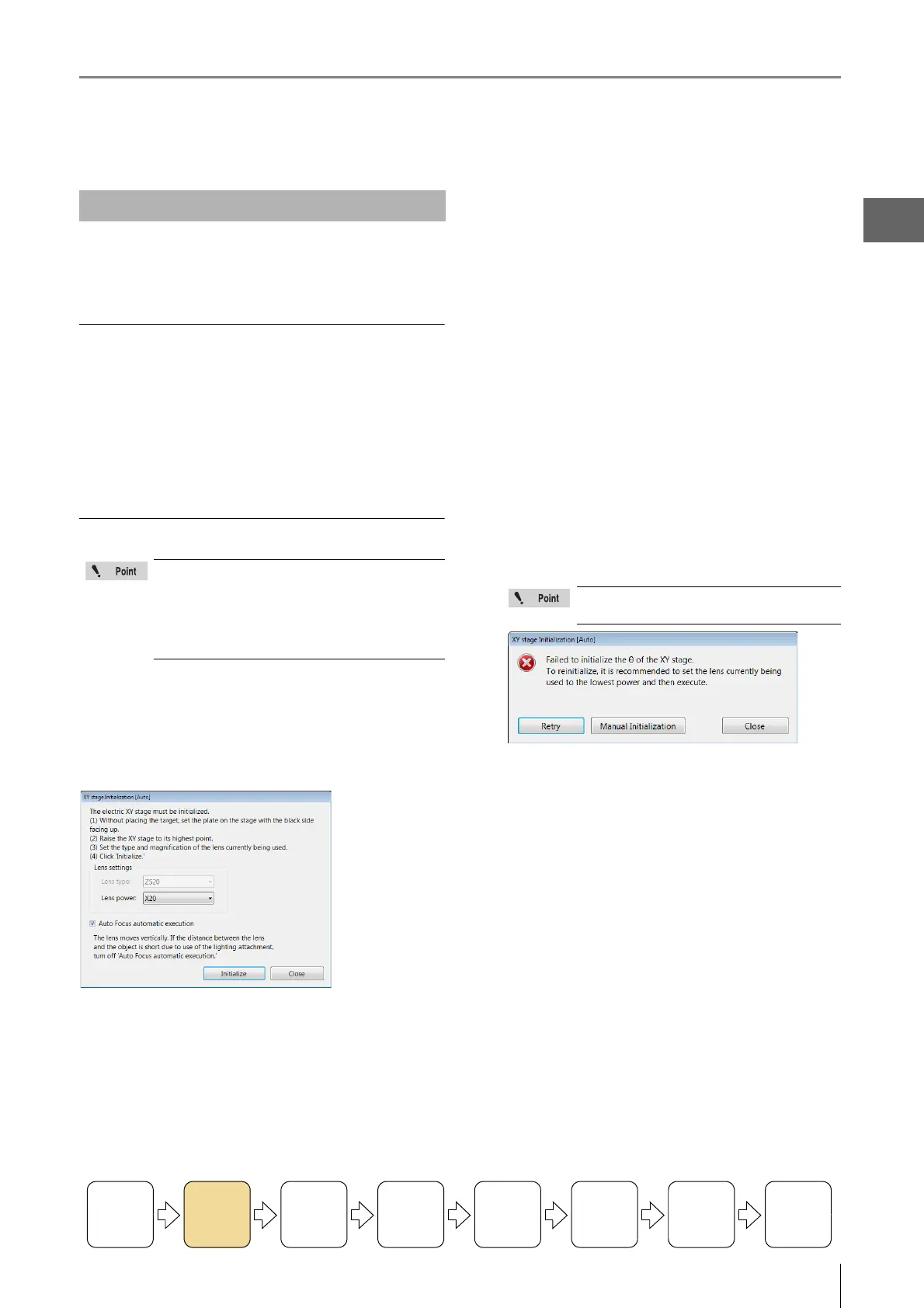
After the origin calibration is completed, the [Stage
Initialization [Auto]] dialog box appears.
Follow the dialog box's procedures to perform the
θ
initialization.
1 With the black area of circular monochrome plate
facing upward, place the plate on the stage.
2 Raise the XYθ stage as far as it can move up.
For operation procedures of the Free-angle
Observation Base Unit VHX-S550, refer to "VHX-S550
User's Manual".
3 In [Lens Settings], specify a type and power of the
lens that is in use.
This is not required for a lens that has the automatic
lens/zoom recognition function and magnification are
detected automatically.
4 As needed, turn on the "Auto Focus automatic
execution".
5 Click [Initialize].
Then, θ initialization starts. The completion message
appears after θ initialization is complete.
Initializing XY Motorized Stage
Be sure to complete θ initialization. If this
initialization is not complete, all the functions
(navigation creation, navigation display, XY
movement via mouse and joystick, and
automatic assembling) which are related to the
XYθ stage will become unavailable.
Turning the
Power On
Initializing
XY Motorized
Stage
Adjusting
the Color
Balance
Adjusting the
Brightness
and Focus
Move XY
Motorized
Stage
Observing
Tilted
Z-Axis
Capturing
(Saving)
Images
Turn the
Power Off
If the θ initialization fails, the following
error message is shown.
"Retry"
Try to perform θ initialization of the stage again.
"Manual Initialization"
The [Stage Initialization [Manual]] dialog box appears, where
you can perform the stage's θ initialization manually.
For details, refer to "Initializing XY Motorized Stage" (Pages
13-19).



 To Next Page