- Digital Microscope VHX-5000 User’s Manual -
7-7
Improving Images
Reducing the Effects of Vibration
(Shake Correction Mode)
This function corrects the shakiness that occurs when
observing at high magnification or when performing hand-
held observation.
[IC pattern (3000x)]
Press the [S.C.F] button on the console. You can also
go through the VHX MENU, click [Rec settings] and
click [Shake correction mode].
During the shake correction mode, a white frame appears at
the observation window perimeter. Select a shake
correction "Weak/Strong" according to the observation
conditions.
Releasing [Shake correction mode]
Press the [S.C.F] button on the console or click [Shake
correction mode] from the VHX MENU again to release the
activated state.
Shake correction cannot be used with the depth
composition function. Cancel these functions
before using shake correction.
Shake Correction Mode Settings
Enhance Contours in Vivid Color
(Sharpening Image Mode)
This function enhances contours in vivid color.
[Solar battery cell (500x)]
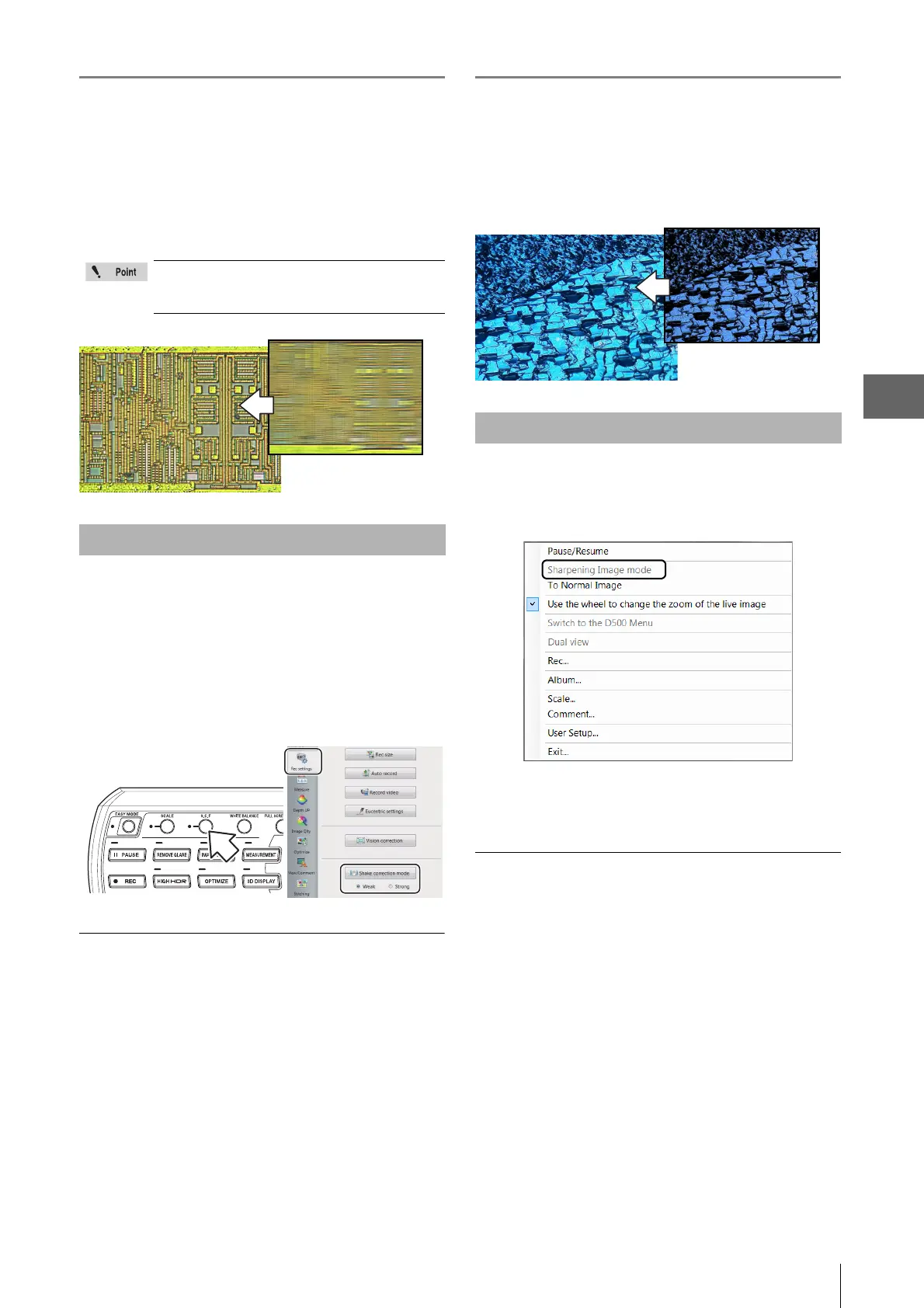
Right-click the mouse over the observation window
and click [Sharpening Image mode] from the pop up
menu.
This applies vivid color enhancements and profile emphasis
to the image.
Releasing [Sharpening Image mode]
From the right-click menu, click [Sharpening Image mode]
again, or click [To Normal Image].
Sharpening Image Mode Settings



 To Next Page