- Digital Microscope VHX-5000 User’s Manual -
Basic Operation
3-6
Basic Operation
Adjustment tips
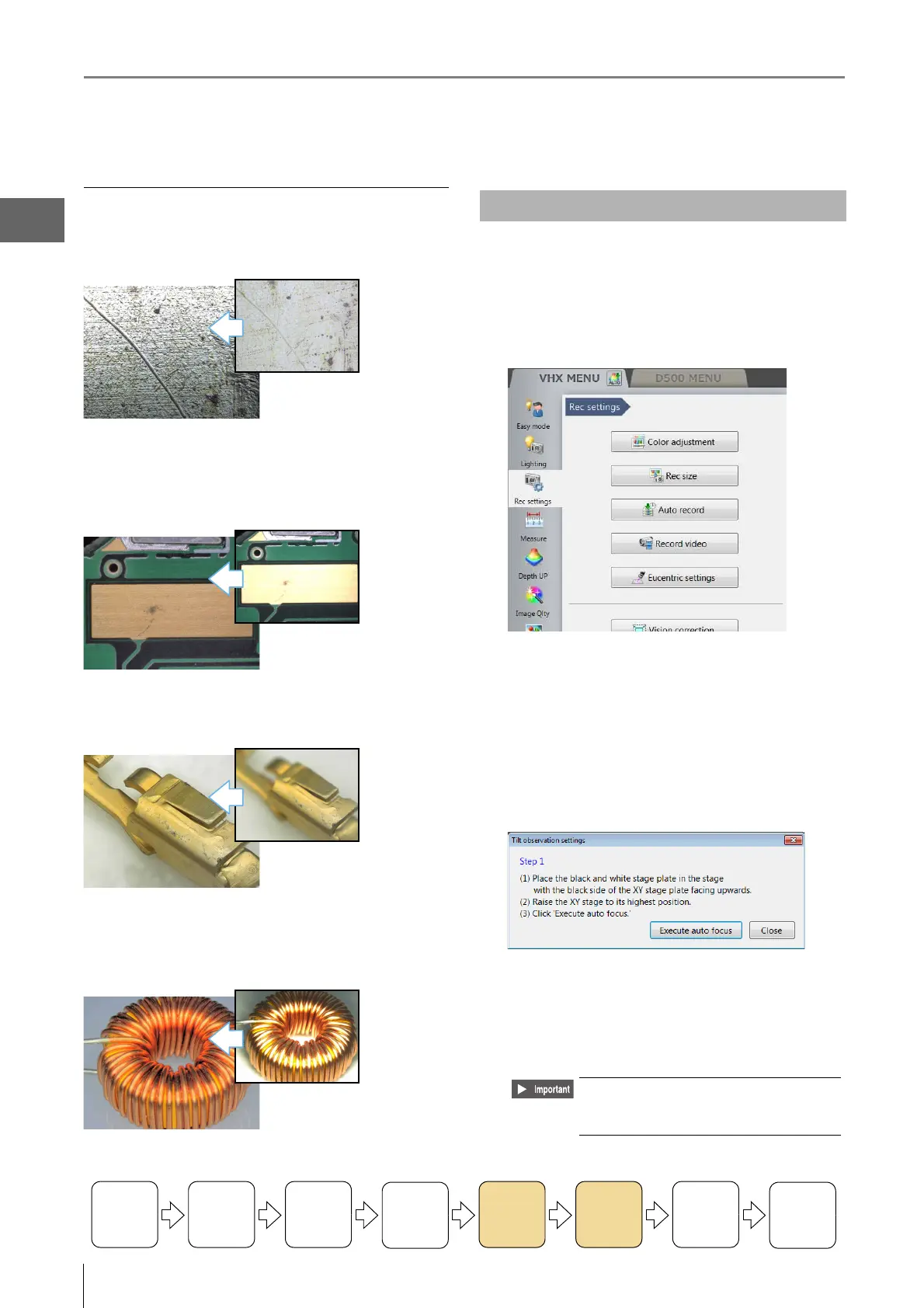
Features with height differences appear flat
Use the Light Shift function.
For details, refer to "Changing Lighting Method (Switching
Lighting)" (Page 7-8).
Areas with intense light reflection appear white
Use the Remove Glare function.
For details, refer to "Removing Glare" (Page 7-6).
Some parts of the image are out of focus
Use the Depth Composition function.
For details, refer to "Types and Features of Depth
Composition" (Page 10-2).
Areas of image whiteout or blackout
Use the HDR function.
For details, refer to "Enhancing Resolution and Increasing
Gradation" (Page 7-2).
To o bserve with the Z-axis tilted, eucentric setting should be
performed.
1 Click [Rec settings] from the VHX MENU, and click
[Eucentric Settings].
2 With the black side of the circular monochrome
plate facing upward, set the XYθ stage.
3 Turn the focus handle of XYθ stage to lift the XYθ
stage to the uppermost position.
4 Click [Execute auto focus].
5 Place the object on the XYθ stage.
6 Turn the focus handle of XYθ stage to focus the
object.
Turning the
Power On
Initializing
XY Motorized
Stage
Adjusting
the Color
Balance
Adjusting the
Brightness
and Focus
Move XY
Motorized
Stage
Observing
Tilted
Z-Axis
Capturing
(Saving)
Images
Turn the
Power Off
Observing Tilted Z-Axis
Do not focus the object by moving the
lens up or down. Definitely use the
focus handle of XYθ stage.



 To Next Page