- Digital Microscope VHX-5000 User’s Manual -
Basic Operation
3-9
Basic Operation
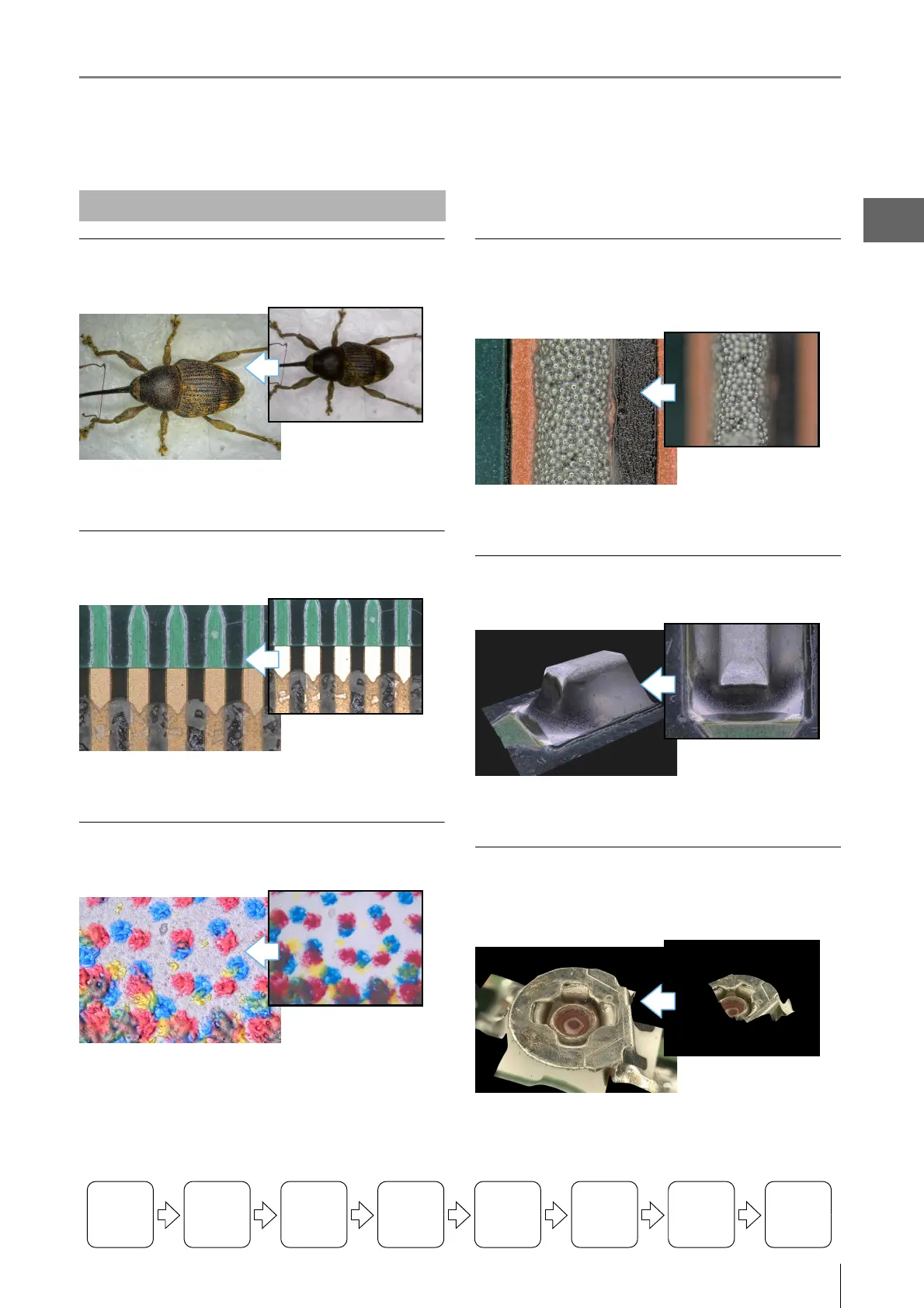
Observe at high resolution
Billbug (20x)
For details, refer to "Setting the Recording Size" (Page 5-5).
Observe images without glare
IC Pattern (200x)
For details, refer to "Removing Glare" (Page 7-6).
Observe images using high color gradation
Dot printing (400x)
For details, refer to "Enhancing Resolution and Increasing
Gradation" (Page 7-2).
Observe images with an extended depth-
of-field
Solder paste (300x)
For details, refer to "Types and Features of Depth Composition"
(Page 10-2).
Observe images in 3D
Solder (200x)
For details, refer to "3D View" (Page 10-14).
Observe a wide field-of-view under high
magnification
Screw (200x)
For details, refer to "Manual Image Stitching" (Page 11-8).
Advanced Operations
Turning the
Power On
Initializing
XY Motorized
Stage
Adjusting
the Color
Balance
Adjusting the
Brightness
and Focus
Move XY
Motorized
Stage
Observing
Tilted
Z-Axis
Capturing
(Saving)
Images
Turn the
Power Off



 To Next Page