- Digital Microscope VHX-5000 User’s Manual -
Side Album
6-21
Playing and Editing Images
Side Album
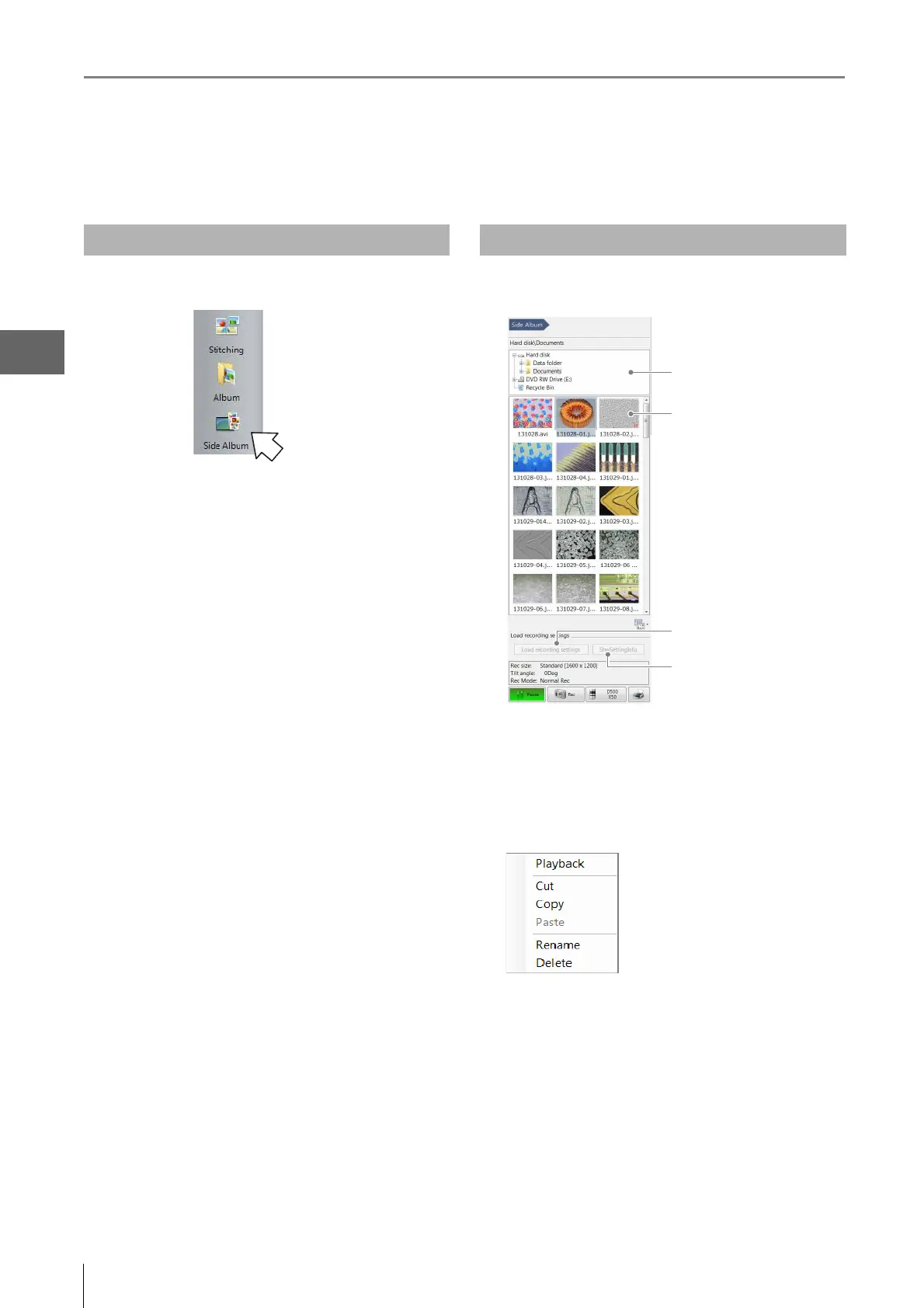
The side album displays thumbnails next to the observation window. This allows you to rearrange images seamlessly without
launching the album function.
1 Select [Side album] from the VHX MENU.
The side album will appear on the right side of the
screen.
This section explains the names and functions on the side
album.
(1) Select Folder
This is a tree view of the folders on the hard disk or other
storage devices.
(2) Show Thumbnails
The files in the selected folder are displayed as thumbnails.
Right-click over the preview image to display a menu.
Launching the Side Album Names and Functions



 To Next Page