- Digital Microscope VHX-5000 User’s Manual -
Main Measurements
9-17
Measuring Dimensions and Area
Counting the number of points
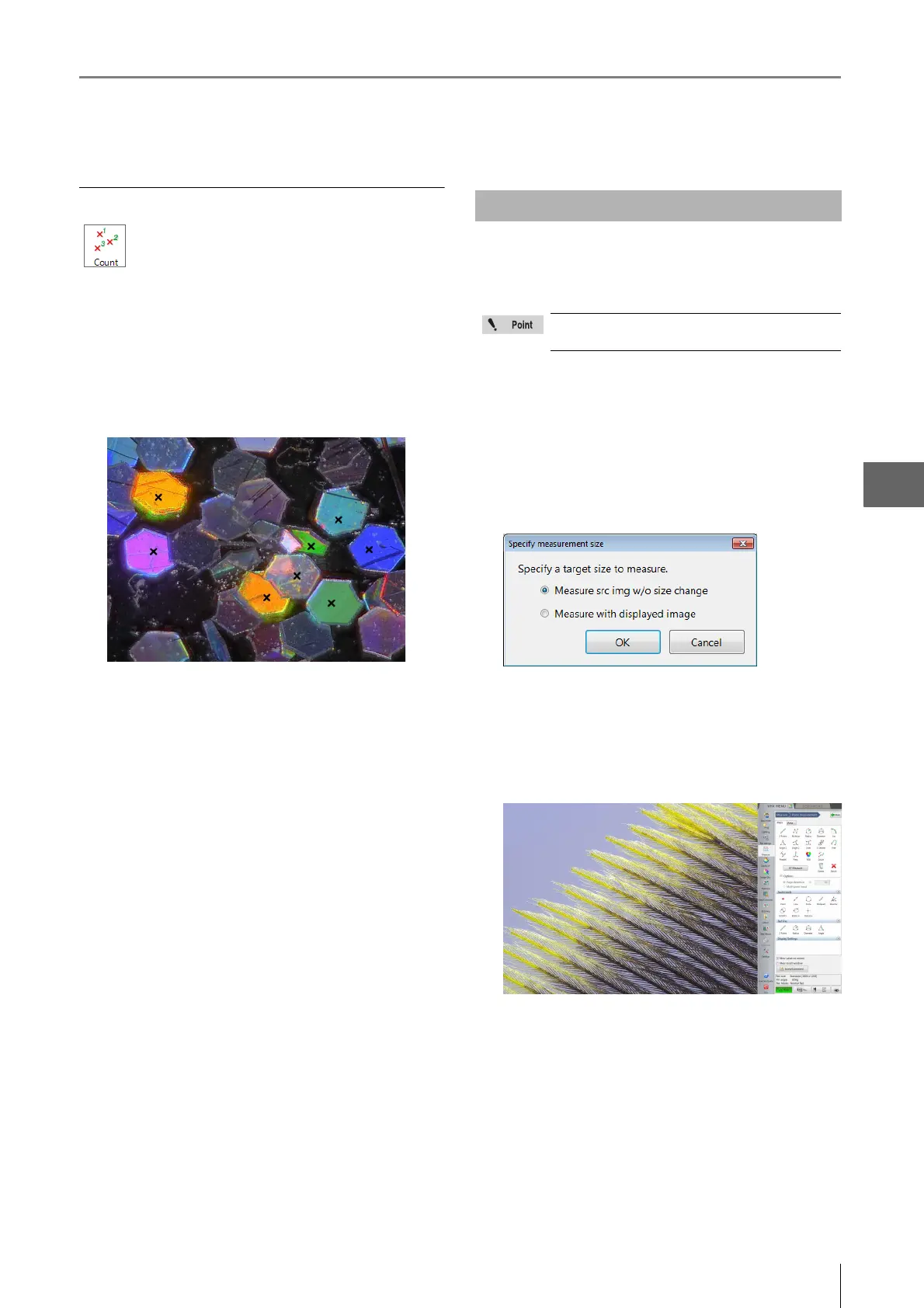
1 Click [Count]. On the observation window, click the
measuring points.
The clicked points will be indicated by an x. The
measurement results appear on the screen and in the
[Measure Result] window.
When using images recorded in high definition (3200 x
2400) or higher recording sizes (Page 5-5), the part clicked
when specifying measurement spot will be enlarged.
1 Select and open the image to measure from the
album.
The [Specify measurement size] dialog box appears.
2 Select [Measure src img w/o size change] and click
[OK].
The image appears in the observation window.
3 Click the icon of the measurement tool to use and
click on the observation window.
The clicked part is enlarged.
4 Click where to measure.
The display in the observation window returns to the
former magnification ratio.
5 Repeat steps 3 and 4 to complete the
measurement.
Counts the number of specified points on the
image.
Measuring High Definition Images
When edge auto extraction is activated, this
function will not operate.



 To Next Page