- Digital Microscope VHX-5000 User’s Manual -
Wide-view
5-9
Recording (Saving) Images
Wide-view
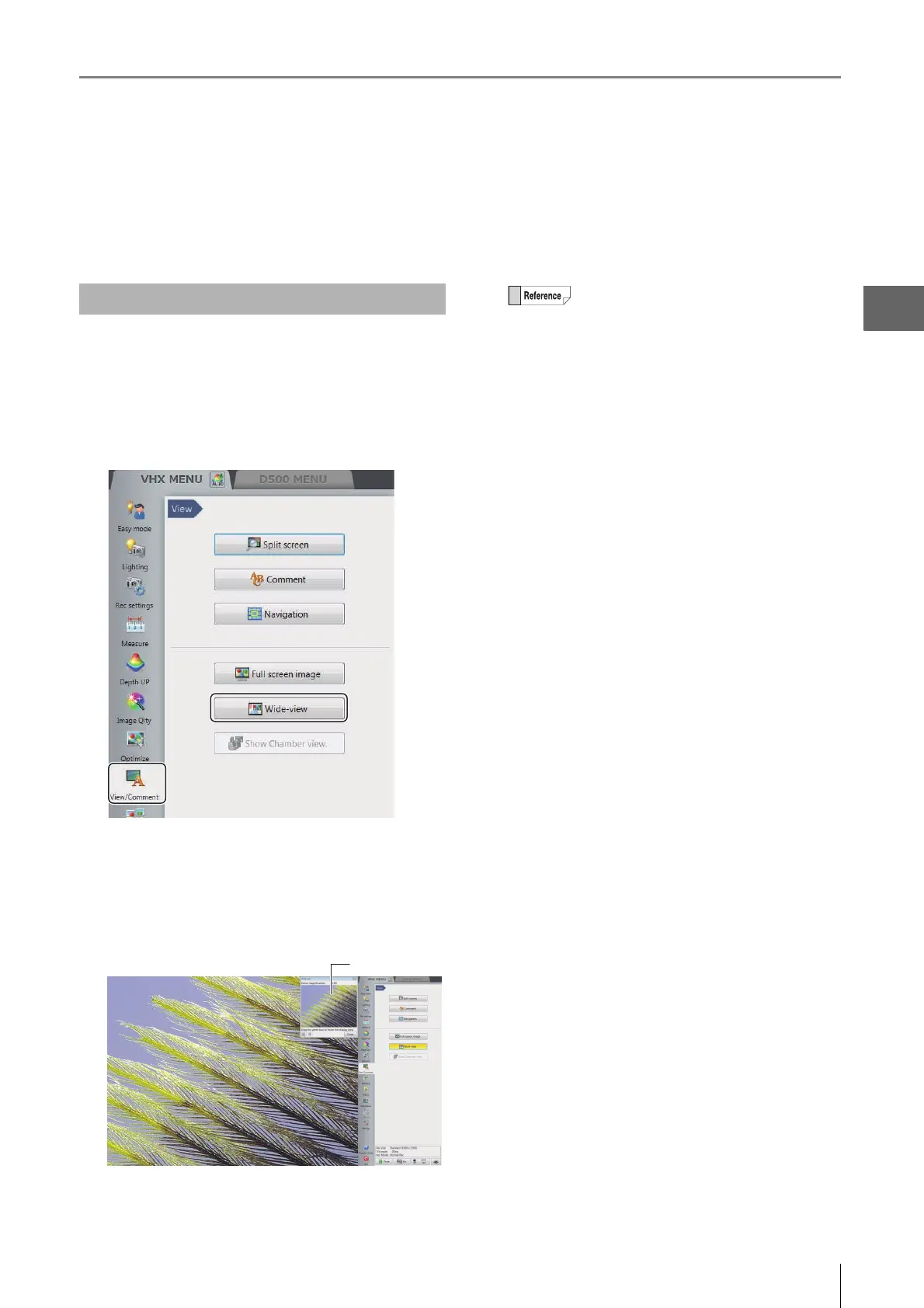
When the [Wide-view] dialog box is displayed, you can confirm which part is being zoomed in on when the zoom ratio of the
observed image has been changed. By dragging the green view area frame, you can also move the position to be observed
(view area).
1 Display a live image or still image in the
observation window.
2 Click [View/Comment] from the VHX MENU and
click [Wide-view].
The [Wide-view] dialog box appears.
3 While the image is being zoomedin on, drag the
green view area frame to the position you would
like to observe.
The view of observed image changes according to the
view area frame.
Observing in Wide-view
• When clicking [Fit to screen], the
observation window shows the entire
image.
• When clicking [X1.00 view], the image is
displayed in the actual size (100%).



 To Next Page