- Digital Microscope VHX-5000 User’s Manual -
Displaying a Scale
9-39
Measuring Dimensions and Area
Displaying a Scale
Displaying a scale on the observation window to serve as a reference during observation.
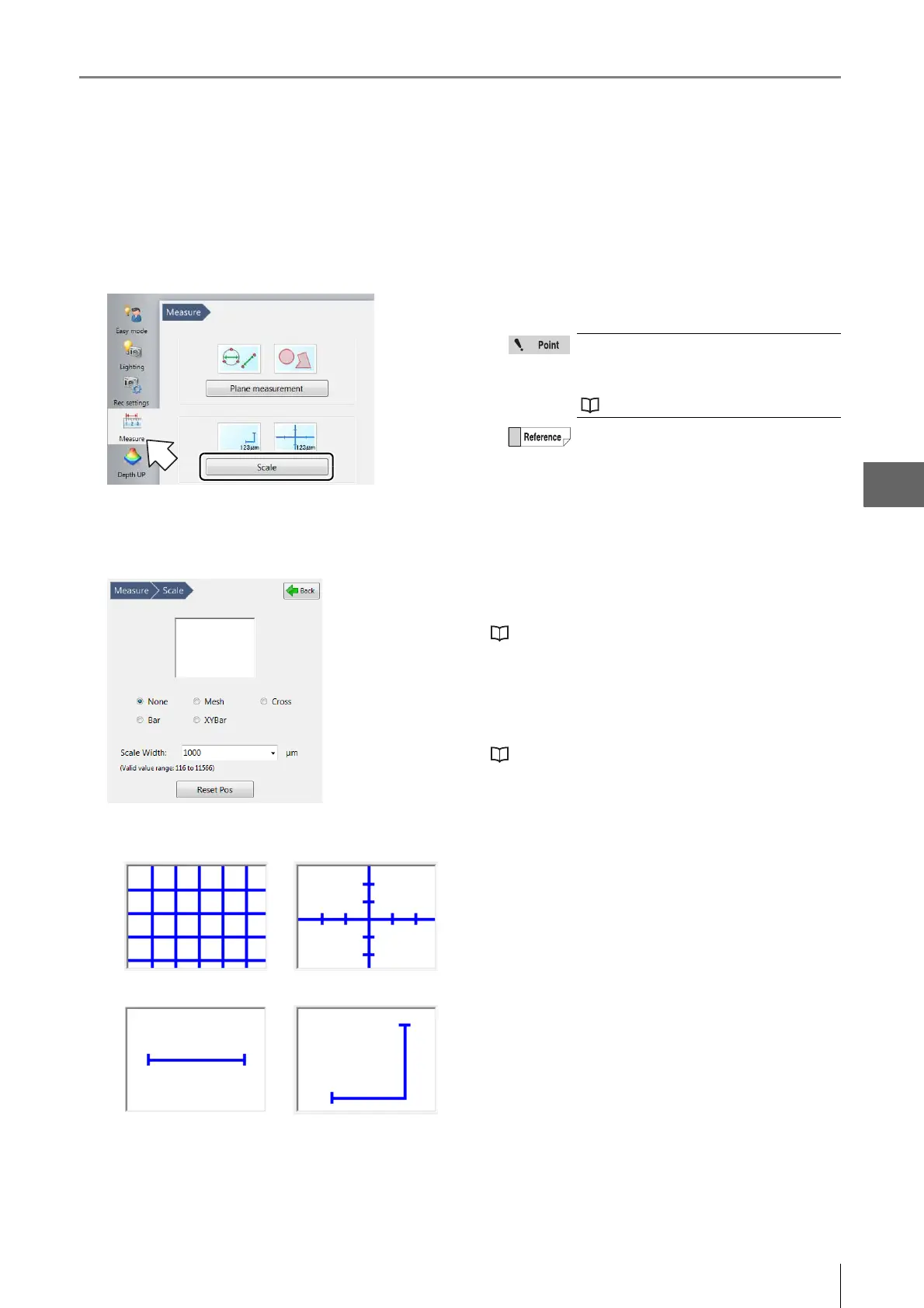
1 Click [Measure] from the VHX MENU and click
[Scale].
The Scale settings window appears.
2 Select the scale type.
3 Enter the reference length of the scale to display as
the scale width.
The scale and reference length appears on the
observation window.
• Reset position
This restores the scale and the position of the text on the
scale to its original position.
• Line Format
This changes the color and width of the lines.
"Appearance of lines, reference line, points, XY,
width, and text" (Page 9-22)
• Text Format
This sets the background color, text color, and font used
to display the scale.
"■ Text format" (Page 9-22)
•Mesh •Cross
• Bar • XYBar
The size of the scale automatically adjusts
according to the lens power currently
selected. This must be matched with the
lens power actually in use.
"Lens Setting" (Page 9-5)
The range of input for the scale width differs
depending on the lens and power used.
The scale can be dragged up and down, and
left and right.



 To Next Page