- Digital Microscope VHX-5000 User’s Manual -
VHX-5000 Communication Software
14-8
Connecting to an External PC
Double-clicking a thumbnail image displays it using the
method best suited for that image. Right-clicking on any
selected image and clicking [Measure] changes the display
to the measurement view.
• 2D images
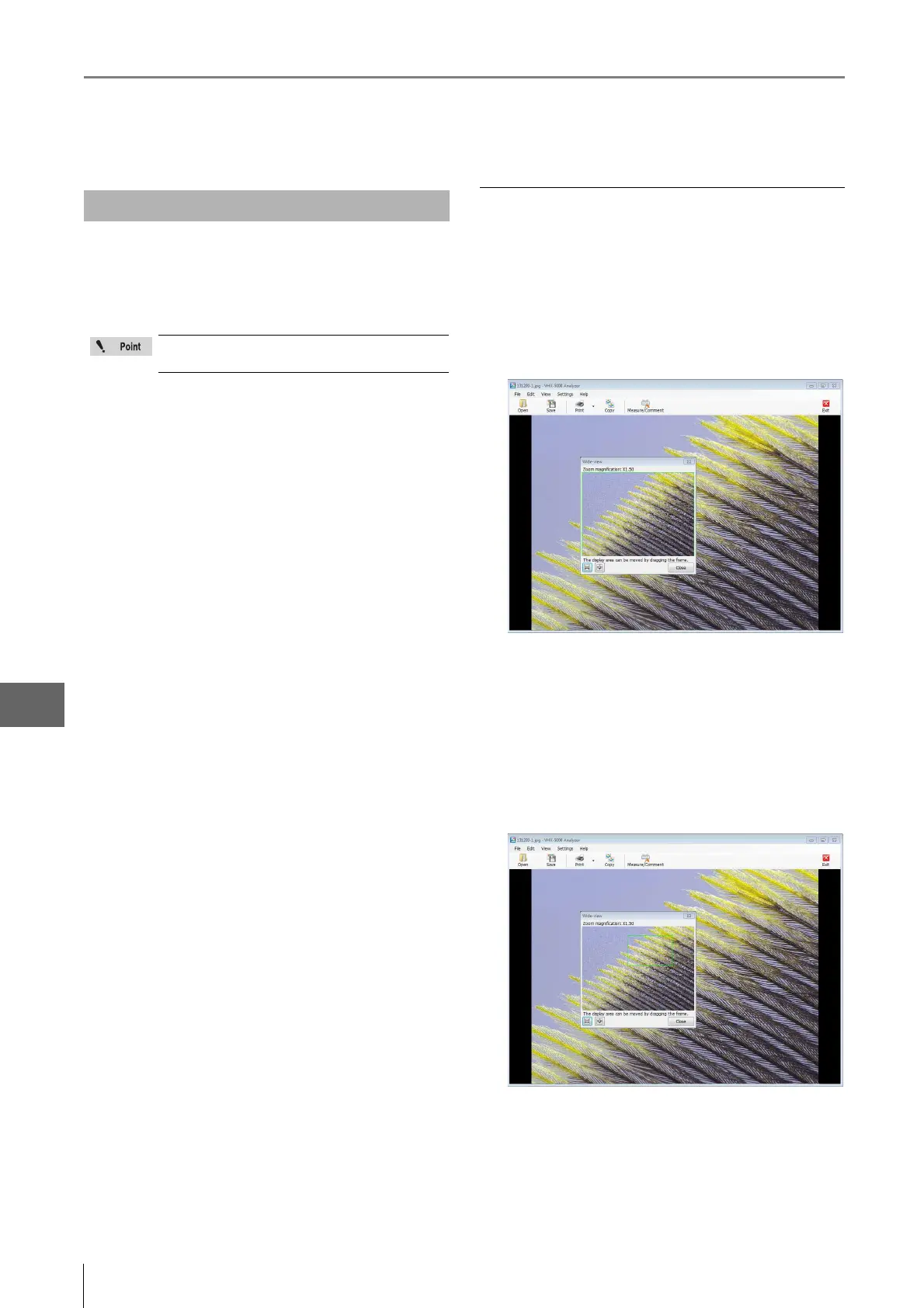
The image is displayed in a [Wide-view] window (Page
14-8), allowing zooming by rotating the mouse wheel,
and area resizing by dragging the mouse.
After zooming to the desired display size, the observation
area can be changed by dragging on the image.
• 3D images
The image appears in the 3D view (Page 14-10). 3D
images can be rotated and observed in the XYZ
directions.
• HDR images / High resolution HDR images
HDR (Page 14-12) images can be displayed after
adjusting the HDR effect.
Playing 2D images
When playing 2D images, they are shown in the wide-view
window.
1 Double-click the file to play.
This brings up the [Wide-view] window and the
playback window.
2 Rotating the mouse wheel changes the zoom ratio
in the playback window.
When the playback window is zoomed in on a portion
of the entire image, the wide-view window will indicate
the displayed area inside a green frame. Drag this
frame to change the area displayed in the playback
window.
Playing Images
3D images opened by clicking [Measure] will be
played as 2D images.



 To Next Page