- Digital Microscope VHX-5000 User’s Manual -
VHX-5000 Communication Software
14-7
Connecting to an External PC
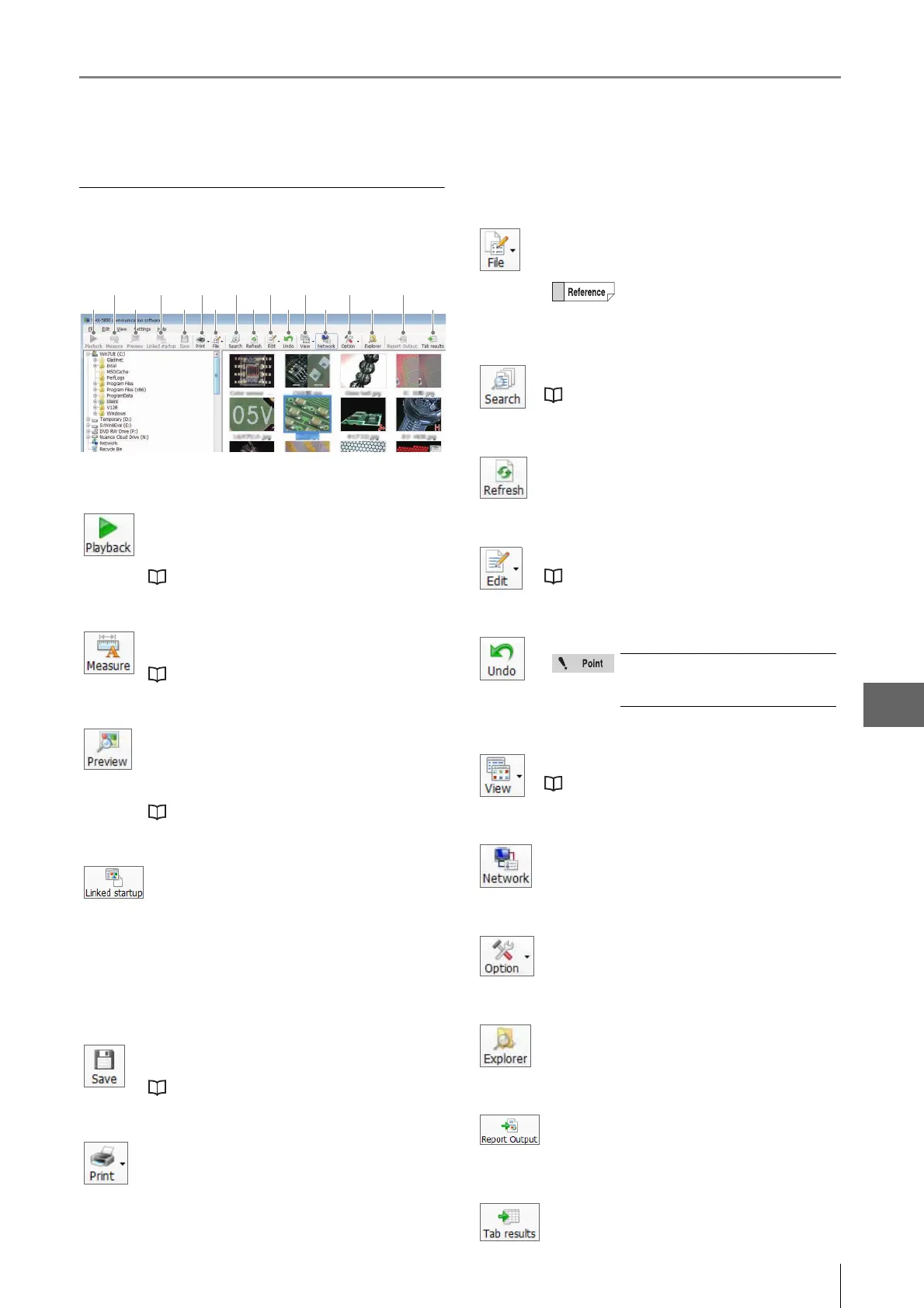
Toolbar
The names and fu nctions of the toolbar icons are explained
below.
(1) Playback
Plays back the selected file.
The display method varies according to the type of
selected file.
"Preview" (Page 14-16)
(2) Measure
On 2D images, this command measures length and
area, and allows additional comments.
"Measuring 2D images" (Page 14-14)
(3) Preview
Displays the selected file in a [Preview] window.
AVI files and images recorded in high definition
(3200 x 2400) or higher resolution cannot be
previewed.
"Preview" (Page 14-16)
(4) Linked startup
Automatically opens the selected file in the
associated application based on the file extension in
the PC's settings.
For example, the image file can be opened in a
commercially available image editor application. The
following file types are supported: JPEG, TIFF, AVI,
and CSV.
(5) Save
Saves the captured images under automatically
assigned names.
"Saving" (Page 14-16)
(6) Print
Print (Page 12-3) the selected images from the printer
connected to the computer.
(1)
(2)
(3) (5) (7) (9) (11) (13) (15)
(4) (6) (8) (10) (12) (14) (16)
(17)
(7) File
Controls files.
Items that can be controlled are the same as those of
[File] in Album.
(8) Search
Searches files within the computer's hard disk.
"Searching Files" (Page 6-15)
(9) Refresh
Refreshes the display to reflect the latest information.
(10) Edit
This command is used to edit files or folders.
"Edit" (Page 14-17)
(11) Undo
Undoes the most recent command.
(12) View
Toggles display between thumbnail and properties.
"View" (Page 14-17)
(13) Network
Shows/hides VHX folder display area and VHX file list
area.
(14) Option
Yo u can set the network settings and options of
various functions (Page 6-12).
(15) Explorer
Launches Explorer.
(16) Report Output
Output the information of the selected CSV file to an
Excel or Word file.
(17) Tab Result
Collectively output the one-click automatic
measurement results to Excel (Page 6-20).
Available operations are the same in
both the VHX folder and computer folder.
[Undo] is allowed for only one
command. Some operations
cannot be undone.



 To Next Page