- Digital Microscope VHX-5000 User’s Manual -
Using Depth Composition
10-3
Observing in 3D
Using Depth Composition
Depth composition is performed automatically every time
that the observation field is moved.
Live depth composition can be turned ON/OFF through the
ON/OFF icon from the VHX MENU.
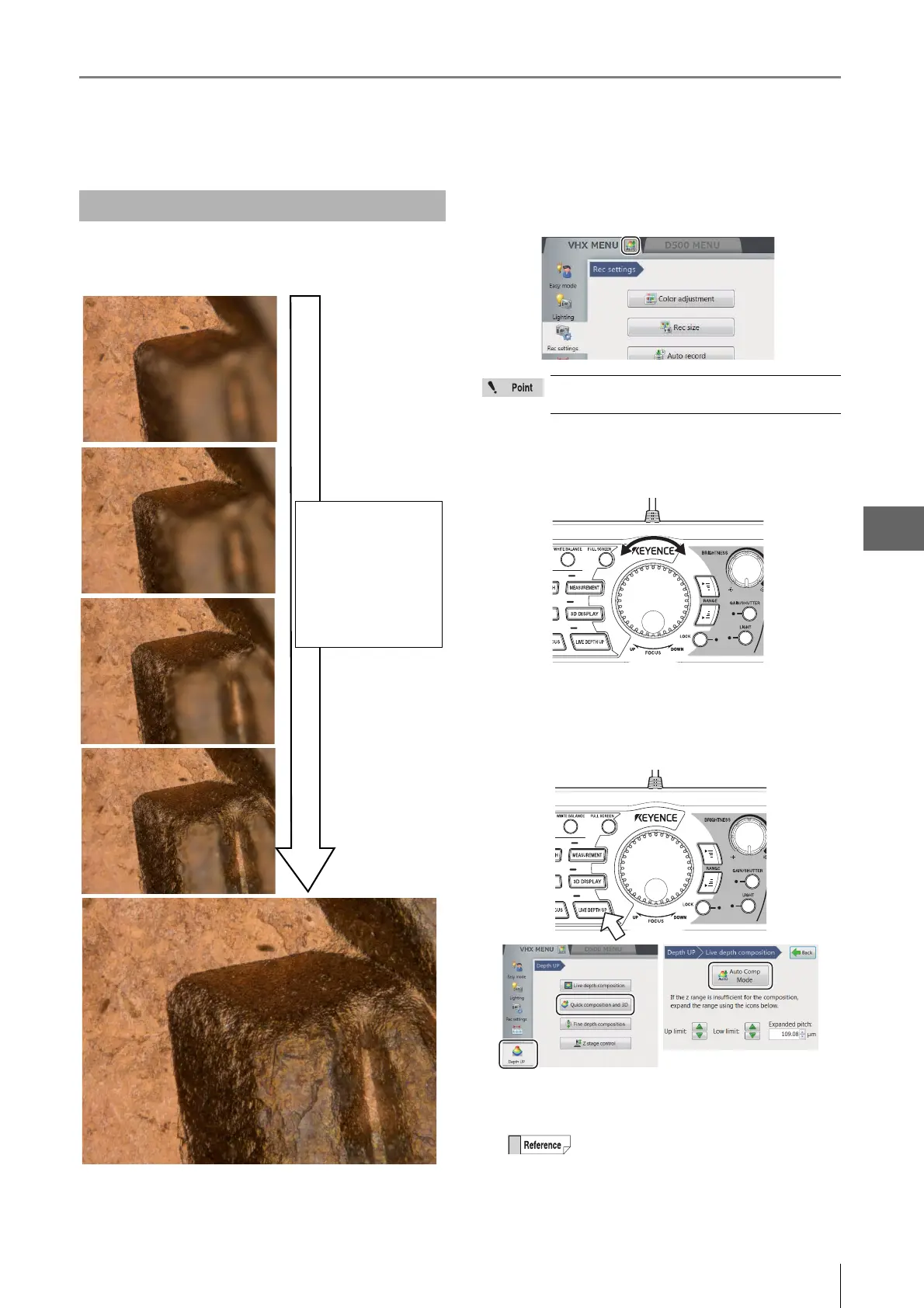
1 Adjust the focus to the lowest point of the object
using the FOCUS dial on the console.
2 Press the [LIVE DEPTH UP] button on the console,
or click [Depth UP] from the VHX menu followed by
[Quick composition and 3D] - [Auto Comp Mode].
The Z-axis stage moves and the depth composition
image is displayed in the observation window.
Live Depth Composition
Images are acquired
at different focal
planes instantly and
the depth
composition image
is displayed
automatically.
Live depth composition is only available when
using the VHX-S550 stand.
• To save the depth composition image, press
the [REC] button on the console or click
[Rec] on the on-screen menu options.
•To turn OFF the live depth composition
function, click [Auto Comp Mode] again to
clear the selected state (yellow).



 To Next Page