- Digital Microscope VHX-5000 User’s Manual -
Album
6-16
Playing and Editing Images
1 Click [View].
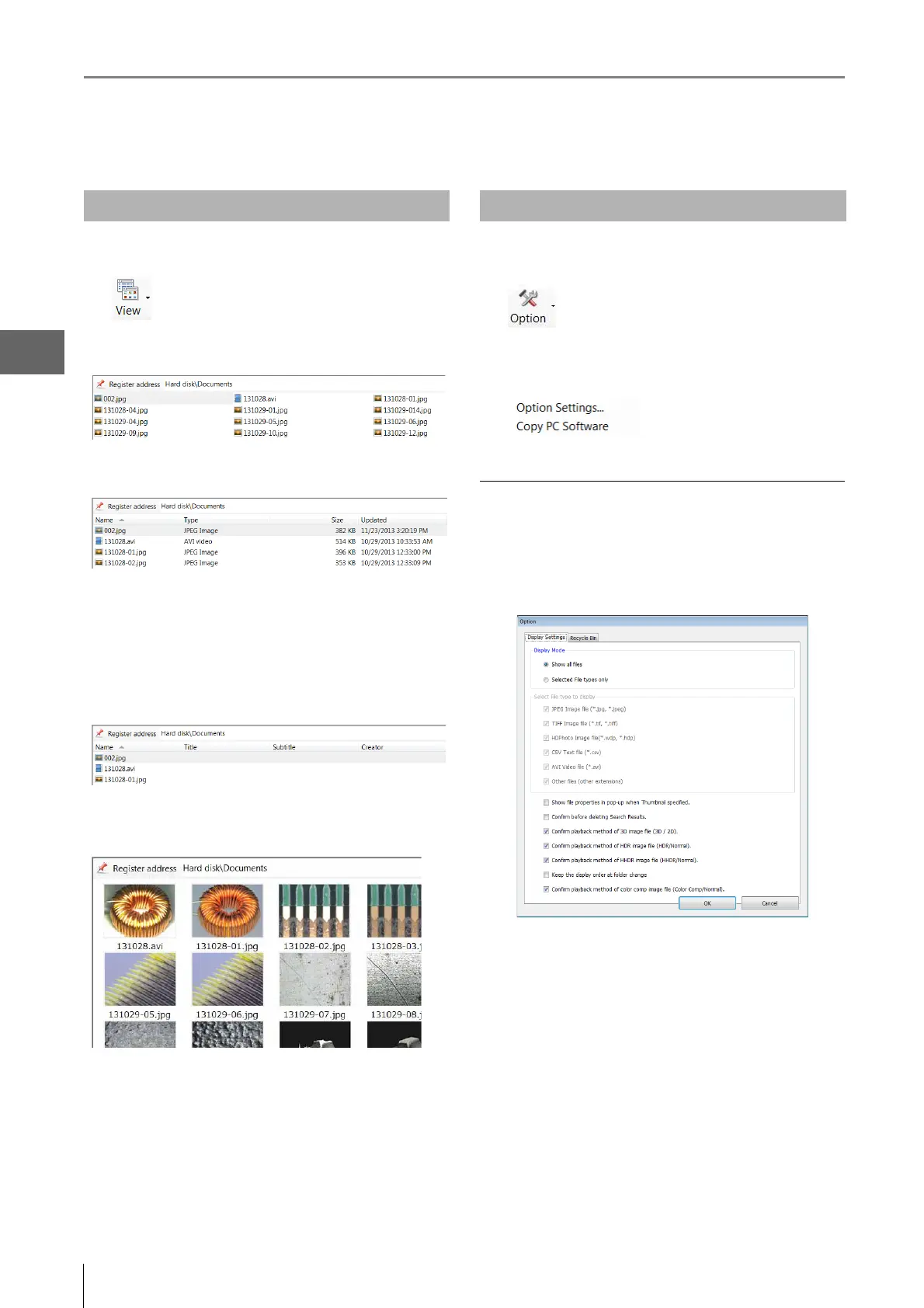
List
This view shows the filenames.
Details
This view shows the file names with details.
The view shows the file name along with its type, size, and
when it was last updated.
Show properties
This view shows the properties of the selected image files.
The following items, if entered, are displayed: name, title,
subtitle, creator, company/org., workgroup, lens name (lens
type and power).
Show Thumbnails
This view displays all images in the selected folder as
thumbnails.
Sort by
Select the item to sort by. A menu will appear with a choice
of items you can sort by.
Ascending
The files are displayed in ascending order based on the
selected "sort by" item.
Descending
The files are displayed in descending order based on the
selected sort by item.
1 Click [Option].
The items [Option Settings] and [Copy PC Software]
appear.
Option Settings
Clicking Option Settings brings up the [Option] dialog box.
Display Settings
Specify the display settings.
Display Mode
• Show all files
All files are displayed in the files window.
• Selected File types only
Select a feature from the [Select File type to display]
options to specify the files to display in the files window.
Changing the View of the Files Window
Options



 To Next Page