- Digital Microscope VHX-5000 User’s Manual -
Album
6-17
Playing and Editing Images
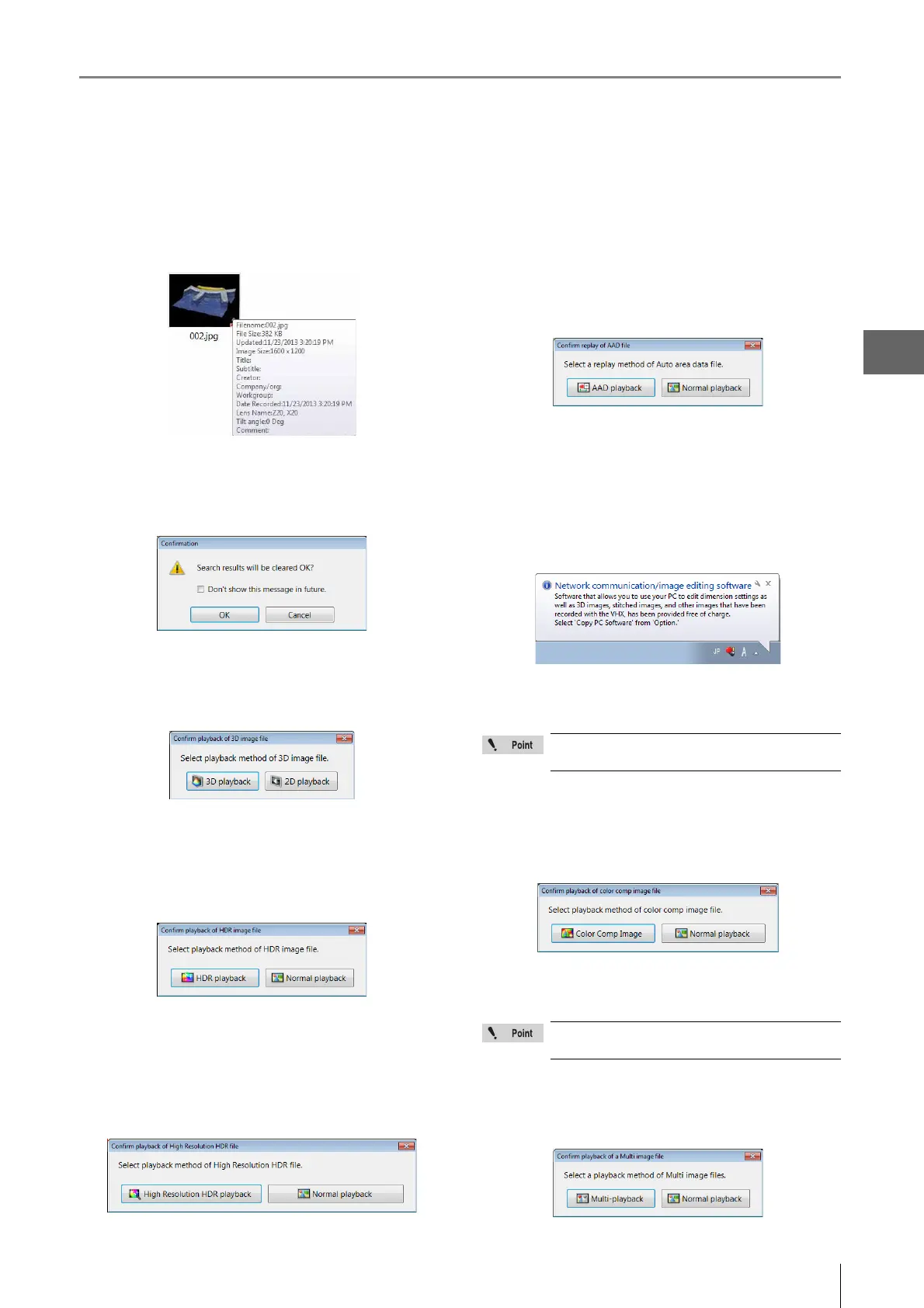
Show file properties in pop-up for the specified
thumbnail.
Placing the mouse cursor over a thumbnail displays the
properties for that file.
Confirm before deleting Search Results
After viewing thumbnails of the search results, navigating to
another folder clears the search results. A confirmation
message appears.
Confirm playback method of 3D image file (3D/2D)
When viewing 3D files, a message to confirm 3D playback
or 2D playback appears. If this option is turned OFF, 3D
playback starts automatically.
Confirm playback method of HDR image file (HDR/
Normal)
When viewing HDR files, a message to confirm HDR
playback or Normal playback appears. If this option is
turned OFF, HDR playback starts automatically.
Confirm playback method of HHDR image file (HHDR/
Normal)
When viewing high resolution HDR files, a message to
confirm High Resolution HDR playback or Normal playback
appears. If this option is turned OFF, High Resolution HDR
playback starts automatically.
Confirm playback method of Auto Area Data file (AAD/
Normal)
When viewing an automatic area measurement data file, a
message to confirm automatic area measurement data
playback or Normal playback appears. If this option is
turned OFF, area measurement data playback starts
automatically.
Keep the display order when navigating folders
Turn this option ON to apply the same display order to all
folders.
Show the message for copying the PC software.
This [Copy PC Software...] message appears when you
insert a memory device in the USB port.
Confirm playback method of Color composition image
file (Color composition/Normal)
When viewing color composition image files, a message to
confirm color composition playback or Normal playback
appears. If this option is turned OFF, color composition
playback starts automatically.
Confirm playback method of Multi image file (Multi/
Normal)
When viewing multi-image files, a message to confirm
Multi-playback or Normal playback appears. If this option is
turned OFF, multi-playback starts automatically.
This function is displayed when the VHX-D500
software has been installed.
This function is displayed when the VHX-D500
software has been installed.



 To Next Page