- Digital Microscope VHX-5000 User’s Manual -
Recording and Saving Videos
5-10
Recording (Saving) Images
Recording and Saving Videos
Observed images can be recorded as digital video (AVI format) and played back. Each image can be recorded in 1600 x 1200,
800 x 600, or 640 x 480-pixel resolution for up to three hours. Saved video files can be played back on the VHX-5000 or a PC.
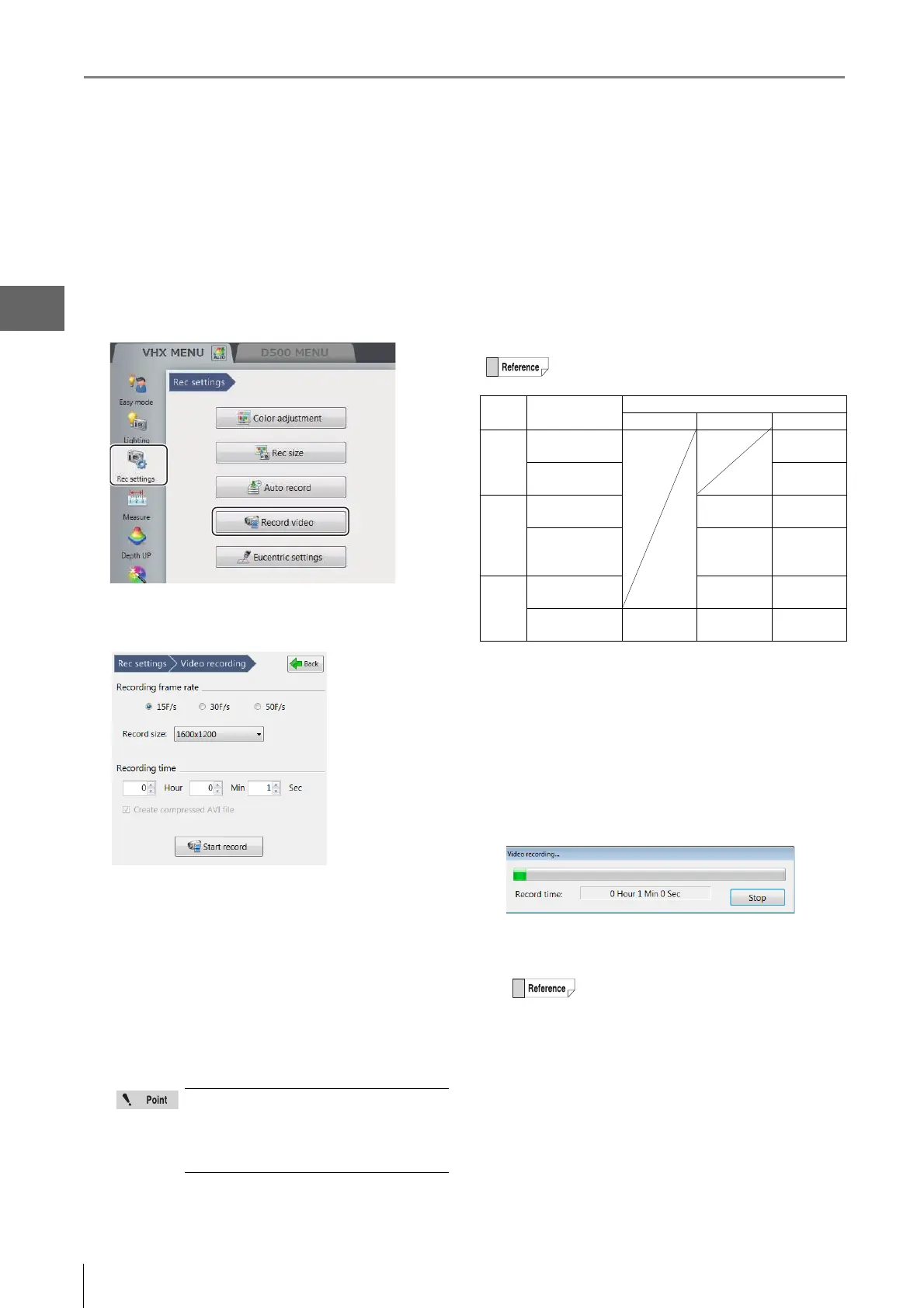
1 Click [Rec Settings] from the VHX MENU and click
[Record video].
This brings up the [Record video] menu in the
operation area.
2 Set the [Recording frame rate], [Rec size],
[Recording time], and the [Create compressed AVI
file] option.
Recording frame rate
15F/s: records 15 frames per second.
30F/s: records 30 frames per second. Videos are
smooth even when recording fast-moving objects.
50F/s: records 50 frames per second.
Rec size
Increasing the recording size improves the picture
quality but shortens recording time.
Recording time
The [Hour], [Min], and [Sec] can be specified.
The recording time is from 1 second to 3 hours.
Create compressed AVI file
If this option is checked, the file is compressed when
the AVI file is created.
This reduces the file size.
3 Click the [Start rec...] button.
The [Video recording...] dialog box appears and
recording starts.
When the recording ends, the [Video recording..] dialog
box (Page 5-11) will appear.
4 Select the folder where the video will be stored and
enter the file name in [Filename].
• The recording size will be set to 800 x
600 or 640 x 480 when the frame rate is
set to 30F/s.
• The recording size will be set to only 640
x 480 when the frame rate is set to 50F/s.
Frame rates and recording times
Frame
rate
Compressed/
Uncompressed
Recording time
1600 x 1200 800 x 600 640 x 480
50F/s Uncompressed 1 sec to
8 min
Compressed 1 sec to
50 min
30F/s Uncompressed 1 sec to
10 min
1 sec to
15 min
Compressed 1 sec to
1 hour
1 sec to
1 hour and
30 min
15F/s Uncompressed 1 sec to
20 min
1 sec to
30 min
Compressed 1 sec to
10 min
1 sec to
2 hour
1 sec to
3 hour
To exit while recording, click [Stop]. When a
confirmation dialog appears, click [Yes] to save
the partway recorded video.



 To Next Page