- Digital Microscope VHX-5000 User’s Manual -
Changing Lighting Method (Switching Lighting)
7-8
Improving Images
Changing Lighting Method (Switching Lighting)
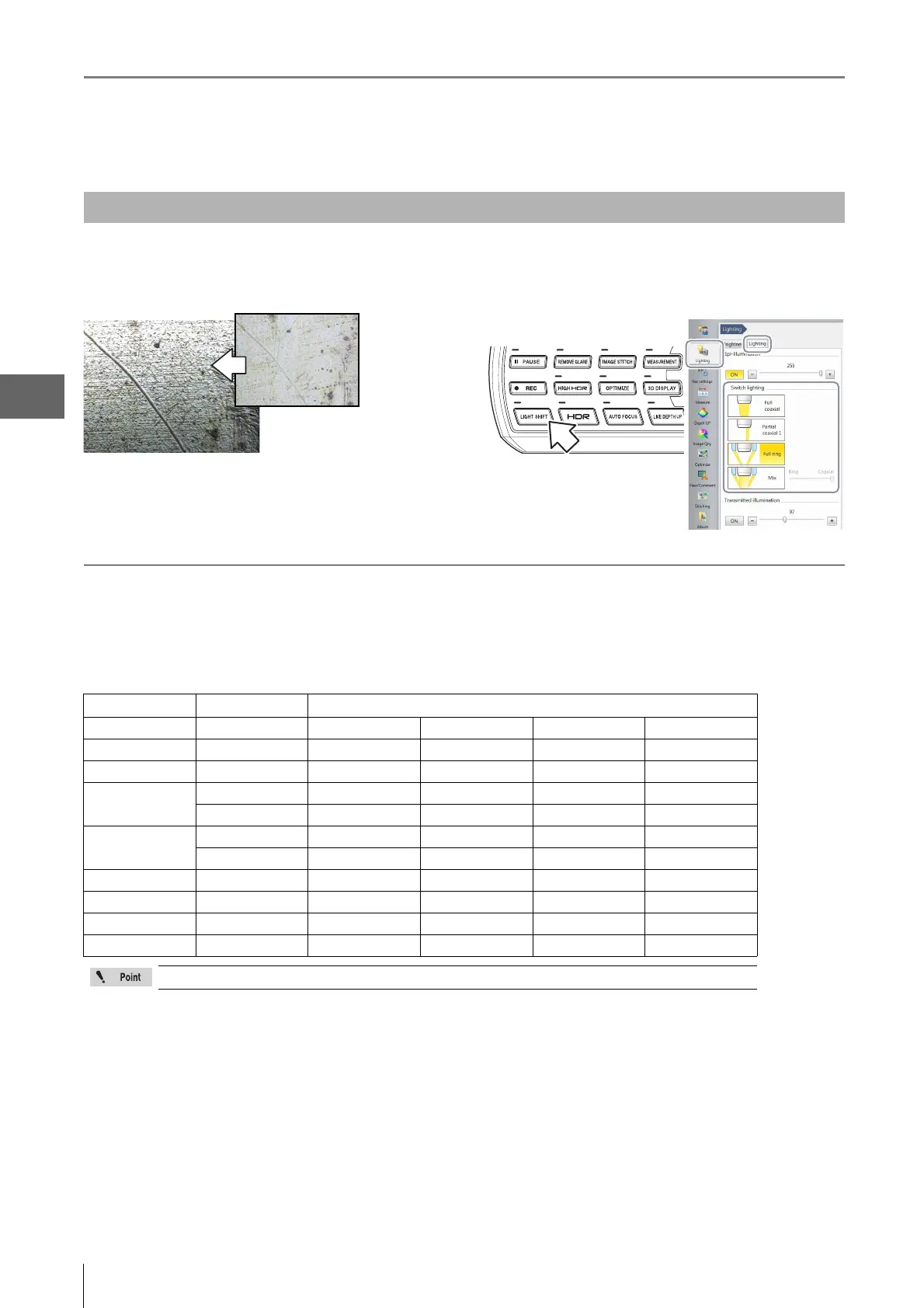
By changing how the light is applied, height differences of
the object becomes more noticeable and clearer
observation is possible.
Press the [LIGHT SHIFT] button on the console, or click
[Lighting] from the VHX MENU, select the [Lighting] tab
and click a lighting method.
Illumination differences with different lenses and options
The illumination selections may differ depending on the lens and options used.
Lens and lighting available for the microscope are as follows.
Available lighting for each lens
Changing the Lighting Method
Lens Ring light unit Lighting type
VH-Z00R/W/T - Full ring Partial ring - -
VH-Z20R/W/T - Full ring Partial ring - -
VH-Z20UR/W/T - Full coaxial Partial ring Full ring Mix
VH-Z100R/W/T
Attached Full coaxial Partial coaxial 1 Partial coaxial 2 -
Attached Full coaxial Partial coaxial 1 Full ring Mix
VH-Z100UR/W/T
Not attached Full coaxial Partial coaxial 1 Partial coaxial 2 -
Attached Full coaxial Partial coaxial Full ring Mix
VH-Z250R/W/T - Full coaxial Full ring - -
VH-Z500R/W/T - Full coaxial Partial coaxial 1 Partial coaxial 2 -
VH-Z50L/W/T - Full coaxial Partial coaxial 1 Partial coaxial 2 -
ZST - Full coaxial Partial coaxial 1 Full ring Mix
To use ring light at VH-Z100R/W/T or VH-Z100UR/W/T, ring light unit (OP-87792) is required.



 To Next Page