- Digital Microscope VHX-5000 User’s Manual -
Album
6-20
Playing and Editing Images
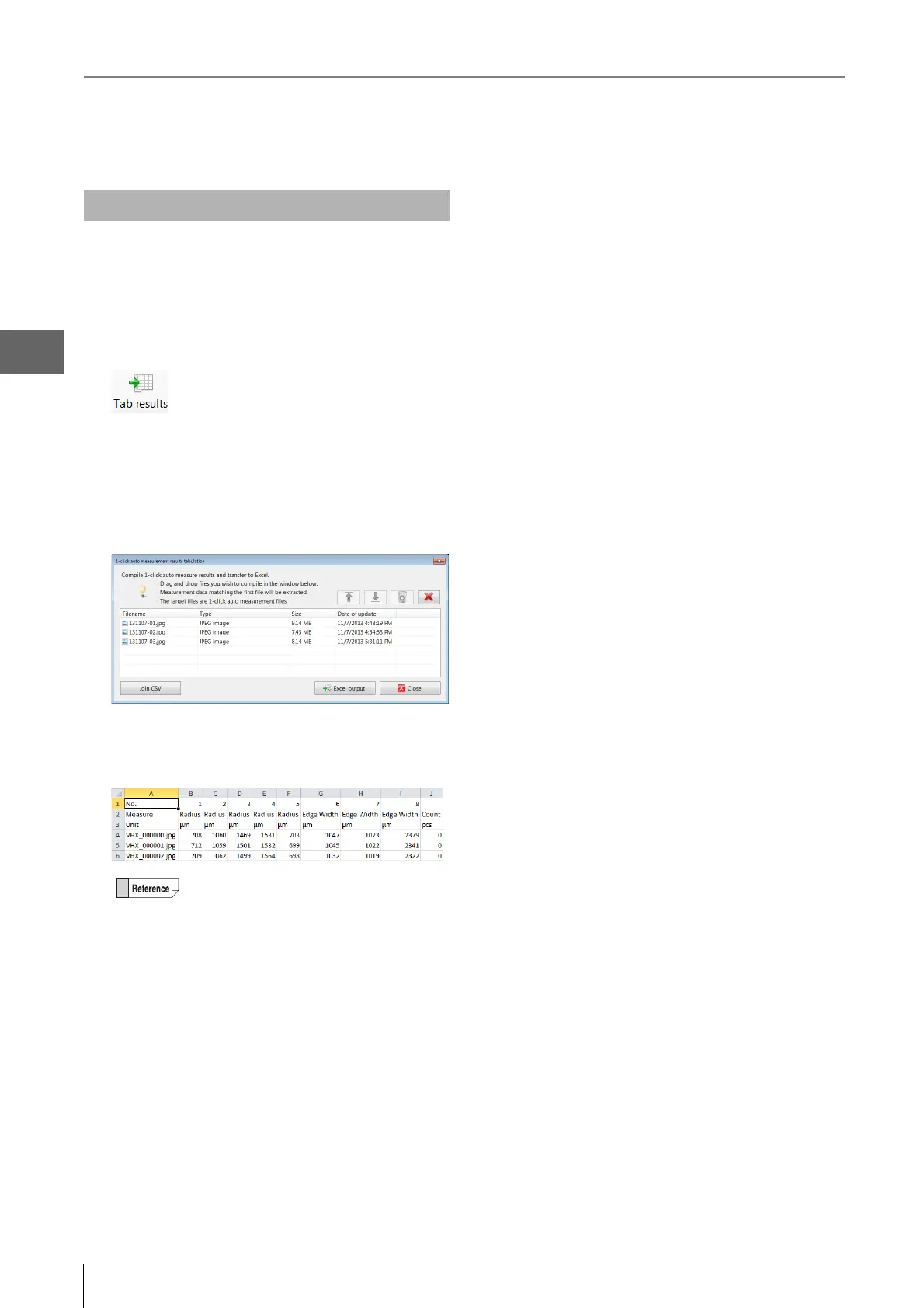
This function combines one-click automatic measurement
results in Excel.
1 Click [Tab results] .
The [1-click auto measurement results tabulation]
dialog box appears.
2 Drag and drop files that were captured with the
one-click automatic measurement to add them.
3 Click [Excel output].
The summary results appear in Excel.
Measurement Result Summary
By clicking [Join CSV], measurement results of
individual files added to the [1-click auto
measurement results tabulation] dialog box
can be saved together as a CSV file.



 To Next Page