- Digital Microscope VHX-5000 User’s Manual -
Album
6-11
Playing and Editing Images
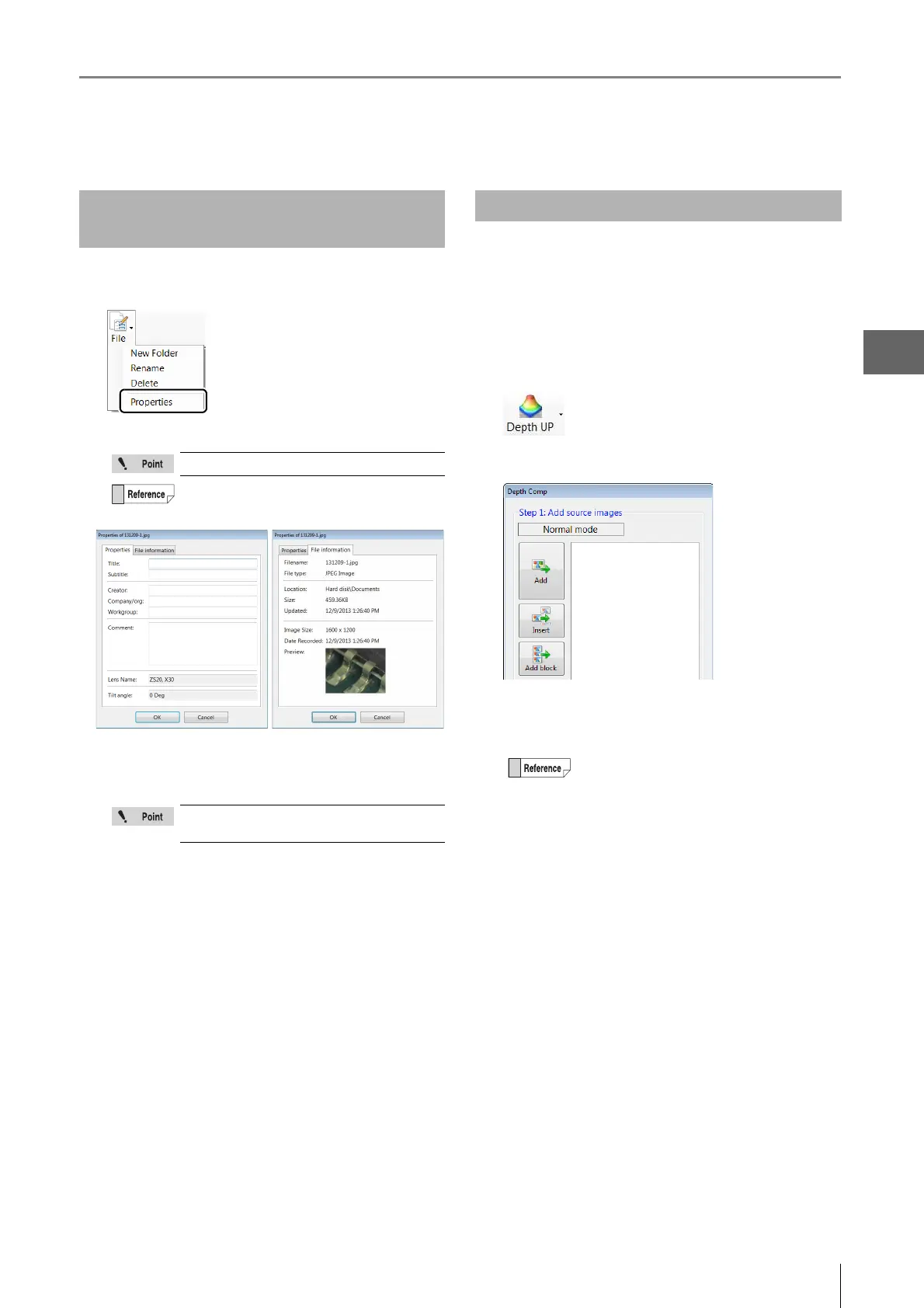
1 Click [File] and click [Properties].
The [File Properties] appears.
2 Enter information into the [Properties] tab as
necessary.
3 Click [OK].
Before performing this procedure, do a Fine depth
composition (Page 10-2) on multiple images suitable for
depth composition.
1 Click [Depth UP] and select the depth composition
menu.
The [Fine depth composition] dialog box appears.
2 Select image files from the files window on which
you wish to perform depth composition.
3 Click [Add].
The image files are added to the [Fine depth
composition] dialog box.
Displaying and Entering
Properties
CSV files do not have the [Properties] tab.
Clicking the [File information] tab displays
basic information about the file.
The [Lens Name] and [Tilt angle] field
cannot be changed.
Depth Up
Image data stored on USB flash memory
devices and DVD/CD disks can also be used.
Depth composition cannot be done on files
stored on network drives.



 To Next Page